Manual for UVD-IP-EVRDNR(-P)

Manual for UVD-IP-EVRDNR(-P)

Brand: GE

Category: Digital Camera

Document Type: Manual

Language: EN
Uploaded: Nov. 21, 2025, 7:22 p.m.

Manual Publish Date: 2010-07-08

Warranty Information

Refer to the document and other provided documentation for warranty information. Contact technical support for further assistance.

  • Introduction: Provides basic information for setting up and using the UVD-IP-EVRDNR(-P) camera.
  • Product Description: Explains that the camera is a color video camera using a digital signal processor for high-quality images.
  • Features: Lists key features like H.264-SVC compression, Super HAD technology, LSI digital processors, smart BLC, autoexposure, synchronization options, reliability, DIP switch control, signal-to-noise ratio, and power options (PoE or 12/24 VDC/VAC).
  • User Guidelines: Emphasizes safety precautions, proper power supply usage, operating within temperature specifications, and awareness of lighting condition impacts. A warning is included to prevent fire or shock hazards.
  • Package Contents: Details the items included with the camera, such as the camera assembly, video transceiver, power harness, mounting hardware, and DC jack adapter.
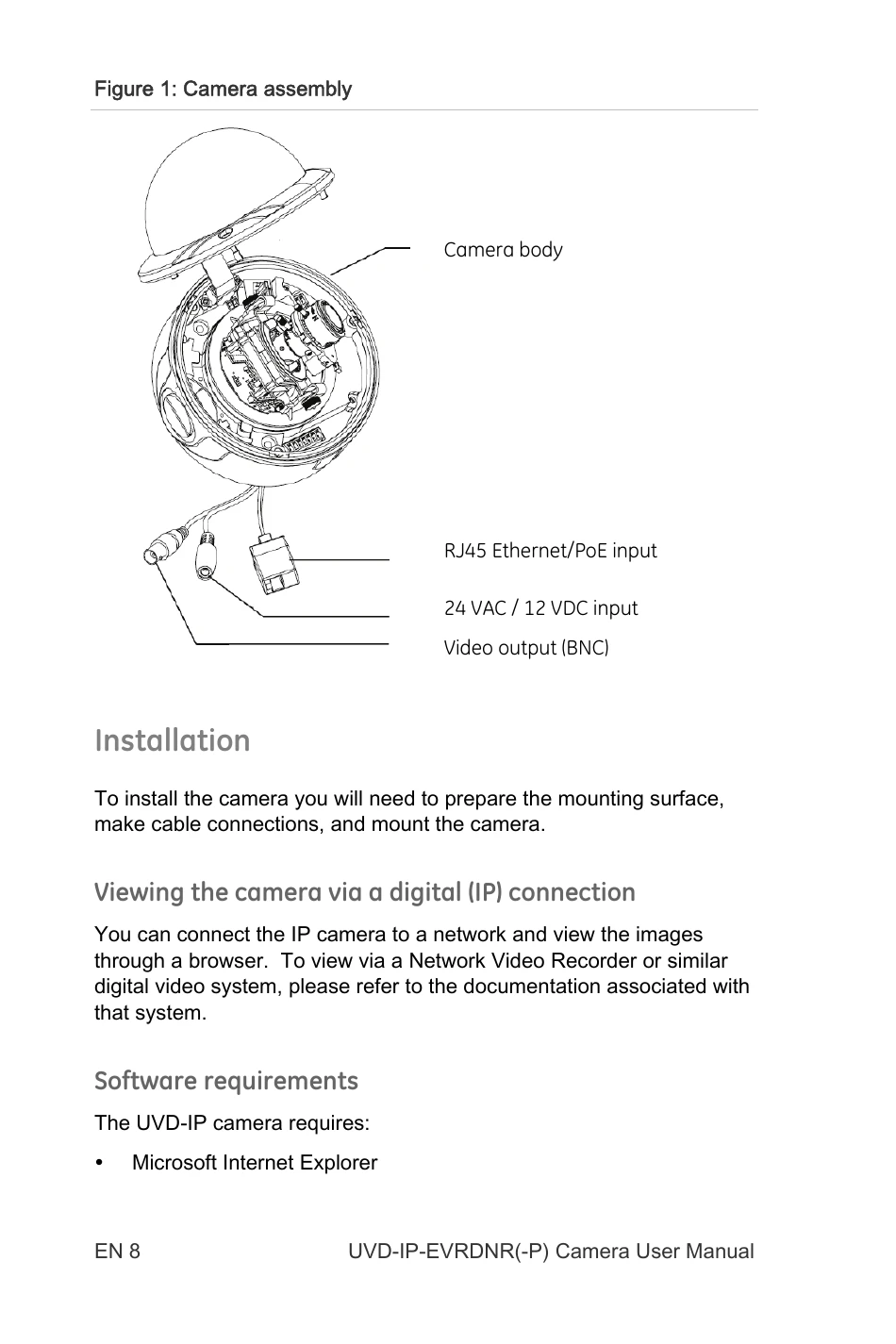
  • Installation: Covers preparing the mounting surface, making cable connections, and mounting the camera.
  • Viewing via IP: Instructions on connecting to a network and viewing images through a browser or NVR system.
  • Software Requirements: Specifies Microsoft Internet Explorer and a VLC player ActiveX plug-in.
  • Configuration: Steps to configure the camera with a default IP address, set up the PC's subnet, connect via URL, access live video, and use the maintenance menu for settings like IP address changes.
  • Connecting Analog Cables: Details on connecting coaxial and power cables, noting specific color codes for power and video.
  • Angle Adjustment: Instructions on adjusting the camera's horizontal and vertical angles.
  • Zoom and Focus Adjustment: Guidance on using thumbscrews to adjust zoom and focus.
  • Connecting Analog Monitor: Steps to connect a monitor for adjusting camera functions via DIP switches.
  • Setting Camera Functions: Explains how to use DIP switches to configure functions like White Balance, Backlight Compensation, Exposure (AI/AE), Day/Night mode, Mirror, and Flickerless control.
  • Contacting Technical Support: Provides contact information for assistance.

Troubleshooting and error codes

Switch Description
1. White Balance
ON: ATW mode; OFF: PTL mode
2. Backlight Compensation
ON: BLC off; OFF: BLC on
3. Exposure Al/AE
ON: Auto Iris (Al) mode; OFF: Auto Exposure (AE) mode
4. Day/Night setting
ON: Auto Day/Night mode; OFF: Color mode only
5. Mirror
ON: Normal; OFF: Mirror Enable
6. Flickerless Control
ON: Normal; OFF: Flickerless enabled
Privacy Policy