Brand: GE
Category: Digital Camera
Document Type:
Language: EN
Brand: GE
Category: Digital Camera
Document Type:
Language: EN
Uploaded: Aug. 9, 2025, 11:58 p.m.
Manual Publish Date: 2012-01-01
None
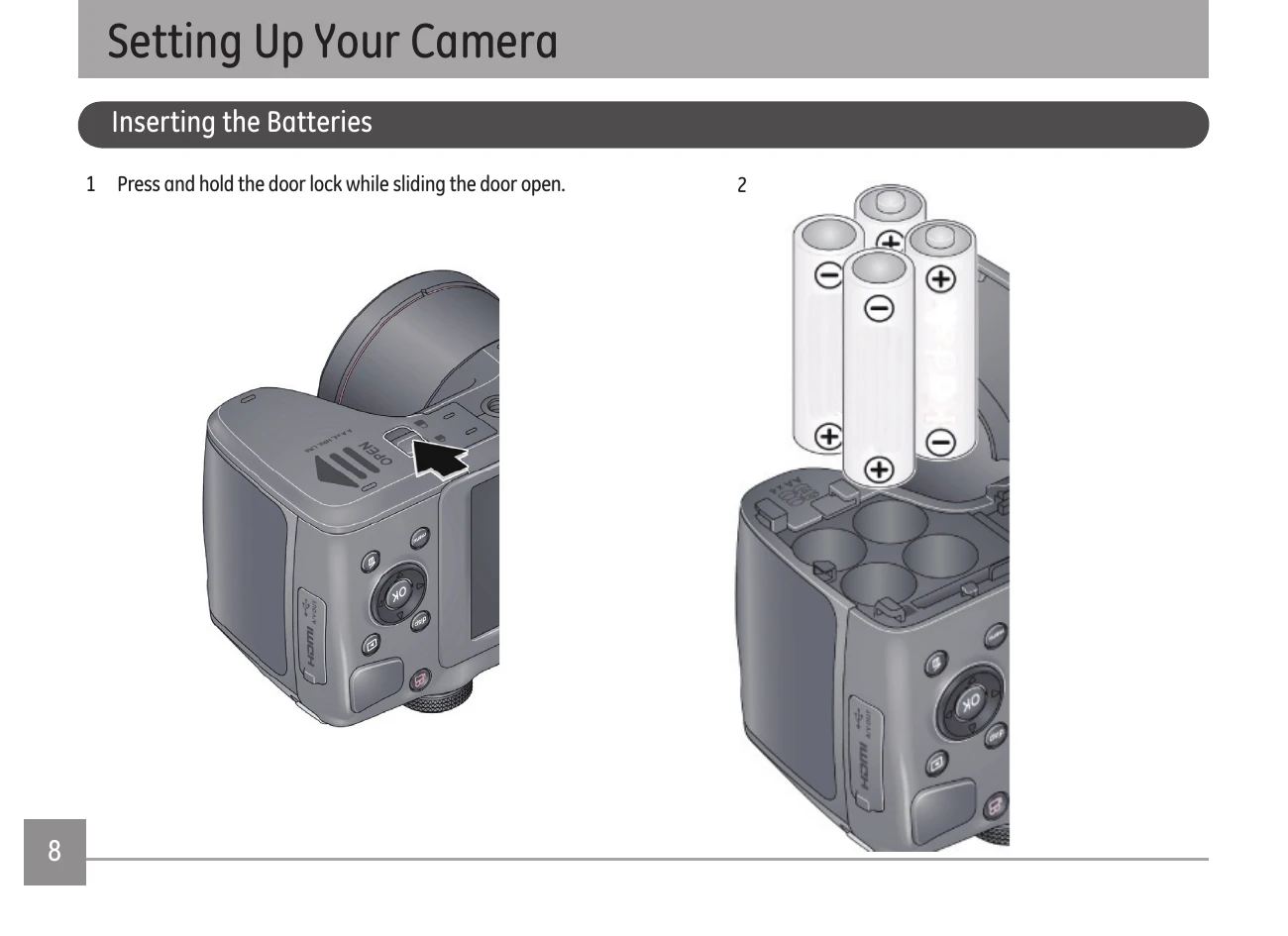
1. Insert Batteries: Open the battery compartment door and insert AA batteries, observing polarity.
2. Insert Memory Card: With the camera off, open the battery compartment and insert an SD/SDHC card until it clicks. To remove, press the card to release.
3. Turn On Camera: Remove the lens cap and pull back the ON/OFF switch.
4. Set Language, Date/Time: Follow on-screen prompts to select language and set date/time using navigation buttons.
5. Attach Strap: Thread the shoulder strap through the camera's strap loops.
Ensure the camera is in Smart Capture Mode. Use the LCD to preview, press the Shutter button halfway to focus, and then fully to capture the image.
| Problem | Possible Causes | Solution |
|---|---|---|
| Camera does not turn on | The battery has been depleted. The battery is not inserted correctly. |
Recharge the battery. Correctly reinstall the battery. |
| Camera turns off suddenly during operation | The batteries have been depleted. | Recharge the battery. |
| The picture is blurred | Camera moved or was shaking while taking a picture. | Turn on OIS feature. |
| Images and video files cannot be saved | The SD memory card is full. The memory card is locked. |
Use another memory card or delete unnecessary files. Unlock the memory card. |
| Images will not print from the connected printer | The camera is not connected to the printer correctly. The printer is not PictBridge compatible. The printer is out of paper or ink. The printer paper is jammed. |
Check the connection between the camera and printer. Use a PictBridge compatible printer. Load paper into the printer or replace the ink cartridge in the printer. Remove the jammed paper. |
| Saving data to memory card is slow | Using a memory card below Class 4 may result in slower recording times. The SD memory card has been locked. The camera may experience trouble recording HD movies to SD cards with a rating lower than Class 4. |
Use an SD card with write Class higher than 4 to improve performance. Release the write lock of the memory card or replace with another card. Use an SD card with write Class higher than 4 to improve performance. |
| Cannot write to the memory card | The SD memory card is locked. The camera may experience trouble recording HD movies to SD cards with a rating lower than Class 4. |
Release the write lock of the memory card or replace with another card. Use an SD card with write Class higher than 4 to improve performance. |
| Too many movies to process | The number of pictures or folders in the SD memory card exceed the specifications, so the playback of data folder can not be displayed. | Delete unwanted files. |