Brand: GE
Category: Other
Document Type: Manual
Language: EN
Brand: GE
Category: Other
Document Type: Manual
Language: EN
Uploaded: Nov. 21, 2025, 6:34 p.m.
90 days for labor, one year for parts, and two years for the picture tube.
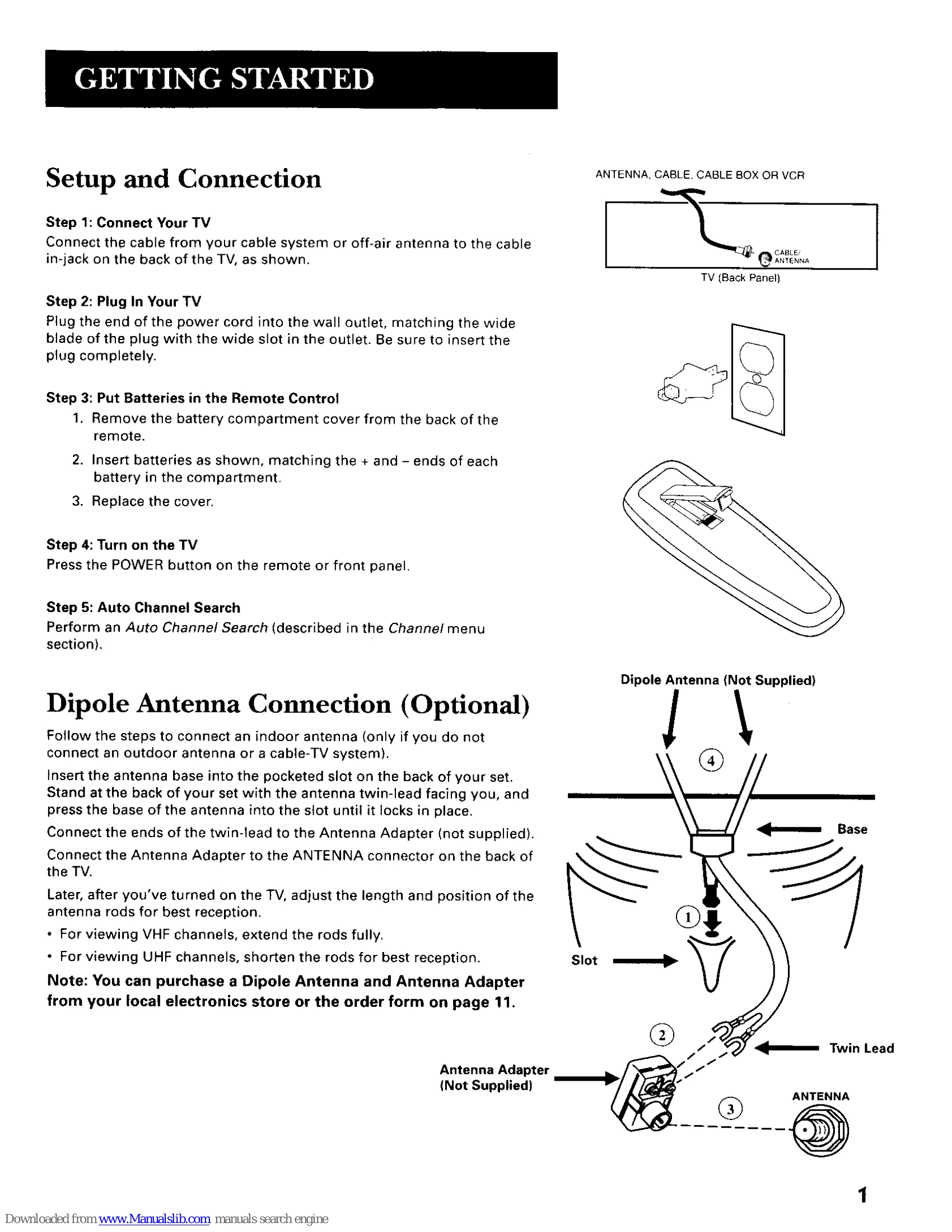
Setup and Connection: Connect the TV to a power source and antenna/cable. Insert batteries into the remote. Perform an Auto Channel Search.
Front Panel Controls: Use CHAN ^/v to scan channels or navigate menus. MENU brings up the main menu. POWER turns the TV on/off. VOL +/- adjusts volume or menu settings.
Remote Control Buttons: POWER, PREV CH, DISPLAY, MUTE, CHAN ^/v, VOL +/-, MENU, RESET, CLEAR, Number Buttons (0-9), INPUT, SKIP.
TV Main Menu: Access Picture Quality, Screen, Channel, V-Chip Parental Controls, and Time settings.
Picture Quality Menu: Adjust Contrast, Color, Tint, Black Level, and Sharpness. Reset Picture Controls.
Screen Menu: Control Closed-Caption Display, Closed-Caption Mode, and Menu Language.
Channel Menu: Set Signal Type, perform Auto Channel Search, and customize the channel list.
V-Chip Parental Controls: Block programs by rating and content themes. Lock/Unlock parental controls with a password.
Time Menu: Set Sleep Timer, Set Time, and Wake-up Timer.
| Problem | Solution |
| TV will not turn on or controls don't work | Check plug and wall receptacle. Unplug for one minute and plug back in. Ensure Front Panel Lock is not set. |
| Problems with remote | Ensure clear line of sight to the remote sensor. Check/replace batteries. |
| Turns on or off while playing | Electronic protection may be activated (wait 30 seconds). Check Sleep Timer or Alarm Timer. |
| Blank screen or black box appears on the screen | Try another channel. Press RESET. Check Closed-Caption settings. |
| No sound, picture okay | Check if sound is muted. Press volume up. |
| No picture, no sound, but power is on | Check cable/air function. Try another channel. |
| Sound okay, picture poor | Check antenna connections. Adjust sharpness. |