Manual for 27909

Manual for 27909

Brand: GE

Category: Other

Document Type: Manual

Language: EN
Uploaded: Nov. 21, 2025, 9:04 p.m.

Manual Publish Date: 2008-05-01

Warranty Information

This warranty covers manufacturing defects for one year from the purchase date and includes free replacement with proof of purchase. Excludes damage from accidents or misuse.

Basic Operation and Setup

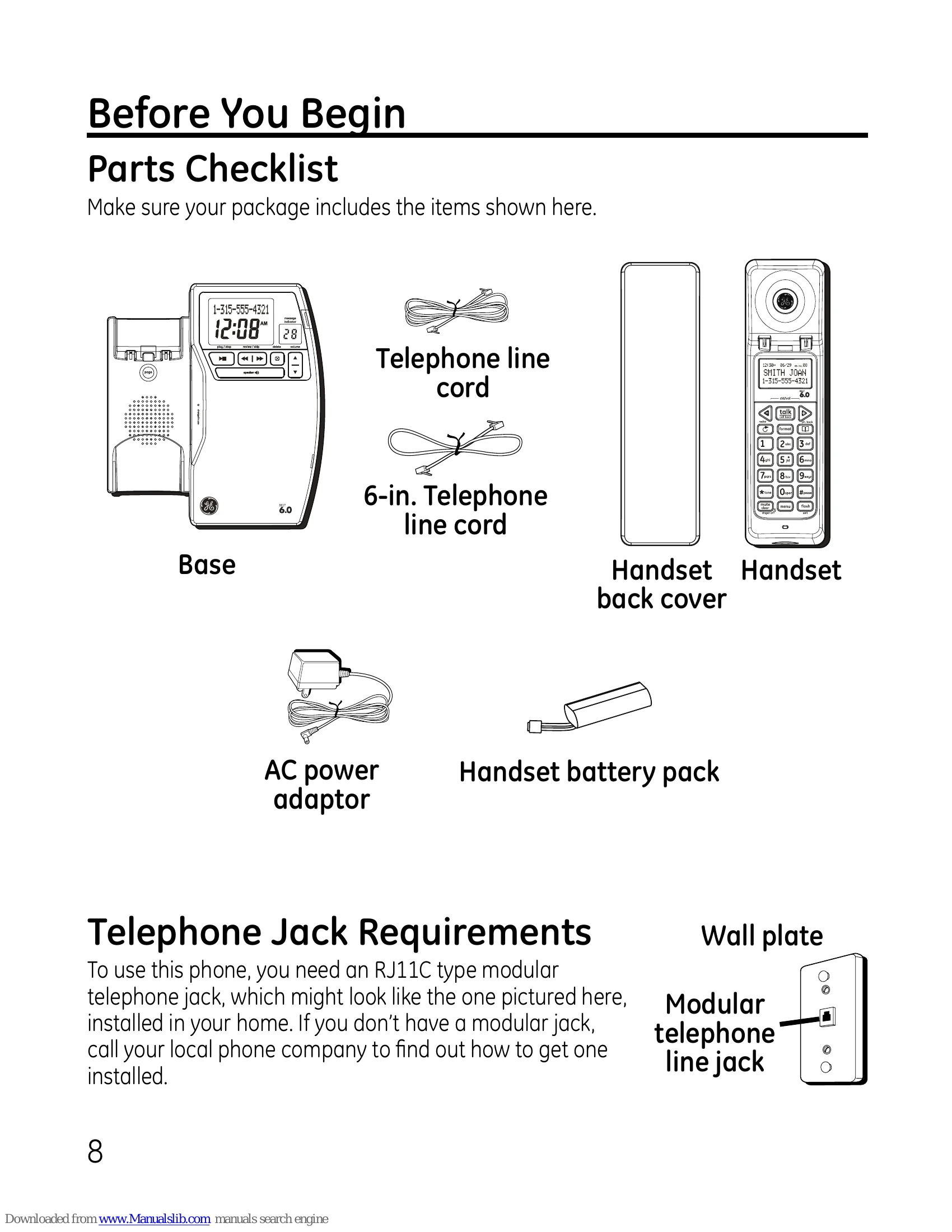
This manual provides comprehensive instructions for your GE Cordless Handset with Answering System & Speakerphone Model 27909. It covers initial setup, installation, and operation of various features.

Installation

  • Base Station Setup: Choose a location near an electrical outlet and telephone jack. Connect the telephone line cord and AC power adapter. Allow the phone to charge for 14 hours before first use.
  • Handset Battery: Connect the handset battery pack before use, ensuring proper orientation of the connector.
  • DSL Filter: If you have DSL service, install a DSL filter between the phone and the wall jack.
  • Wall Mounting: Instructions are provided for mounting the base unit on a wall.

Answering System Setup

  • Turn the answering system ON/OFF using the 'ans on/off' button.
  • Record an outgoing announcement or use the default.
  • Voice instructions are available for assistance.

Handset and Base Features

  • Handset Layout: Familiarize yourself with buttons for talk/call back, caller ID/volume, redial, menu, etc.
  • Base Layout: Identify buttons for play/stop, page, delete, volume, memo, and answerer on/off.
  • Programming: Access features like intercom, setup, date/time, registration, and answer machine via the handset menu.
  • Caller ID: Features for viewing and storing caller ID information.
  • Phone Book: Add, edit, and dial contacts from the phone book.
  • Intercom and Conferencing: Communicate between handsets and set up three-way calls.

Troubleshooting

The manual includes a troubleshooting guide for common issues such as no signal, static, power outages, and display problems.

Troubleshooting and error codes

Issue Solution
No dial tone
  • Check power and telephone line connections.
  • Verify the phone is not out of range.
  • Ensure the battery is charged.
  • Test with another phone or in a different jack.
Static, noise, or fluctuations
  • Move closer to the base.
  • Ensure the base is not plugged into an outlet with other appliances.
  • Charge the battery fully.
Appliance freezes, no communication
  • Unplug power from base and wall, remove handset battery. Wait 30 seconds, then reconnect power and charge handset for 14 hours.
Handset displays "SEARCHING..."
  • Move closer to the base.
  • Check base power connection.
Date/Time reset
  • Reconfigure date and time, likely due to a power outage.
No display on handset
  • Charge battery for 14 hours or replace it.
  • Ensure the base is plugged into an unswitched outlet and re-plug power.
Privacy Policy