Manual for 45238

Manual for 45238

Brand: GE

Category: Other

Document Type: Manual

Language: EN
Uploaded: Nov. 21, 2025, 9:09 p.m.

Warranty Information

One-year limited warranty covering manufacturing defects, limited to repair or replacement.

Product Features:

  • Authentic appearance for a wireless video surveillance system illusion.
  • Supplements existing security systems.
  • Unique axis-swivel mount for surface or wall installation.
  • Convenient on/off switch.
  • Flashing red LED attracts attention.
  • Requires 2 AAA batteries (not included), lasting up to 12 months.
  • Suitable for indoor/outdoor use.

Installation:

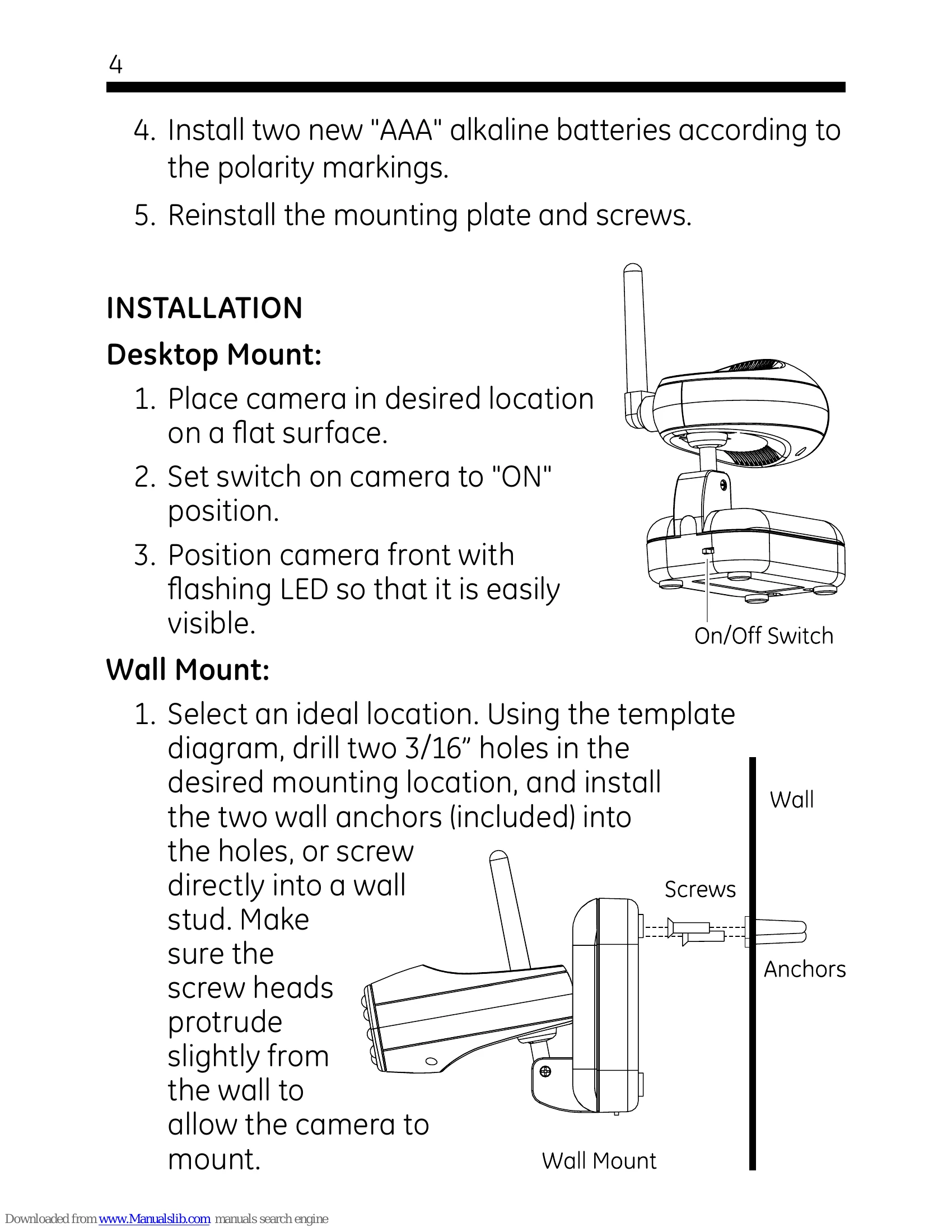
  1. Desktop Mount: Place camera on a flat surface, turn the switch to "ON", and position for visibility.
  2. Wall Mount: Select location, drill holes (using template), install anchors or screw into stud, ensuring screw heads protrude slightly. Secure camera by fitting mounting slots onto screwheads. Turn switch to "ON" and slide camera onto battery pack pins. Adjust antenna and camera angle.
Privacy Policy