Brand: GE
Category: Other
Document Type: Quick Start Guide
Language: EN
Brand: GE
Category: Other
Document Type: Quick Start Guide
Language: EN
Uploaded: Nov. 21, 2025, 7:14 p.m.
Manual Publish Date: 2019-01-02
Refer to the product manual for detailed warranty information.
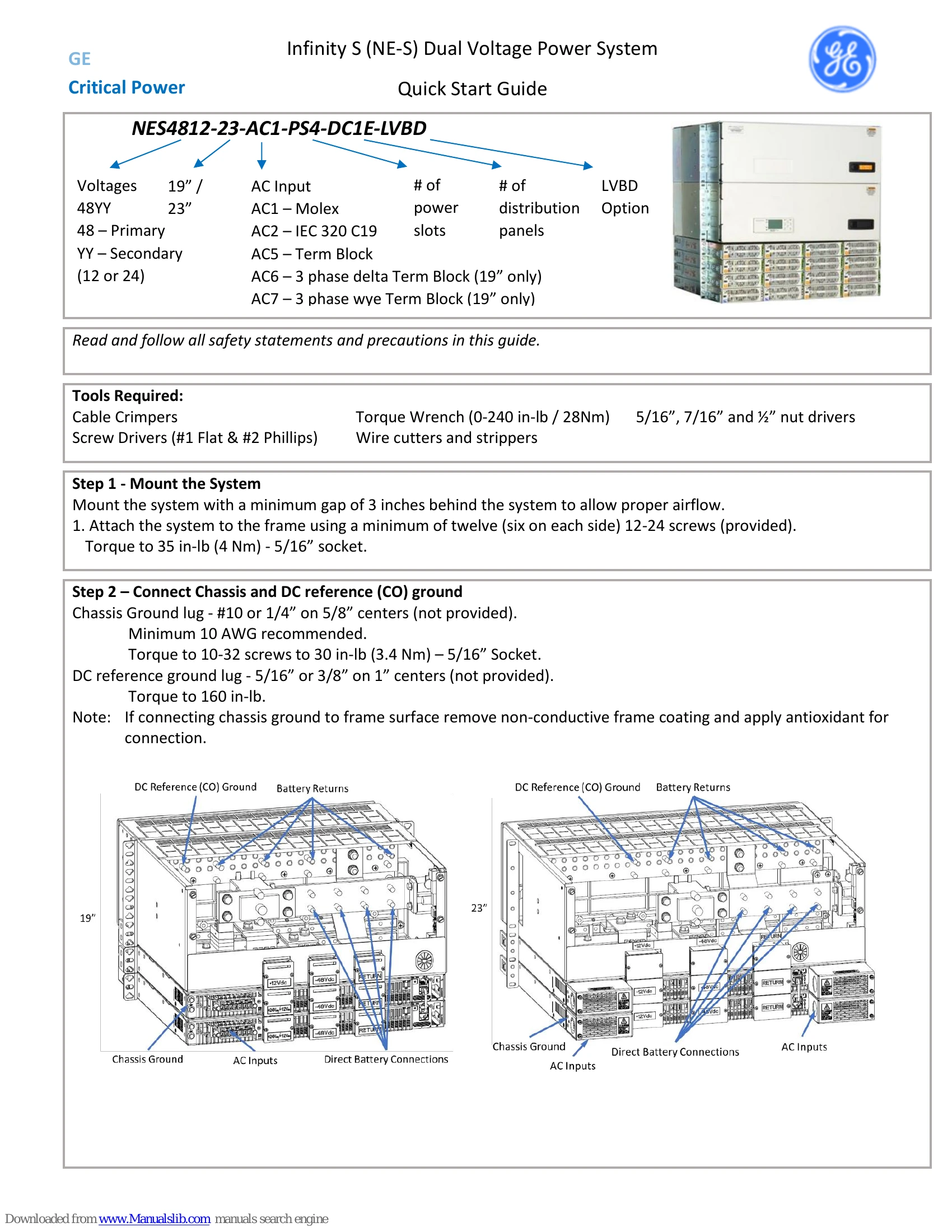
This guide outlines the installation and initial setup of the GE Infinity S Dual Voltage Power System. It covers mounting the system, connecting chassis and DC reference grounds, AC input connections, battery and DC output connections, controller signal setup, power module installation, and initial startup procedures.
Key steps include:
Refer to specific sections for detailed instructions on each step, including tool requirements and torque specifications.
| Alarm | Description | Action |
|---|---|---|
| Power Critical | Critical system failure impacting power output. | Contact GE support. |
| Power Major | Significant power reduction or fault. | Check rectifiers, connections, and contact support. |
| Power Minor | Minor issue affecting power output. | Check rectifiers, consult manual for specific cause. |
| Battery On Discharge | Battery is currently discharging. | Normal operation, check battery health if prolonged. |
| Very Low Voltage | System voltage is too low. | Check battery connections, battery health, and charger. |
| Fuse Alarm Major | A main fuse has blown. | Identify and replace blown fuse, check for cause. |
| AC Fail | AC input power is lost. | Check AC source, breakers, and wiring. |
| Rectifier Fail | One or more rectifiers have failed. | Identify failed rectifier(s) and replace. |
| Mult. Rectifier Fail | Multiple rectifiers have failed. | Identify failed rectifiers and replace. Check system load. |
| High Voltage | System voltage is too high. | Check controller settings and charger. |
| Air Con Fail | Cooling system has failed. | Check fans, filters, and air conditioning unit. |
| Door Open | System enclosure door is open. | Close and secure the door. |
| EPO (Emergency Power Off) | Emergency power off activated. | Investigate cause and reset EPO switch. |
| Hi ext. Temp. | External temperature is too high. | Check ventilation and ambient temperature. |
| Low ext. Temp. | External temperature is too low. | Ensure operating temperature range is maintained. |