Brand: GE
Category: Other
Document Type: Manual
Language: EN
Brand: GE
Category: Other
Document Type: Manual
Language: EN
Uploaded: Nov. 21, 2025, 6:43 p.m.
Manual Publish Date: 2017-12-01
Warranty information is not detailed in this section of the manual.
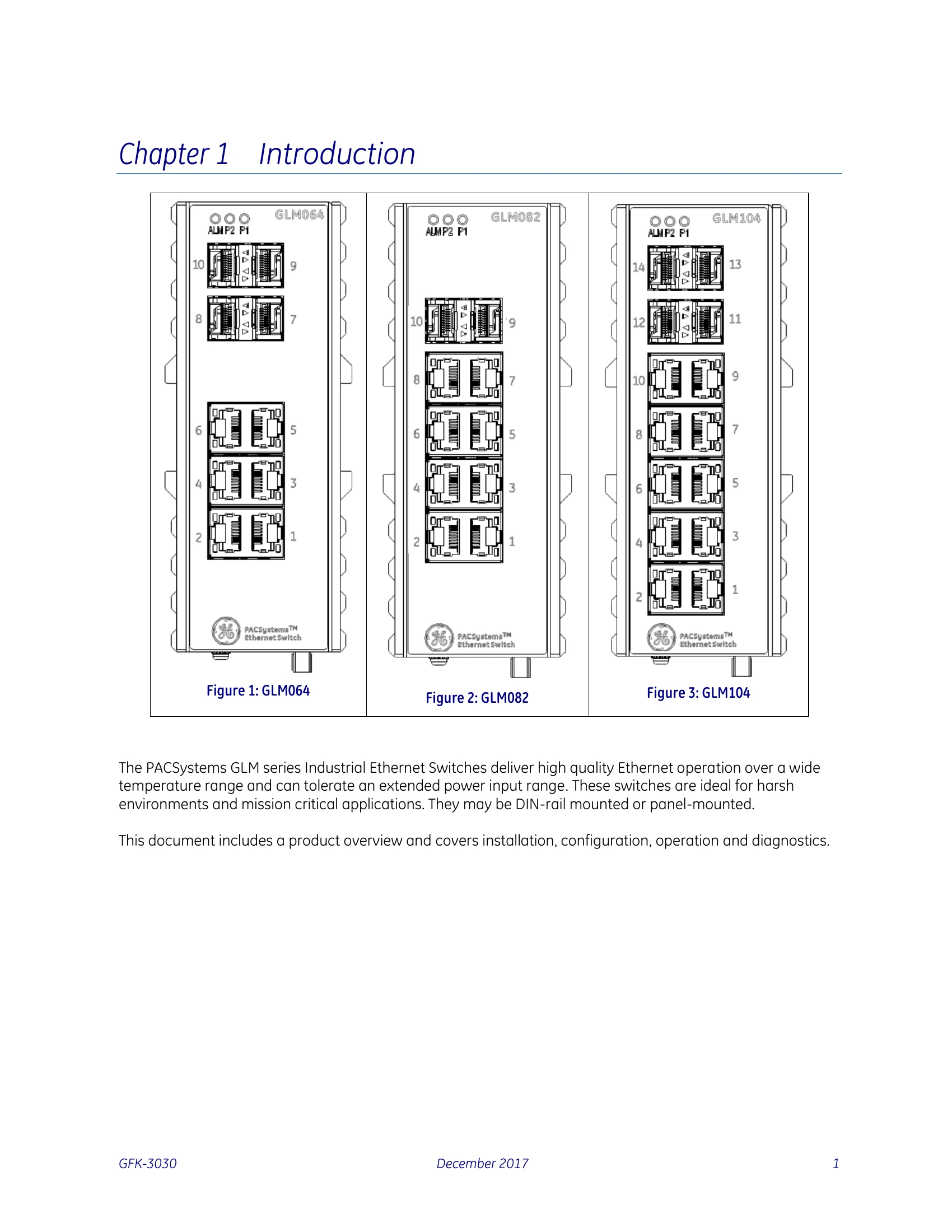
These industrial Ethernet switches are designed for harsh environments and mission-critical applications. They can be DIN-rail or panel-mounted.
Connect to the dual DC power inputs (12Vdc-58Vdc). LEDs indicate power status.
Proper grounding is essential for optimal performance. Connect the ground screw to earth ground.
Uses RJ45 for copper and SFP for fiber optic connections. LEDs indicate link and speed.
Various LEDs indicate power status, alarm conditions, link activity, and speed for each port.
A recessed reset button on the bottom panel can reboot the switch if it becomes unresponsive.
The manual details various CLI commands for configuration and diagnostics, including loop-protection, LLDP, RFC2544 testing, GVRP, and Voice VLAN settings.
| LED | STATE | Description |
|---|---|---|
| P1 | On Green | P1 input power is within specification |
| Off | P1 power line is disconnected or supply power is not within specifications | |
| P2 | On Green | P2 input power is within specification |
| Off | P2 power line is disconnected or supply power is not within specifications | |
| Alarm | On Red | Alarm contact energized |
| Off | Alarm contact not energized | |
| Copper ports Link/Act | On Green | Ethernet link up but no traffic is detected |
| Flashing Green | Ethernet link up and there is traffic detected | |
| Off | Ethernet link down | |
| Copper ports Speed | On Yellow | A 100 Mbps or a 1000Mbps connection is detected |
| Off | No link or a 10 Mbps connection is detected | |
| SFP port Link/Act | On Green | Ethernet link up |
| Off | Ethernet link down | |
| SFP port Speed | On Yellow | SFP port speed 1000Mbps connection is detected. |
| Off | No link or a SFP port speed 100Mbps connection is detected |