Brand: GE
Category: Television
Document Type: Manual
Language: EN
Brand: GE
Category: Television
Document Type: Manual
Language: EN
Uploaded: Nov. 21, 2025, 8:09 p.m.
Covers defects in materials or workmanship for 90 days labor, 1 year parts, and 2 years for the picture tube.
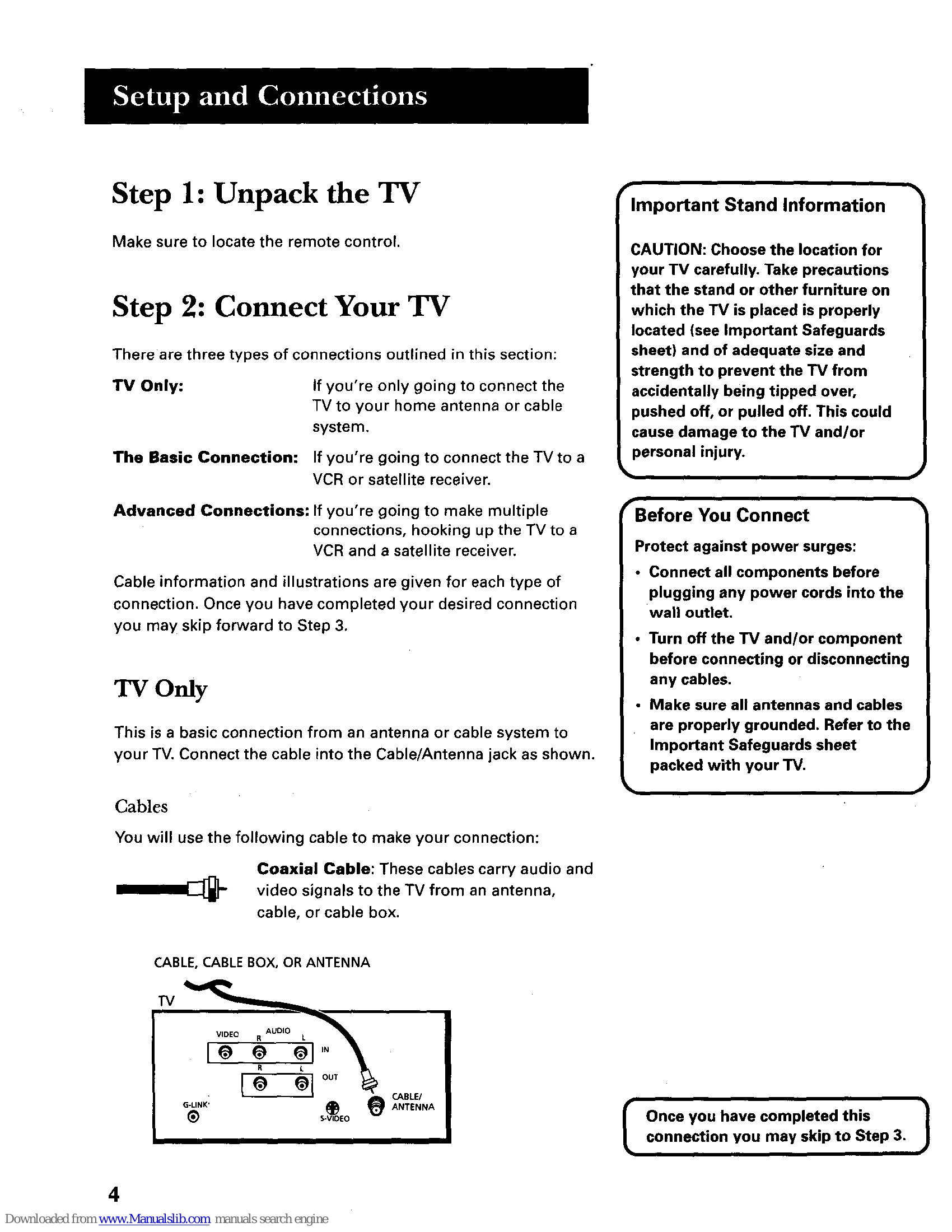
Initial Setup: Follow the on-screen prompts for interactive setup, which includes selecting a language, searching for channels, setting the time, and configuring connected devices like VCRs and cable boxes. This process ensures the TV and its features, including the GUIDE Plus+ system, are properly configured.
Using the Remote: The remote control is used to navigate menus, select options, and control TV functions. Key buttons include MENU, OK, CLEAR, GUIDE, and input selection buttons (TV, VCR, DVD, etc.).
GUIDE Plus+ System: This on-screen program guide provides TV listings and allows for one-button VCR recording. Access and navigate it using the GUIDE button and remote controls.
Features and Controls: Explore menus for audio, picture quality, screen settings, channel management, and parental controls (V-Chip, content blocking). These allow customization for optimal viewing experience.
| Problem | Solution |
| TV will not turn on | Check plug and outlet. Check batteries. Ensure remote is aimed at sensor. Unlock front panel controls if locked. |
| Controls don't work | Ensure remote is in TV mode. Unlock front panel controls. Unplug set for two minutes. |
| Problems with remote | Check for obstructions. Ensure remote is aimed correctly. Confirm remote is in TV mode. Replace batteries. Reset remote. |
| Guide comes on when I turn on TV | Turn off GUIDE Plus+ Auto Display from GUIDE Plus+ Menu. |
| Turns off while playing | Check Schedule function. Electronic protection may have activated; wait 30 seconds. |
| TV turns on unexpectedly | Check for scheduled events or Watch from GUIDE Plus+. Electronic protection may have activated. |
| Blank screen | Ensure connected component is on. Try another channel. Check Parental Controls for channel blocking. |
| No sound, picture okay | Check mute status. Check Audio Output and Speakers settings. Connect audio cables if using S-Video. |
| Not receiving all cable channels | Verify GUIDE Plus+ setup for cable box and run Auto Channel Search. |
| Can't select certain channel | Check Parental Controls. Ensure TV/VCR button is in correct mode. |
| Noisy stereo reception | May be a weak station; switch to mono mode. |
| No picture, no sound but TV is on | Check cable/air setting. Ensure TV is tuned to correct VCR channel (3 or 4). |
| Sound okay, picture poor | Check antenna connections. Adjust sharpness. |
| Black box appears on screen | Check Closed-Caption Display settings. |
| GUIDE Plus+ G-LINK cables not working | Ensure wands are positioned correctly. Check cable box setup and ZIP code. |