Manual for 5.0 Mega pixels

Manual for 5.0 Mega pixels

Brand: Generic

Category: Digital Camera

Document Type:

Language: EN

Uploaded: Aug. 9, 2025, 11:45 p.m.
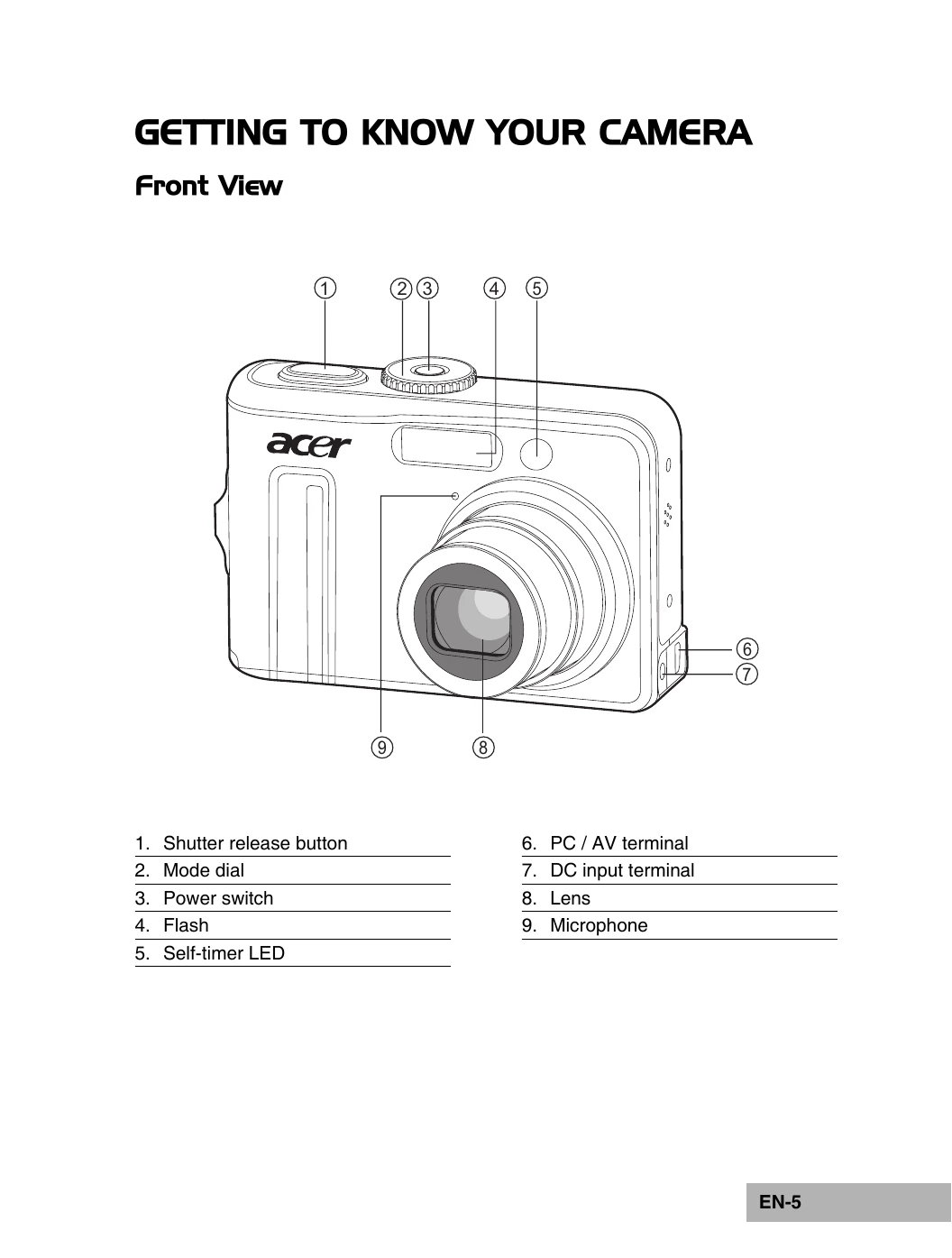
Turning the Power On/Off

  • Press the power switch until the digital camera turns on.
  • To turn the power off, press the power switch again.

Choosing the Screen Language

  1. Rotate the mode dial to SET UP and turn your camera on by pressing the power switch.
  2. [Setup] is displayed.
  3. Use the four-way controller to select [Language], then press the OK button.
  4. Use the four-way controller to select the language you want.
  5. Press the OK button to confirm.

Setting the Date and Time

  1. Rotate the mode dial to SET UP and turn your camera on by pressing the power switch.
  2. [Setup] is displayed.
  3. Use the four-way controller to select [Date & Time] and switch the date types, then press the OK button.
  4. Press the four-way controller to select Day, Month, Year and Time fields.
  5. Press the OK button after all fields are set.

Formatting an SD Memory Card or Internal Memory

  1. Rotate the mode dial to SET UP and turn your camera on by pressing the power switch. [Setup] is displayed.
  2. Use the four-way controller to select [Format], then press the OK button.
  3. Use the four-way controller to select [Yes], then press the OK button to confirm.
Privacy Policy