Manual for DSC-W120

Manual for DSC-W120

Brand: Generic

Category: Digital Camera

Document Type:

Language: EN

Uploaded: Aug. 9, 2025, 11:41 p.m.
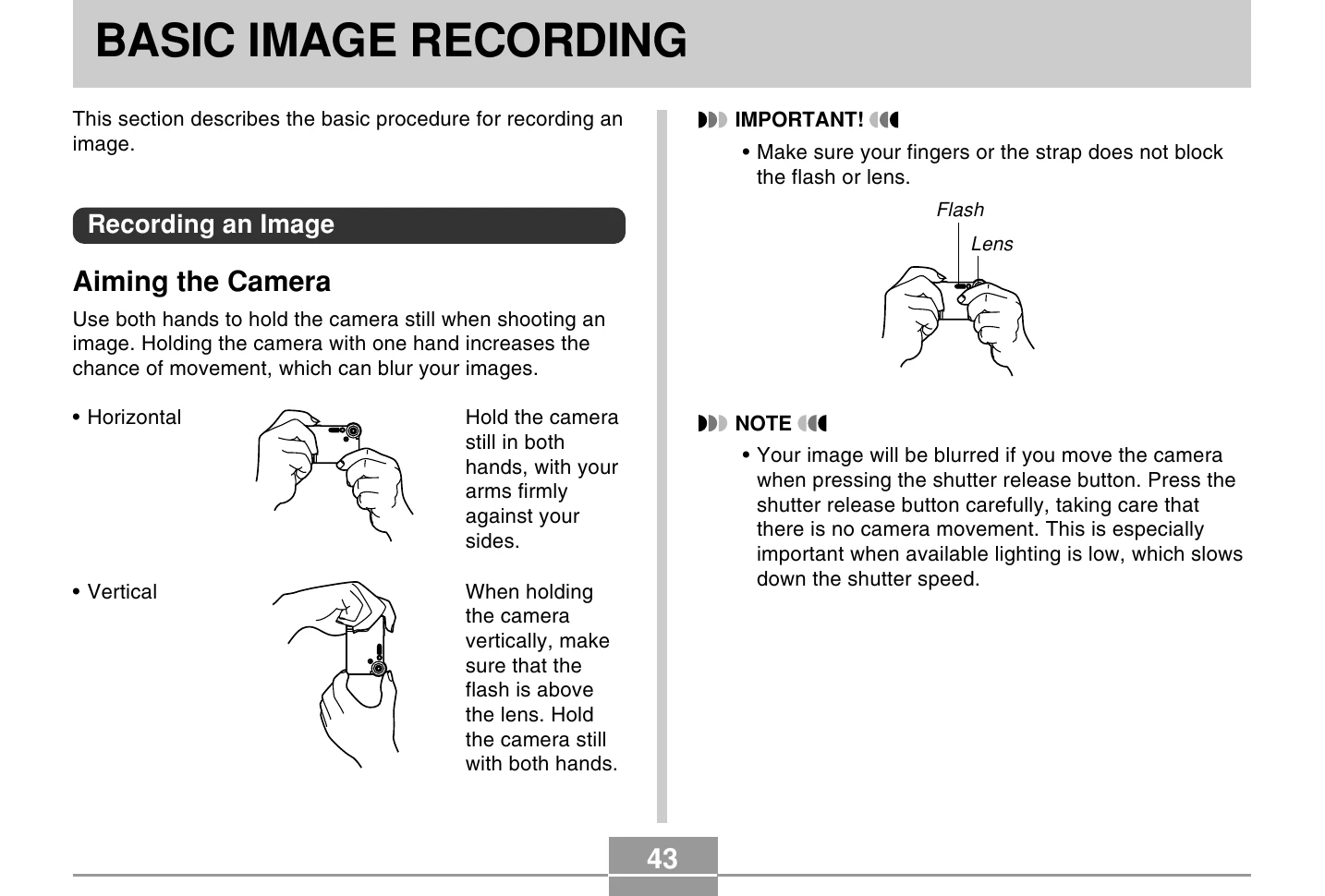
Basic Image Recording

Recording an Image

  1. Press the power button to turn on the camera.
  2. Align the mode selector with (REC).
  3. Compose the image on the monitor screen or optical viewfinder.
  4. Press the shutter release button to record the image.

Using Zoom

  1. In REC mode, press [MENU].
  2. Select the "REC" tab.
  3. Select "Digital Zoom" and press [►].
  4. Select "On" and press [SET].
  5. Use [▲] and [▼] to change the digital zoom factor.
  6. Record the image.

Using the Flash

  1. In REC mode, press [MENU].
  2. Select the "REC" tab, select "Flash", and press [►].
  3. Select the desired flash mode and press [SET].

Specifying ISO Sensitivity

  1. In REC mode, press [MENU].
  2. Select the "REC" tab, select "ISO", and press [►].
  3. Select the desired ISO sensitivity and press [SET].
Privacy Policy