Manual for None

Manual for None

Brand: Generic

Category: Digital Camera

Document Type:

Language: EN

Uploaded: Aug. 9, 2025, 11:45 p.m.
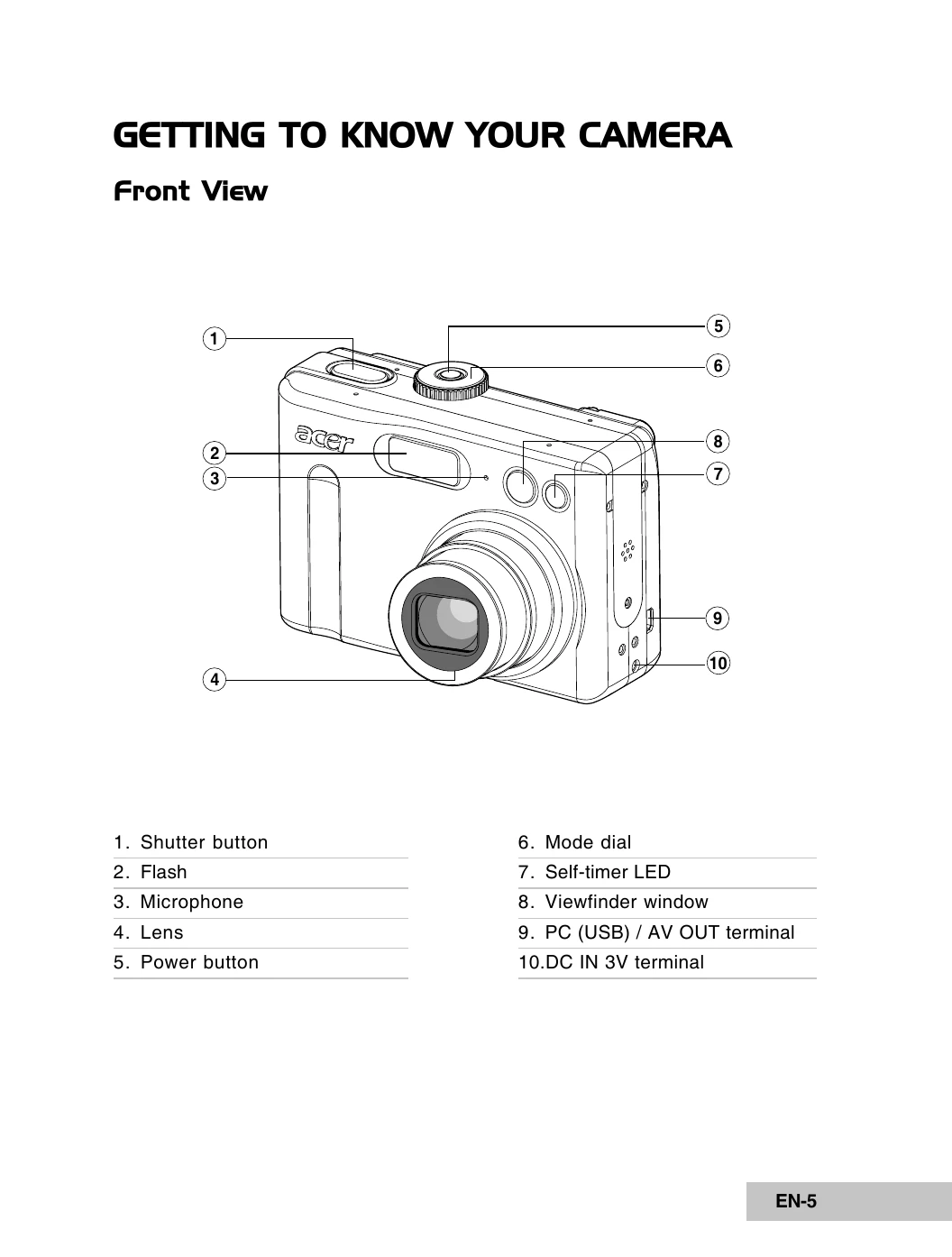
Getting Started

  • Powering On/Off: Press the power button to turn the camera on or off.
  • Language Selection: Upon first use, select the desired screen language.
  • Date & Time: Set the current date and time.
  • Formatting: Prepare the SD memory card or internal memory by formatting.
  • Using the LCD Monitor: Compose shots, review images/videos, and adjust settings on the LCD.

Photography Mode

  • Shooting Basics: Select a mode, compose the scene, half-press shutter to focus, then fully press to capture.
  • Image Resolution/Quality: Adjust settings for desired image detail and file size.
  • Zoom Function: Use optical and digital zoom to magnify subjects.
  • Flash: Utilize different flash modes (Auto, Red-eye Reduction, On, Off) for various lighting conditions.
  • Self-Timer: Use for group shots, with options for 2-second or 10-second delays.

Using the Camera

  • Transferring Files: Connect to a computer via USB to download images/videos.
  • Editing Software: Install and use provided software for image enhancement.
  • PC Camera: Use the camera for video conferencing.

Menu Options

  • Camera Menu: Basic settings for capturing still images (Image Size, Quality, Capture Mode, Metering, Color, etc.).
  • Video Menu: Basic settings for recording video clips (Color, Digital Zoom).
  • Playback Menu: Settings for reviewing images (Slide Show, Protect, DPOF, Resize, Quality Change, Copy to Card).
  • Setup Menu: Default settings configuration (Format, Speaker, Date & Time, Language, USB Mode, TV, Auto Shut Down, Reset Number).
Privacy Policy