Brand: Generic
Category: Mobile Phone
Document Type:
Language: EN
Brand: Generic
Category: Mobile Phone
Document Type:
Language: EN
Uploaded: Aug. 10, 2025, 12:13 a.m.
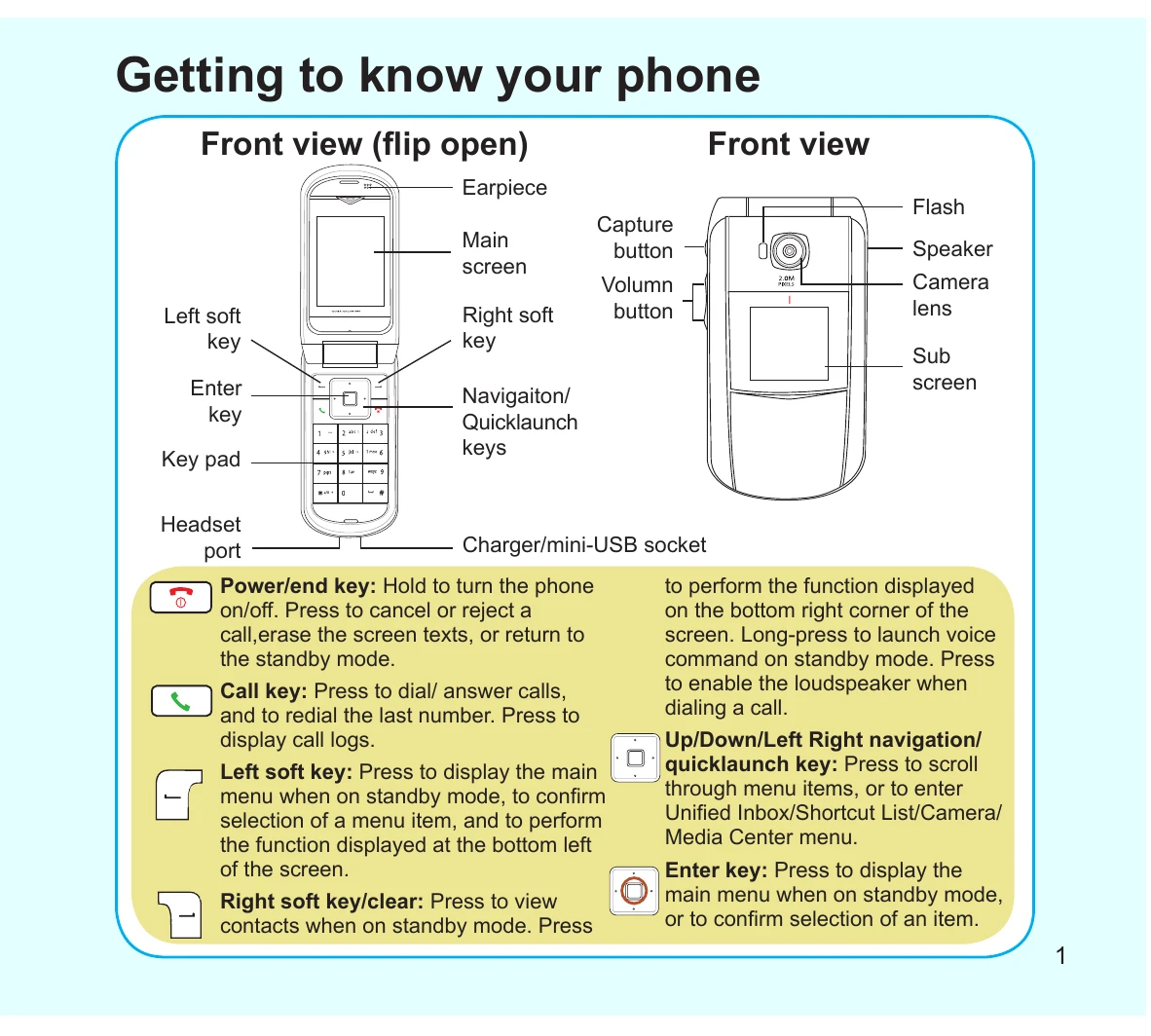
This guide introduces the basic functions of your phone, including its front view and key components like the earpiece, main screen, capture button, and keypad. It explains how to navigate menus, make and receive calls, adjust volume, and utilize features such as SMS/MMS messaging and the camera, MP3 player, and FM radio.
Instructions are provided for sliding off the battery cover, inserting the SIM and microSD cards, placing the battery, and replacing the cover. It also details how to charge the battery by connecting it to a power outlet or a computer.
The main menu allows access to various features categorized into Network, Messages, Profiles, Settings, Camera, Media Center, Organizer, Contacts, and Calls. Each category is briefly described.
This section covers turning on the phone for the first time by flipping it open and holding the power/end key. It also explains standby mode and how to lock and unlock the keypad to prevent accidental touches.
This guide explains how to make calls using the keypad or phonebook, how to make international calls, and how to connect and end calls. It also covers how to answer or reject incoming calls and adjust the volume during a call.
Users can set the date and time, change the menu language, set phone profiles, and change ringtones through the Settings and Profiles menus.
Instructions are provided on composing text messages (SMS) and multimedia messages (MMS), including selecting input methods and sending messages. It also covers entering phone numbers or email addresses and adding a subject line.
This section details how to take pictures or videos using the camera, how to listen to MP3s by selecting from a playlist, and how to listen to the FM radio by tuning channels.