Brand: GoPro
Category: Electronics
Document Type: Quick Start Guide
Language: EN
Brand: GoPro
Category: Electronics
Document Type: Quick Start Guide
Language: EN
Uploaded: Aug. 10, 2025, 12:49 a.m.
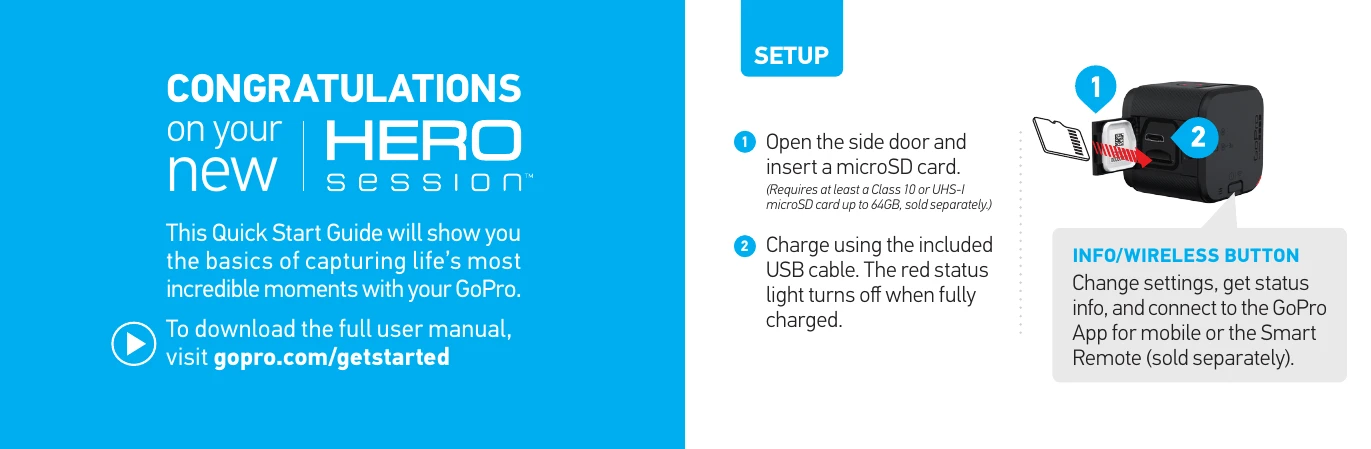
1. Insert a microSD card (Class 10 or UHS-I, up to 64GB).
2. Charge using the USB cable; the red light turns off when fully charged.
Video: Press the Shutter/Select button to power on and record.
Time Lapse: Press and hold the Shutter/Select button to power on and start recording.
Stopping: Press the Shutter/Select button to stop recording and power off.
1. Press the Info/Wireless button to turn on the status screen.
2. Press Info/Wireless again to enter Photo Mode, then press Shutter/Select to select.
3. Press Shutter/Select to capture a photo.
4. Press Info/Wireless to exit Photo Mode, then press Shutter/Select to select.
1. Press Info/Wireless to turn on the status screen.
2. Press Info/Wireless repeatedly to Camera Settings, then press Shutter/Select.
3. Press Info/Wireless to move to a setting.
4. Press Shutter/Select to select a new option.
5. Press Info/Wireless repeatedly to Done, then press Shutter/Select.
1. Download and open the GoPro App.
2. Follow on-screen instructions. Default password: goprohero.
Use the Standard Frame to attach to any GoPro mount.
Securing Camera: Open latch, slide camera in, close latch.
Attaching to Mount: Flip up plug, slide buckle into mount, press plug down.
Changing Orientation: Position camera with Shutter/Select button up or down.
Use the GoPro App (mobile/desktop) to view, edit, and share photos/videos.
- Keep lens clean.
- Ensure camera is clean and dry before opening side door.
- Remove water/debris from mic holes.
- Camera is waterproof to 33' (10m). Ensure side door is closed.