Brand: GoPro
Category: Electronics
Document Type: Manual
Language: EN
Brand: GoPro
Category: Electronics
Document Type: Manual
Language: EN
Uploaded: Aug. 10, 2025, 12:48 a.m.
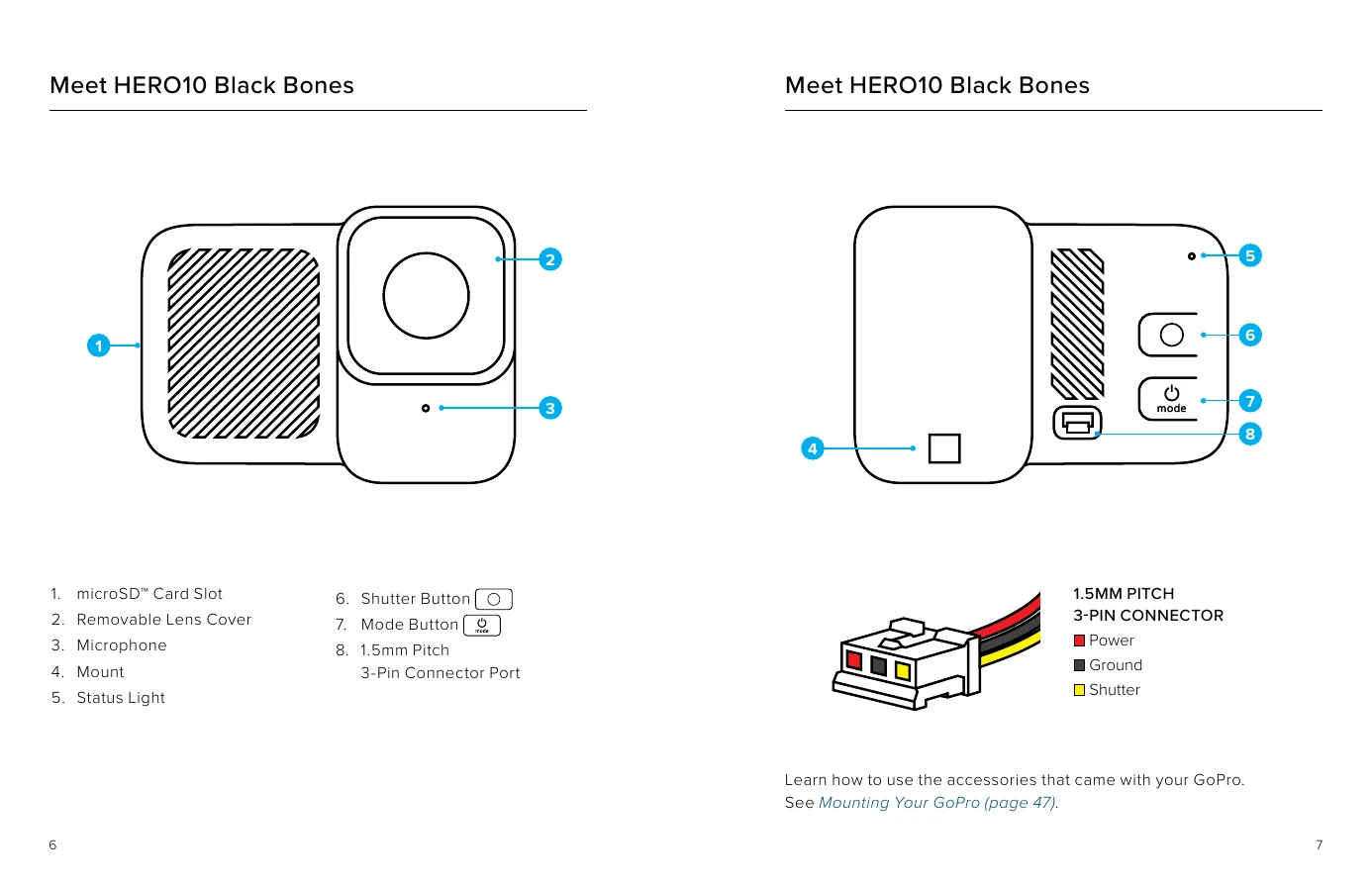
Powering On/Off: Press the Mode button to turn on, press and hold for 3 seconds to turn off.
Pairing with Quik App: Download the app, turn on the camera, scan the QR code, open the app, and tap to pair.
Recording Video: Press the Shutter button to start/stop recording.
Taking Photos: Press the Shutter button to capture a single photo.
Time Lapse: Press the Shutter button to start/stop recording.
Voice Control: Use commands like "GoPro, capture" or "GoPro, stop capture" for hands-free operation.
HiLight Tags: Press the Mode button during recording or say "GoPro, HiLight" to mark favorite moments.
| LED Status | Description |
|---|---|
| Initial Power to Camera | 1 blink |
| Camera Power On | 3 blinks |
| Camera Power Off | 7 blinks |
| App/Remote Pairing | 1 blink per 1s |
| QR Code Accepted | 2 blinks |
| Idle Video Mode | 1 blink per 5s |
| Idle Photo Mode | 2 blinks per 5s |
| Idle Time Lapse Mode | 3 blinks per 5s |
| Recording | 1 blink per 2s |
| Stop Recording | 3 blinks |
| SD Card Missing | 8 rapid blinks |
| SD Card Full | 6 rapid blinks |