Brand: GoPro
Category: Electronics
Document Type: Manual
Language: EN
Brand: GoPro
Category: Electronics
Document Type: Manual
Language: EN
Uploaded: Aug. 10, 2025, 12:49 a.m.
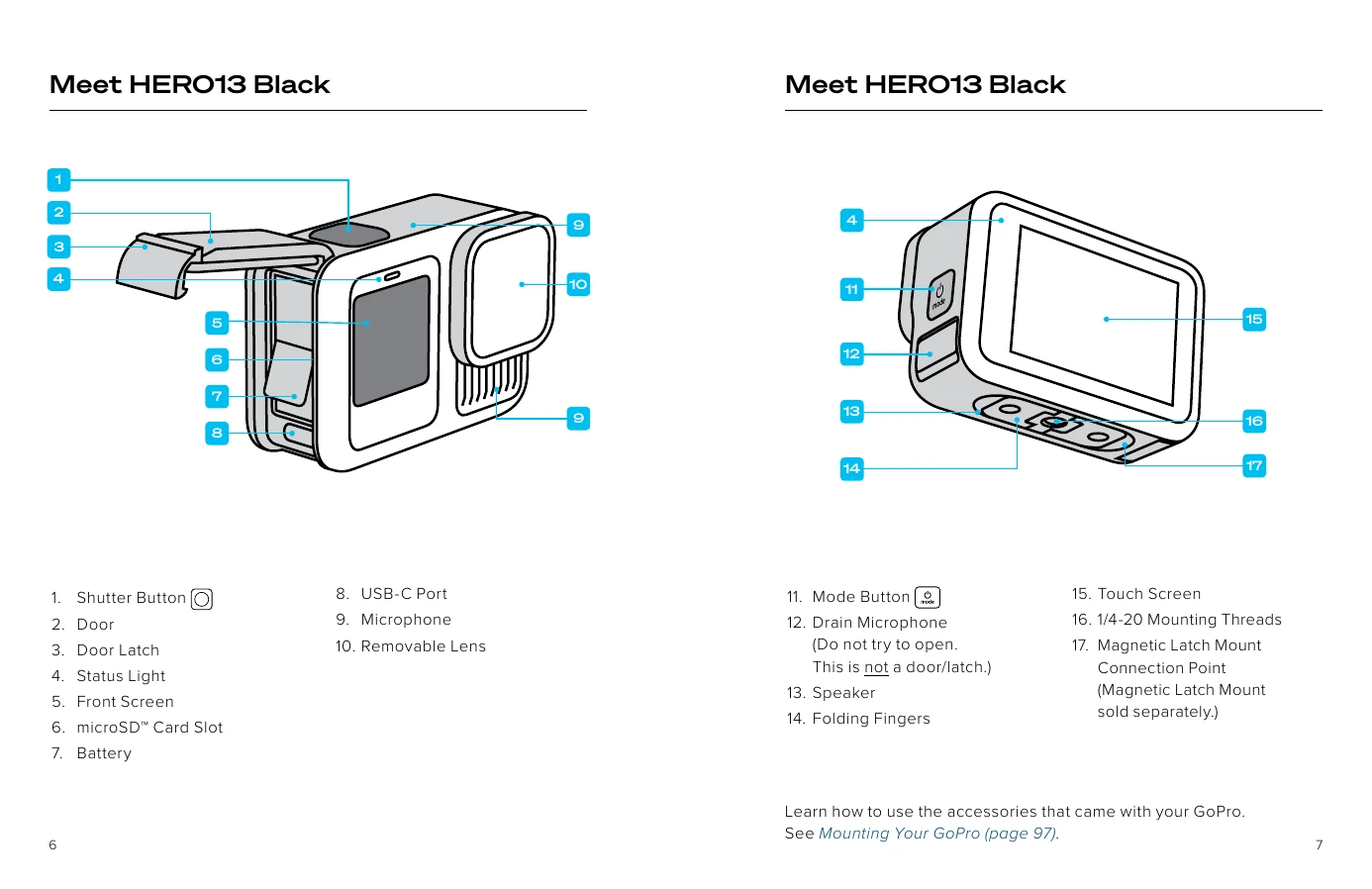
Press the Mode button to turn on the camera. Press and hold the Mode button for 3 seconds to turn it off.
Swipe down on the rear screen to access the Dashboard. Tap to access front screen settings. Choose from Full Screen, Actual Screen, Status Only, or Screen Off.
Tap to select an item. Swipe left or right to switch between Video, Photo, and Time Lapse modes. Swipe down from the top to access the Dashboard. Swipe up from the bottom to view captured media. Press and hold the screen to adjust Exposure Control.
Your GoPro has three main capture modes: Video, Photo, and Time Lapse. Each mode offers various settings for capturing content.
| Issue | Solution |
|---|---|
| Camera does not turn on. | Ensure the battery is charged. Clean the USB-C port and check the cable. |
| Videos are blurry. | Check the lens for smudges or damage. Ensure the lens cap is removed. Clean the lens. |
| SD card error. | Ensure the SD card is inserted correctly. Reformat the SD card (backup data first). Use a compatible SD card. |
| Touch screen not responding. | Restart the camera. Ensure the screen is clean and dry. |
| Poor audio quality. | Check microphone openings for debris. Ensure the Media Mod (if used) is properly connected. Adjust Audio Tuning settings. |