Brand: GoPro
Category: Electronics
Document Type: Quick Start Guide
Language: EN
Brand: GoPro
Category: Electronics
Document Type: Quick Start Guide
Language: EN
Uploaded: Aug. 10, 2025, 12:48 a.m.
None
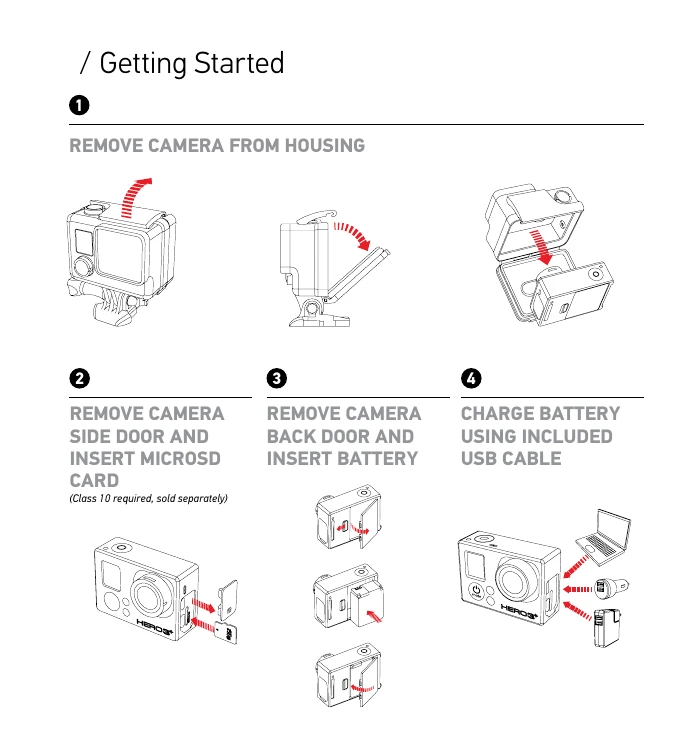
Getting Started: Remove camera from housing, insert microSD card and battery, and charge the battery.
Camera Essentials: Learn to power the camera on/off using the Power/Mode button.
Selecting Camera Modes: Cycle through Video, Photo, Burst Photo, Time Lapse, Settings, and Playback modes using the Power/Mode button.
Capturing: Use the Shutter/Select button to start/stop recording or take photos. Adjust settings in the Settings menu.
Wi-Fi Pairing: Pair the camera with a Wi-Fi Remote or the GoPro App by following on-screen prompts.
Mounting: Attach the camera to various surfaces using the provided mounts.