Brand: GoPro
Category: Electronics
Document Type: Quick Start Guide
Language: EN
Brand: GoPro
Category: Electronics
Document Type: Quick Start Guide
Language: EN
Uploaded: Aug. 10, 2025, 12:49 a.m.
Download the User Manual for detailed warranty information.
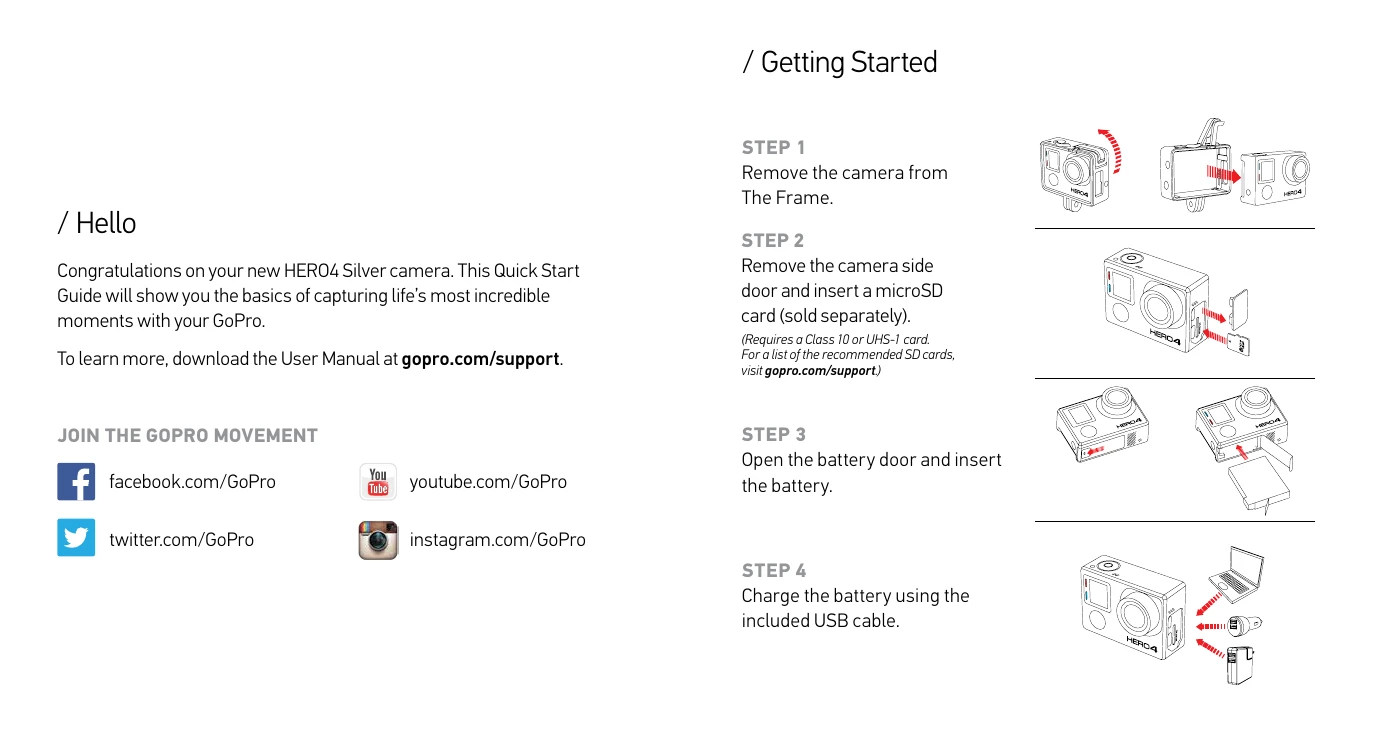
Step 1: Remove the camera from the Frame.
Step 2: Remove the camera side door and insert a microSD card (sold separately). Requires a Class 10 or UHS-1 card.
Step 3: Open the battery door and insert the battery.
Step 4: Charge the battery using the included USB cable.
Powering Camera On/Off: Press the Power/Mode button to power on. Press and hold for two seconds to power off.
Select your camera mode, then press the Shutter/Select button to start/stop recording or take a photo.
QuikCapture: When the camera is off and QuikCapture is enabled, pressing the Shutter/Select button can immediately begin capturing video or Time Lapse photos.
HiLight Tag: Press the Settings/Tag button to tag key moments while recording video.