Brand: Haier
Category: Mobile Phones
Document Type: Manual
Language: EN
Brand: Haier
Category: Mobile Phones
Document Type: Manual
Language: EN
Uploaded: Nov. 21, 2025, 6:05 p.m.
Manual Publish Date: 2006-06-01
Contact a distributor or Haier maintenance center for any failures; repairs by unprofessional personnel will damage the device.
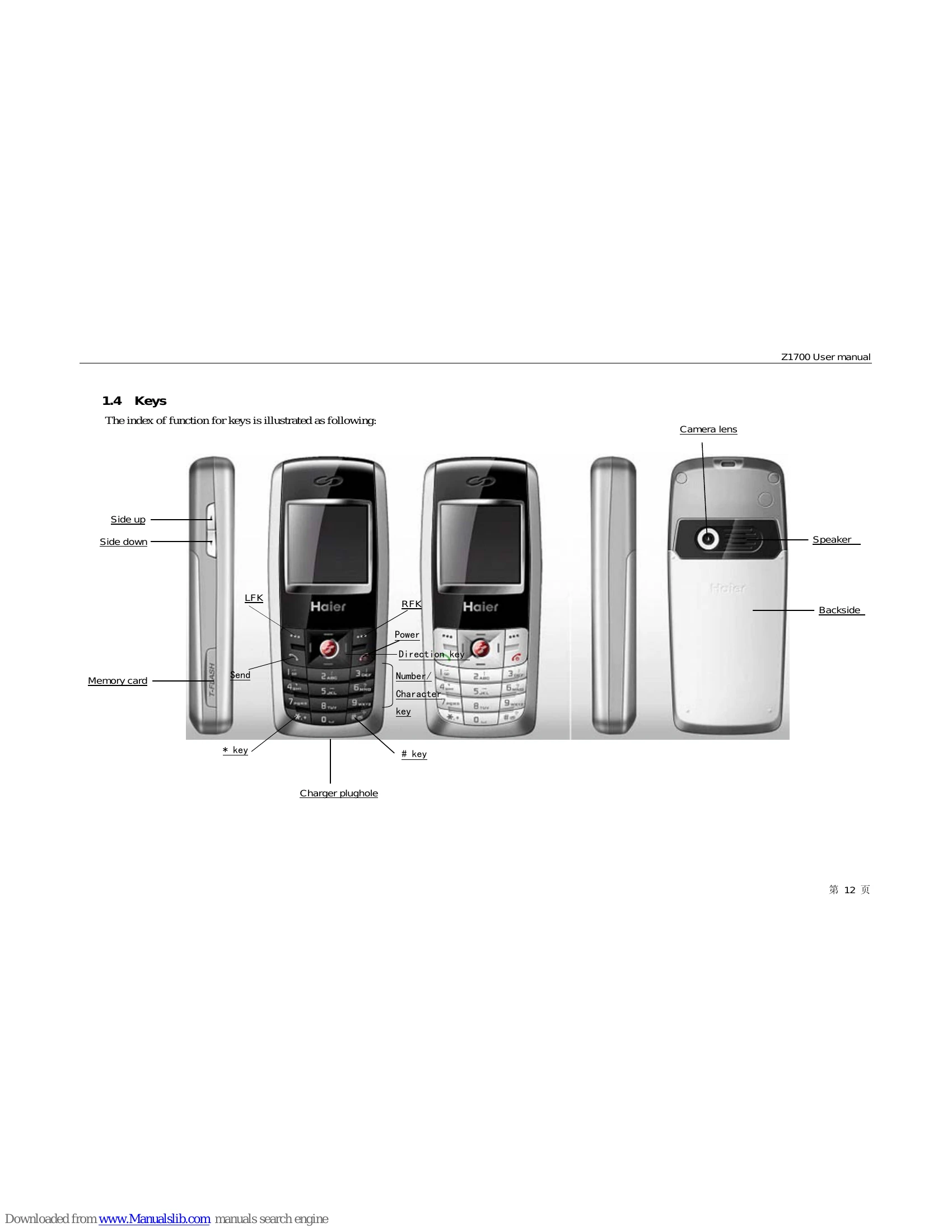
To turn on the phone, long press the Pwr key. If a PIN code is required, refer to chapter 1.2.3. To turn off the phone, long press the Pwr key while the phone is powered on.
Once the network signal appears, the phone is in idle mode. You can dial directly using the number keys and pressing the Snd key. Calls can also be made from the phonebook, via quick dial, or SIM card dial. Unsuccessful calls may prompt 'Call failed', with an option for auto-redial.
When a call comes in, the phone will alert you with vibration and/or ringtone. Press the Snd key or Answer key to answer. Press the Pwr key or Reject key to reject the call. During a call, new calls can be answered by pressing Snd or Answer, placing the current call on hold.
The Option key provides functions like Hold, Mute, New call, New SMS, and Phone book. Volume can be adjusted using Vd and Vu keys.
| Problem | Possible Cause | Solution |
|---|---|---|
| The mobile phone can not power on. | Lower battery. | Please charge the battery. |
| The mobile phone can not to dial some calls. | Call barring has been set. | Check and cancel it. |
| Call transfer is set. | Check and cancel it. | |
| Someone else is answering my call. | The mobile phone has been set to transfer your call to another number. | Check and cancel it. |
| "Insert SIM card" | SIM card must be inserted or cleaned. | Insert SIM card, or clean the golden area with a dry cloth and re-insert. |
| "Network not available" | Out of network coverage or physical barrier. | Move closer to a window if indoors. |
| "Emergent call only" | Out of service supplier network coverage, but another network may allow emergency calls. | Dial emergency call subject to signal intensity. |
| "Invalid SIM card" | SIM card is locked. | Insert correct SIM card or contact the distributor. |
| "Enter PUK code" | SIM card locked due to wrong PIN input. | Apply for a PUK code from the network supplier to unlock the SIM card. |