Manual for NAUTIZ X81

Manual for NAUTIZ X81

Brand: Handheld

Category: Rugged Mobile Computer

Document Type:

Language: EN
Uploaded: Aug. 10, 2025, 12:08 a.m.

Warranty Information

This manual provides a quick start guide for the Nautiz X81. For detailed warranty information, please refer to the official Handheld website.

Getting Started with your Nautiz X81

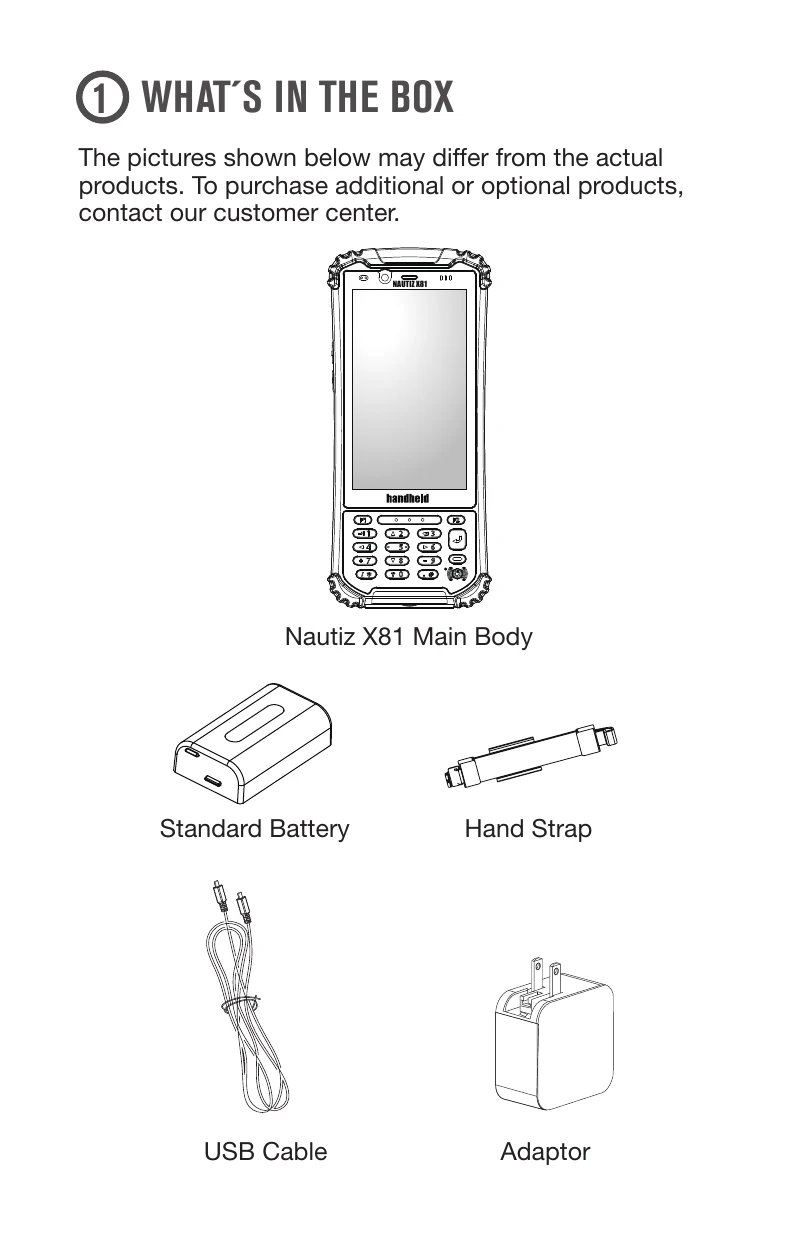
  1. Unboxing: Check the contents of the box, which typically includes the Nautiz X81 main body, a standard battery, hand strap, USB cable, and an adapter.
  2. Battery Insertion: To insert the battery, remove the battery cover by sliding the lock to the left and lifting it up. Insert the battery and close the cover.
  3. SIM/Micro SD Card Insertion: Refer to the diagram to insert your SIM and/or Micro SD card into the designated slots.
  4. Powering On/Off: Press and hold the Power Button located at the bottom of the keypad to turn the device on or off.
  5. Charging: Use the supplied power adapter and USB cable to charge the Nautiz X81. It is recommended to charge the device fully before its first use.
  6. Device Layout: Familiarize yourself with the device's components, including the LED, cameras, volume keys, touchscreen display, power button, flash light, speaker, battery lock, and various ports (Type C, USB A host, DB9 RS-232).

Troubleshooting and error codes

Issue Device not powering on
Solution Ensure the battery is charged and properly inserted. Try holding the power button for an extended period.
Issue Screen unresponsive
Solution Restart the device by holding the power button. If the issue persists, contact customer support.
Issue SIM/SD card not recognized
Solution Power off the device, remove and reinsert the SIM/SD card, ensuring it is correctly seated.
Privacy Policy