Brand: Handheld
Category: Rugged Mobile Computer
Document Type:
Language: EN
Brand: Handheld
Category: Rugged Mobile Computer
Document Type:
Language: EN
Uploaded: Aug. 10, 2025, 12:08 a.m.
Contact customer center for warranty information.
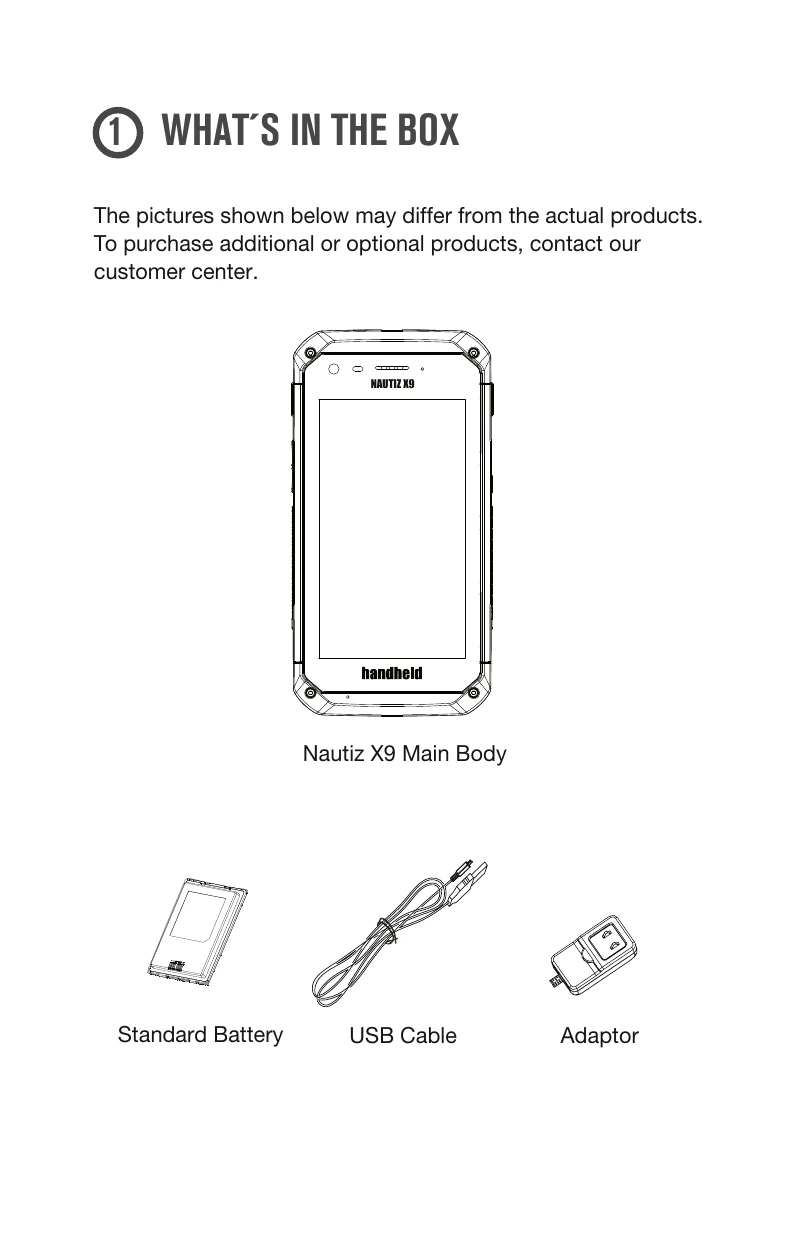
1. What's in the Box: Familiarize yourself with the components: Nautiz X9 Main Body, Standard Battery, USB Cable, and Adaptor.
2. Device Overview: Identify key features like the Touch Screen Display, Power Button, Side Scanner Buttons, Camera, Receiver, and ports like Micro USB.
3. Battery Installation: Insert the battery, ensuring it's secured by the red slider. To remove, slide the lock down.
4. SIM/SD Card: Insert or extract SIM and Micro SD cards as needed.
5. Using the Scanner: Press the [Side Scanner] button to activate. Maintain a distance of about 10 cm and scan at the correct angle for optimal results.
6. Powering On/Off: Use the [Power] button on the side.
7. Battery Charging: Connect the supplied power adapter.