Manual for Bluemini

Manual for Bluemini

Brand: HIFIMAN

Category: Audio

Document Type: Manual

Language: EN
Uploaded: April 20, 2026, 8:13 p.m.

Warranty Information

HIFIMAN Bluemini is warranted for one year from the original date of purchase.

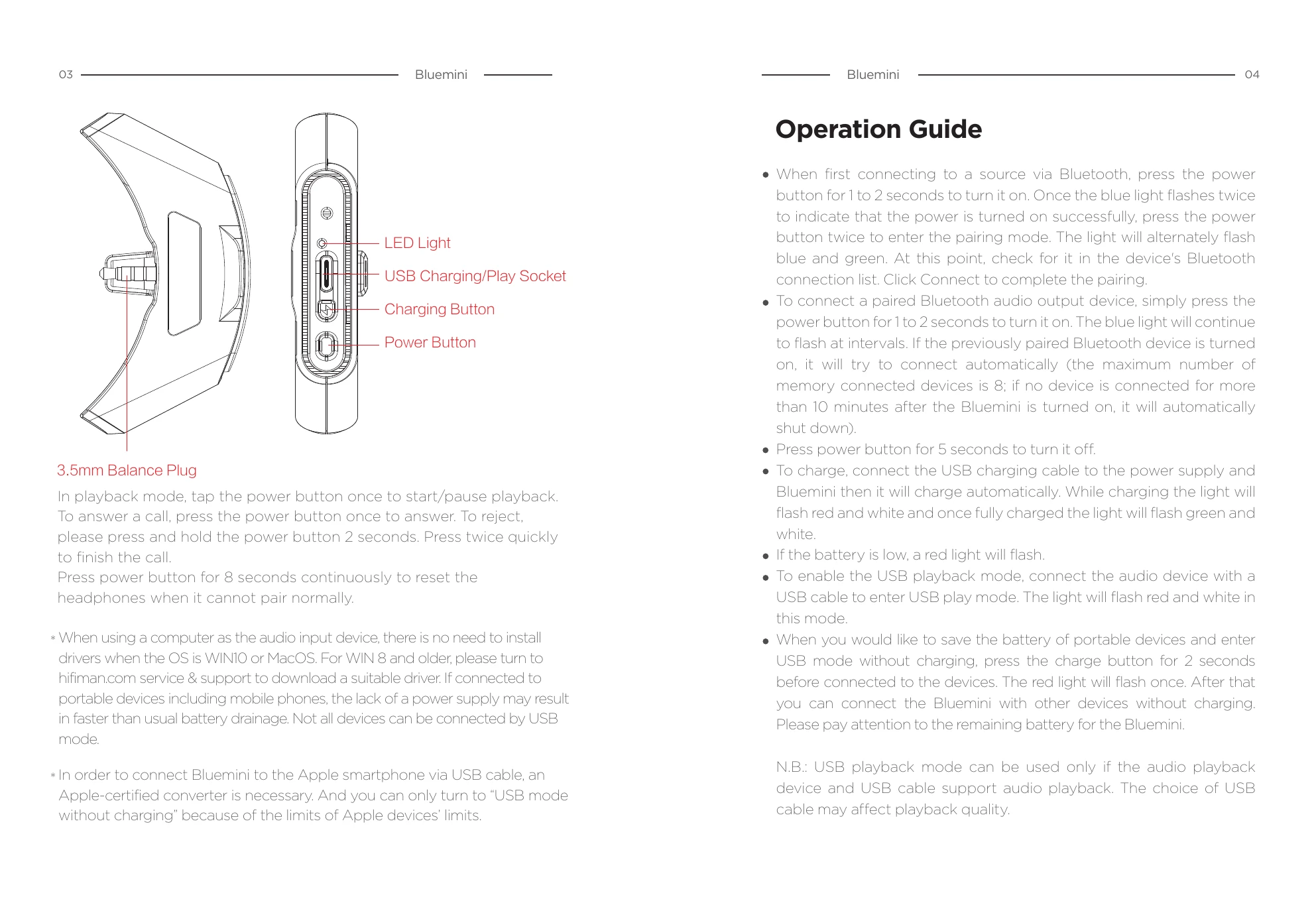
Bluetooth/USB Dongle Operation:
  • Power On: Press power button for 1-2 seconds. Blue light flashes twice.
  • Pairing Mode: From power on, press power button twice. Light flashes blue and green alternately. Connect via device's Bluetooth list.
  • Connecting Paired Device: Press power button for 1-2 seconds. Blue light flashes at intervals. Will auto-connect if previously paired device is on. (Max 8 devices, auto-shutdown after 10 mins if no connection).
  • Power Off: Press power button for 5 seconds.
  • Charging: Connect USB cable. Light flashes red and white while charging, green and white when fully charged.
  • Low Battery: Red light flashes.
  • USB Playback Mode: Connect audio device via USB cable. Light flashes red and white.
  • USB Mode without Charging: Press charge button for 2 seconds before connecting. Red light flashes once.
Playback Controls:
  • Play/Pause: Tap power button once.
  • Answer Call: Tap power button once.
  • Reject Call: Press and hold power button for 2 seconds.
  • End Call: Double-press power button quickly.
Resetting Headphones: Press power button for 8 seconds.

Troubleshooting and error codes

Issue Solution
Cannot pair normally Press power button for 8 seconds continuously to reset the headphones.
Privacy Policy