Manual for AX-M83

Manual for AX-M83

Brand: HITACHI

Category: Audio

Document Type: Manual

Language: EN
Uploaded: Nov. 21, 2025, 6:40 p.m.

Warranty Information

This product is exclusively available through Dixons Stores Group. Return to the store of purchase for any issues.

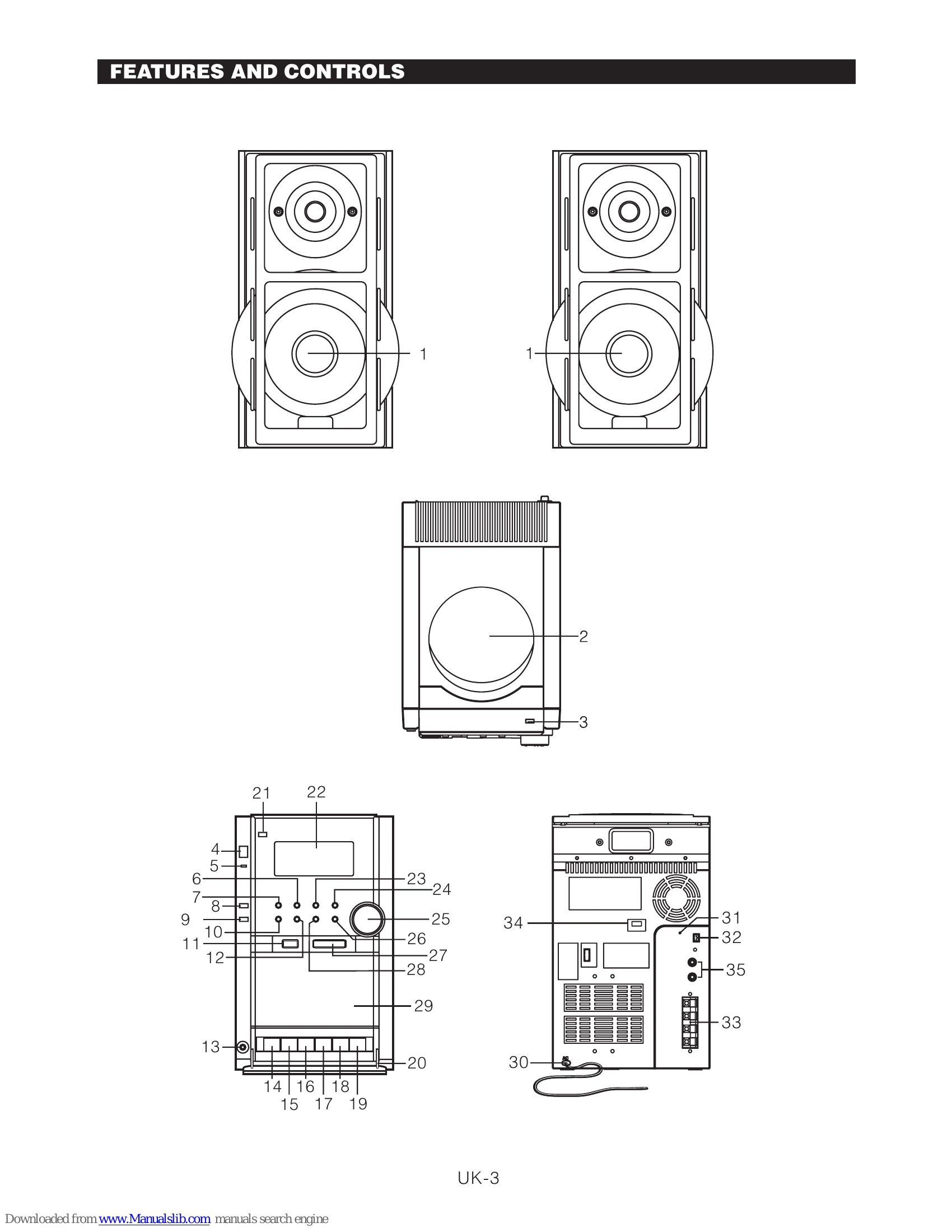
  • Standby Mode: Press STANDBY to turn the unit on. Select source (CD, TAPE, AUX, TUNER) using FUNCTION. Adjust volume with VOLUME buttons. Press STANDBY again to return to standby. Disconnect AC plug to turn off completely.
  • Clock Setting: In standby mode, press and hold CLOCK on remote until hours flash, set with <0xE2><0x96><0xBA><0xE2><0x96><0xBA> or <0xE2><0x97><0x84><0xE2><0x97><0x84>, press CLOCK to set minutes, then press CLOCK to confirm. In power-on mode, use MENU, PLAY/PAUSE, and STOP/BAND buttons.
  • Radio Operation: Select TUNER via FUNCTION. Use STOP/BAND to select AM/FM. Use <0xE2><0x96><0xBA><0xE2><0x96><0xBA> or <0xE2><0x97><0x84><0xE2><0x97><0x84> to tune. Automatic tuning uses <0xE2><0x96><0xBA><0xE2><0x96><0xBA><0xE2><0x96><0xBA> or <0xE2><0x97><0x84><0xE2><0x97><0x84><0xE2><0x97><0x84> for stations with sufficient signal.
  • Preset Stations: Tune to a station, press PROG/MEMORY/ERASE, select preset number with RANDOM/MEM-DOWN or REPEAT/MEM-UP, press PROG/MEMORY/ERASE again to confirm.
  • Timer Setting: Use MENU to select TIMER, then ON TIMER, OFF TIMER, SOURCE, or VOLUME. Set desired time and source using PLAY/PAUSE and <0xE2><0x96><0xBA><0xE2><0x96><0xBA> or <0xE2><0x97><0x84><0xE2><0x97><0x84> buttons.
  • Cassette Operation: Press CASS. STOP/EJECT to open, insert cassette, select TAPE, press PLAY. Use CASS. STOP/EJECT to stop/eject. F.FWD and REWIND for tape control. Record from Radio or CD using RECORD button.
  • CD/MP3/WMA Operation: Select CD function, press OPEN/CLOSE to open/close door, insert disc label-up, press PLAY/PAUSE to play. Use <0xE2><0x96><0xBA><0xE2><0x96><0xBA> or <0xE2><0x97><0x84><0xE2><0x97><0x84> to select tracks. ID3, BROWSE, REPEAT, RANDOM, INTRO, and PROGRAM operations are available.
  • USB/SD/MMC Card MP3 Playback: Insert device, select USB or CARD mode. Plays MP3/WMA files.
  • Encoding: Use MENU to select RECORD. Encode Radio, CD, or MP3 Disc to USB/CARD. Copy files from MP3 Disc. Erase files from SD/MMC Card.
  • Aux Play: Select AUX IN, connect external equipment with RCA phono plugs.
  • Mute: Press MUTE on remote to pause volume. Press again to resume.
  • Headphone Use: Insert headphones into PHONES jack; external speakers will be disabled.
Privacy Policy