Brand: HITACHI
Category: Camcorder
Document Type: Manual
Language: EN
Brand: HITACHI
Category: Camcorder
Document Type: Manual
Language: EN
Uploaded: Aug. 10, 2025, 12:50 a.m.
| Symptom | Cause and Correction | Reference page |
|---|---|---|
| Power does not come on, or no operation occurs by pressing button. | Execute system reset (press the RESET button). Has the DVD video camera/recorder been subjected to impact? The DVD video camera/recorder could be damaged. Consult your dealer. | 170 |
| The date and time are incorrect. | Has the DVD video camera/recorder been left unused for a long period of time? The internal backup memory battery may be discharged: Charge it. | 40 |
| No scene can be deleted. | Is the cursor placed on the scene to be deleted? If the selected scene (framed in red) exists, that scene will be deleted even if you use yellow cursor to select any scene. Check the colours of cursors and bar graph on the thumbnail screen. | 101 |
| Disc cannot be removed. (Cover will not open.) | Did you detach the battery or AC adapter/charger before setting the power switch to "OFF"? Is the battery charged? Connect a charged battery or the AC adapter/charger, and then press the DISC EJECT button to remove the disc. Did the DVD video camera/recorder turn off because the battery remaining level ran out? Connect a charged battery or the AC adapter/charger, set the power switch to "OFF", and then press the DISC EJECT button to remove the disc. | 46, 47 |
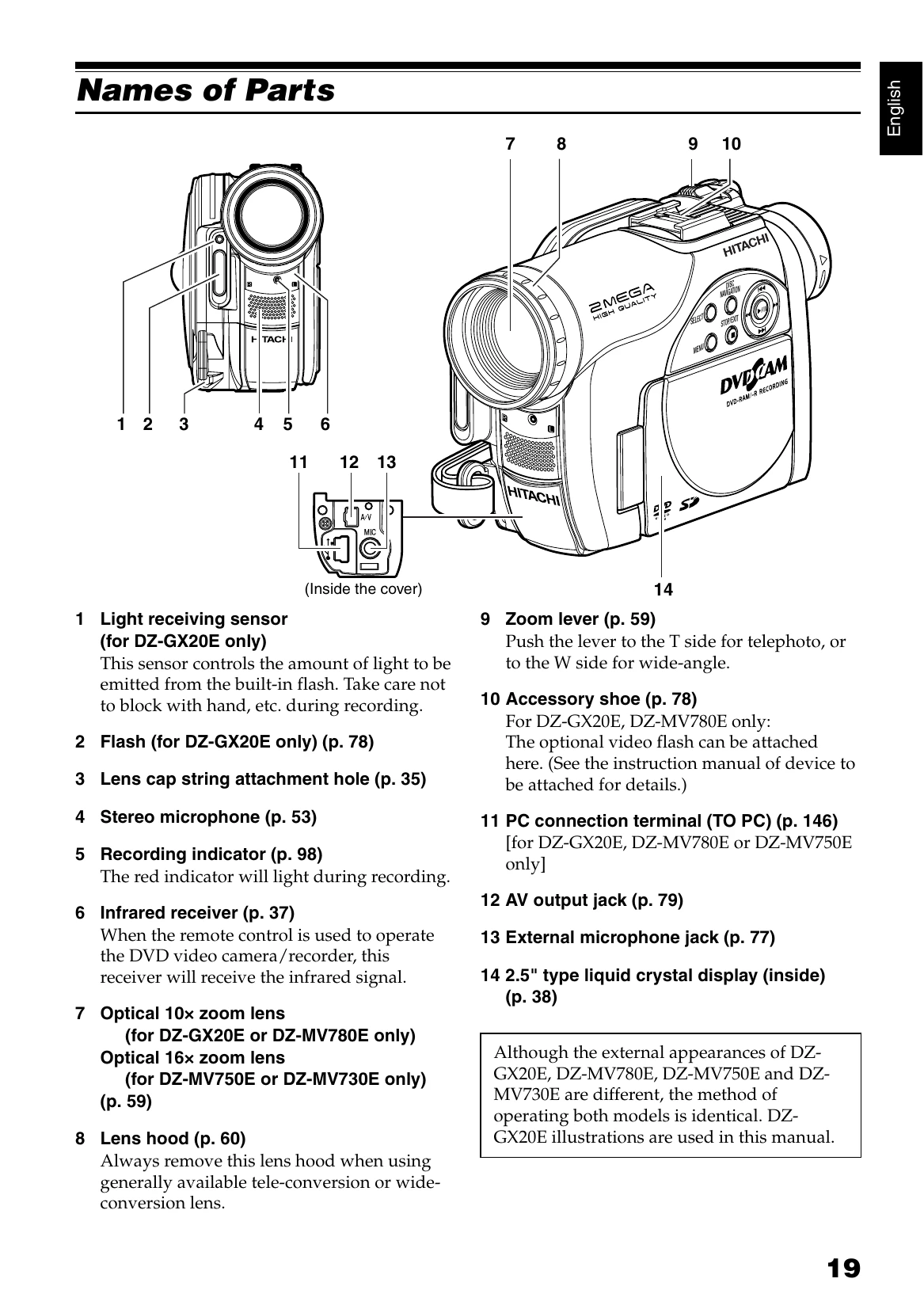
| DVD video camera/ recorder cannot be operated from remote control. | Is the remote control pointed at the infrared receiver on DVD video camera/recorder? Point it at the infrared receiver to operate the DVD video camera/recorder. Is the infrared receiver on DVD video camera/recorder exposed to direct sunlight or strong fluorescent light, etc.? The remote control cannot operate the DVD video camera/ recorder when strong light strikes the infrared receiver. Adjust the place or angle of the DVD video camera/recorder. Is there battery in the remote control? Also check the polarities of battery. The battery could be dead: Try replacing it. Is the DVD video camera/recorder powered? Turn it on. | 37 |
| Disc cover cannot be closed. | Is disc correctly inserted? Was disc inserted from wrong direction? Remove the disc and then reinsert it. Connect a fully charged battery or AC adapter/charger, and then turn the DVD video camera/recorder on. | 48 |
| Operating sound is heard cyclically. | This sound is heard because the disc is cyclically operated and does not indicate a fault. | — |
| Some vibrations are felt or slight sound is heard from mechanism. | These vibrations or sound are caused by disc drive: This does not indicate a fault. | — |