Brand: HITACHI
Category: Camcorder
Document Type: Manual
Language: EN
Brand: HITACHI
Category: Camcorder
Document Type: Manual
Language: EN
Uploaded: Aug. 10, 2025, 12:51 a.m.
| Problem | Possible Cause | Solution |
|---|---|---|
| The flash is not working. | The battery power is low. The camera is in DC power mode. In flash auto mode, camera flash fires ONLY when necessary (in dark setting as example). | Check battery power. Ensure camera is not in DC power mode. |
| Files on memory card do not display smoothly (LCD shows "!"). | The SD card is low speed or has wrong content. | Format the SD card using the camera, or use a high-speed SD/SDHC/SDXC card. |
| Indoor photos look blurry and dark. | Camera extends photo exposure time under low light/indoor conditions. | Keep the camera and subject steady for several seconds when taking photos. |
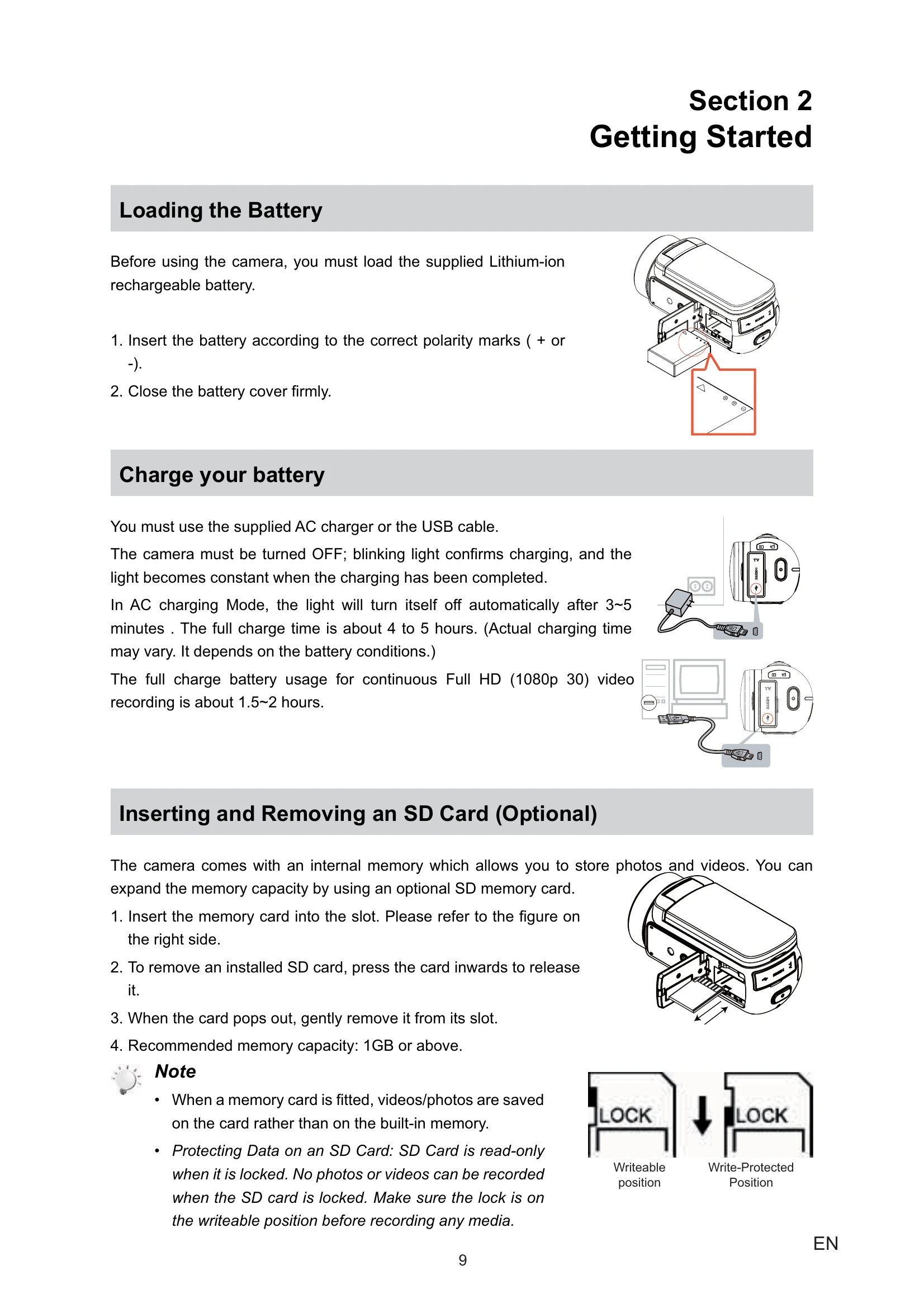
| How do I charge battery? | Using AC charger or USB cable. | Camera must be turned OFF. Blinking light indicates charging, solid light indicates fully charged. Full charge takes 4-5 hours. |
| After connecting USB cable to computer... | Disk [DV] indicates internal memory. [Removable Disk] indicates external memory. [DVAP] indicates built-in Internet Direct application. | Do not format or delete the [DVAP] disk. |