Brand: HITACHI
Category: Digital Camera
Document Type: Manual
Language: EN
Brand: HITACHI
Category: Digital Camera
Document Type: Manual
Language: EN
Uploaded: Aug. 10, 2025, 12:50 a.m.
Hitachi provides a 1-year warranty for parts and labor on this product.
This section explains preparations for recording – setting up the DVD video camera/recorder and battery.
The default at purchase time is “Auto”, which will automatically start the demonstration approx. ten minutes after the DVD video camera/recorder, connected to the AC adapter/charger, is turned on and left unoperated.
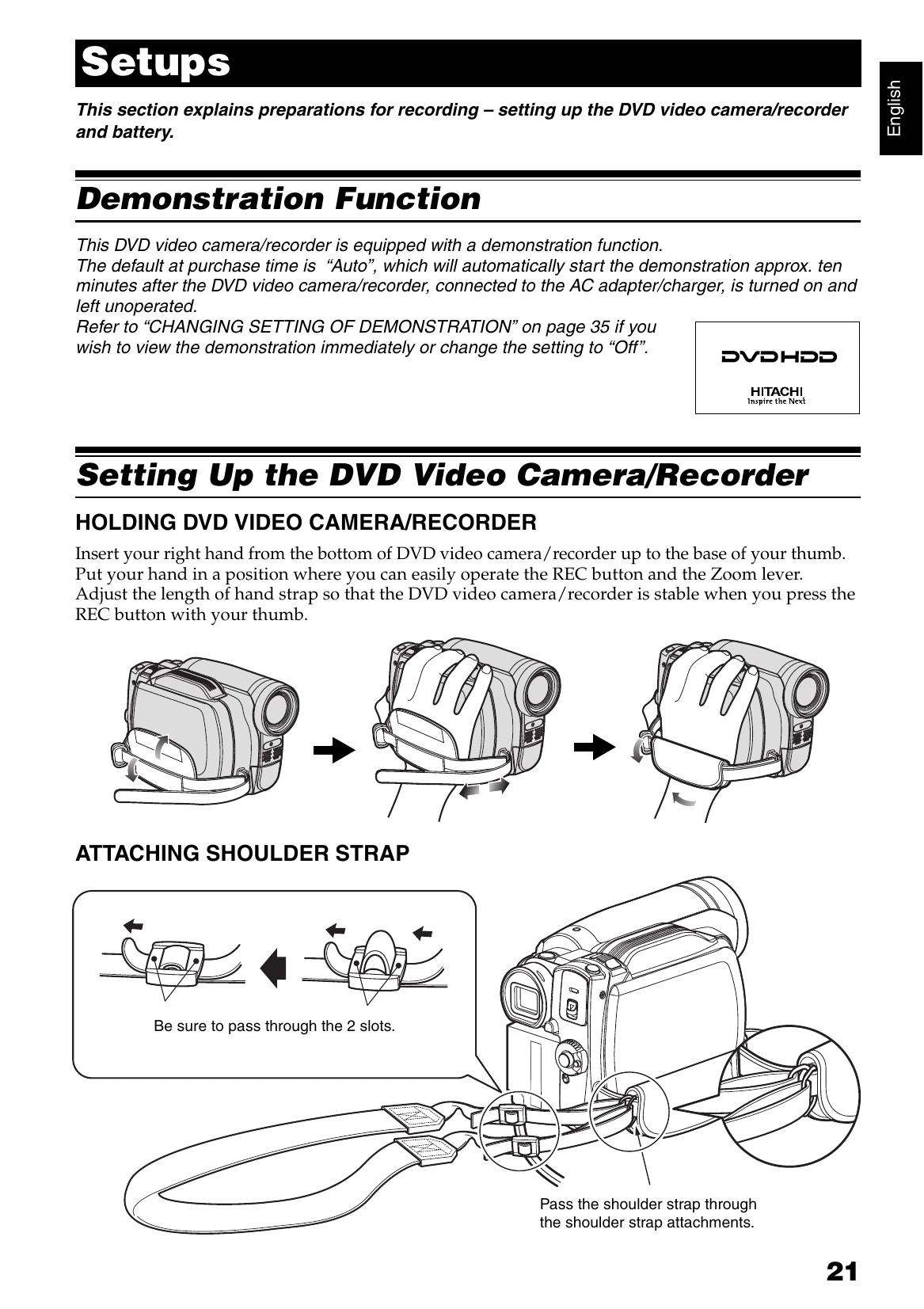
Insert your right hand from the bottom of DVD video camera/recorder up to the base of your thumb. Put your hand in a position where you can easily operate the REC button and the Zoom lever. Adjust the length of hand strap so that the DVD video camera/recorder is stable when you press the REC button with your thumb.
Be sure to pass through the 2 slots. Pass the shoulder strap through the shoulder strap attachments.
| Problem | Possible Cause | Solution |
|---|---|---|
| Recording is not possible. | The disc or HDD is full. | Change to a disc or HDD with free space. |
| No sound is recorded. | The microphone is not on. | Turn the microphone on. |
| Playback image is interrupted or has noise. | The disc is dirty or scratched. | Clean the disc or use a new disc. |
| The DVD video camera/recorder does not turn on. | The battery is not charged or not inserted correctly. | Charge the battery or reinsert it. |
| The unit is hot. | The unit has been used for a long time. | Turn off the unit and let it cool down. |