Manual for HDC-1097E

Manual for HDC-1097E

Brand: HITACHI

Category: Digital Camera

Document Type:

Language: EN
Uploaded: Aug. 9, 2025, 11:48 p.m.

Warranty Information

The product is exclusively available through Argos, return faulty items to Argos for repair/replacement.

Getting Started

  1. Attach the camera strap.
  2. Open the battery/memory card cover.
  3. Insert the battery with the correct orientation.
  4. Insert an SD/SDHC memory card if available.
  5. Close and secure the battery/memory card cover.
  6. Charge the battery fully before first use.
  7. Set the date and time and choose the language.

Capturing Images

  1. Turn on the camera.
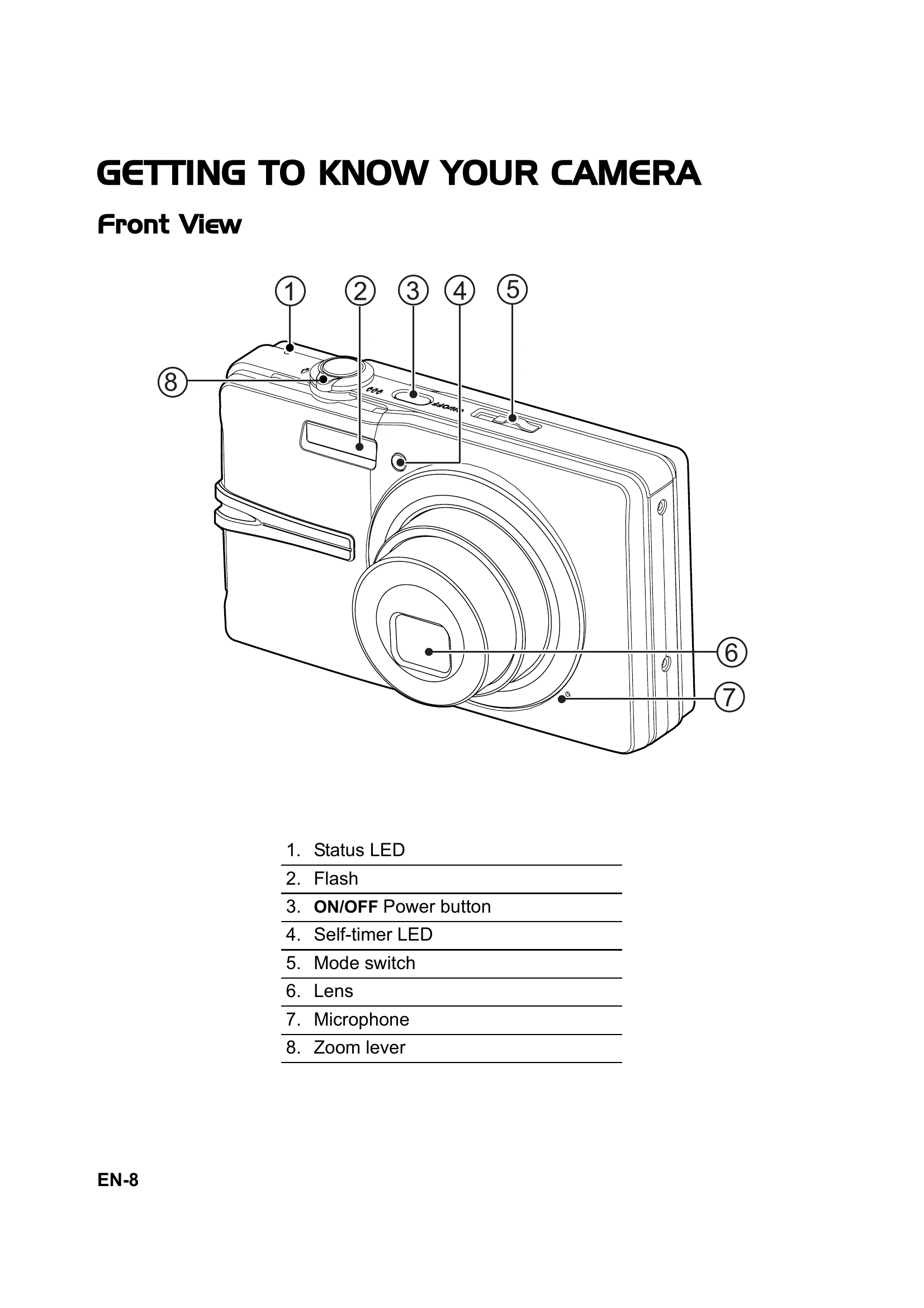
  2. Slide the mode switch to Capture mode [Q].
  3. Compose your image using the LCD monitor and zoom lever.
  4. Press the shutter button halfway to focus and adjust exposure, then fully to capture the image.

Video Mode

  1. Slide the mode switch to Video mode [9].
  2. Compose the image and press the shutter button to start recording.
  3. Press the shutter button again to stop recording.

Playback Mode

  1. Press the Playback button [].
  2. Navigate through still images using the Left/Right buttons.
  3. Play video clips using the Playback button and Left/Right buttons to select and the SET button to play.

Troubleshooting and error codes

Problem Possible Cause Solution
The camera does not turn on. The battery is not charged. Charge the battery.
Cannot record images or videos. The memory card is full or not inserted. Insert a memory card or delete unnecessary files.
Images are blurry. Camera shake or out of focus. Hold the camera steady or use a tripod. Ensure focus area is green.
Video recording stops unexpectedly. Memory card write speed is too slow. Select a lower video quality setting.
Error message displayed. Internal error or connection issue. Refer to the "Troubleshooting" section in the manual or contact customer support.
Privacy Policy