Brand: HITACHI
Category: Digital Camera
Document Type:
Language: EN
Brand: HITACHI
Category: Digital Camera
Document Type:
Language: EN
Uploaded: Aug. 9, 2025, 11:48 p.m.
Guaranteed against manufacturing defects for 1 Year.
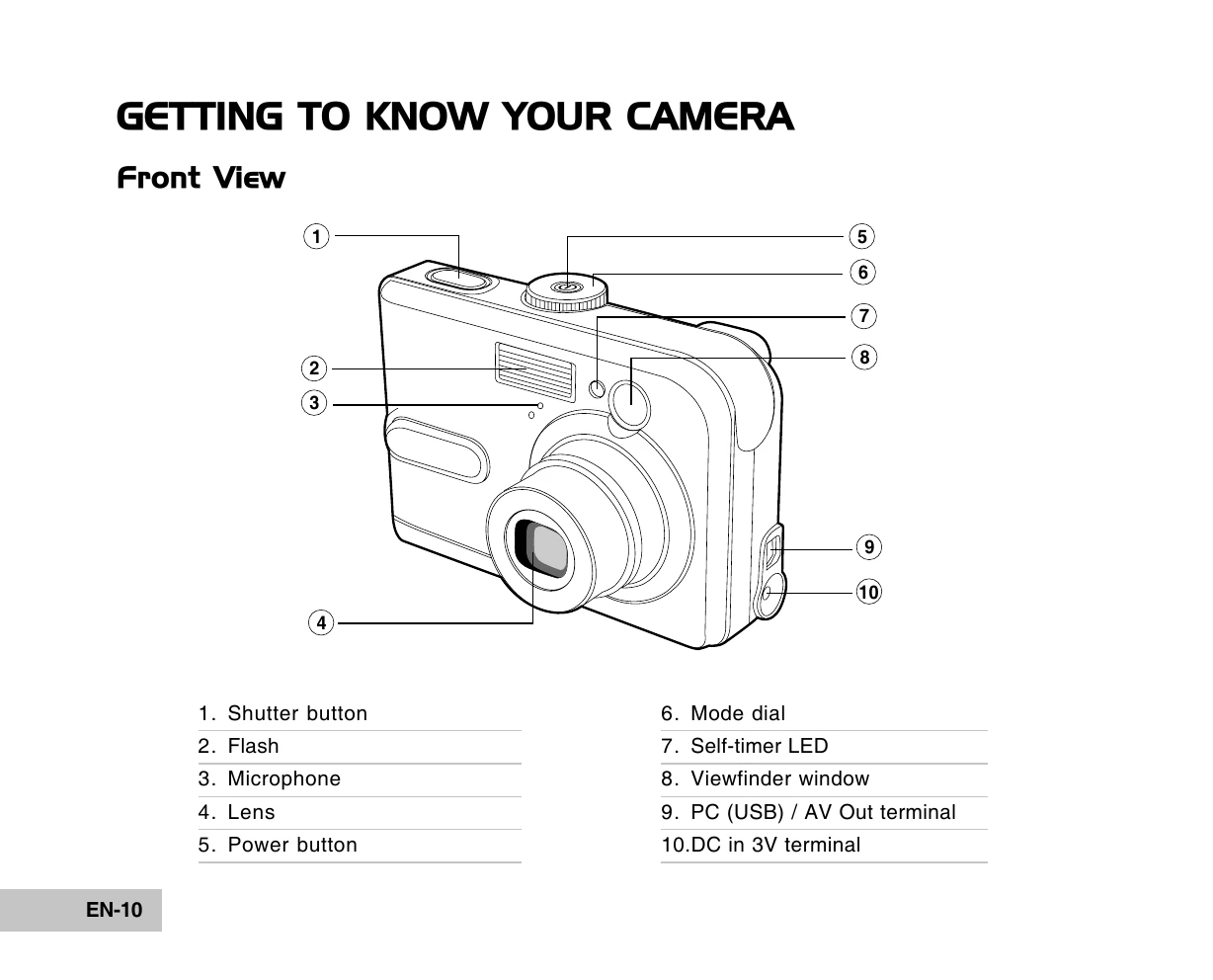
Powering On/Off: Press the power button to turn the camera on or off.
Language Selection: On first use, select your preferred language from the screen.
Date & Time Setup: Set the camera's date and time using the custom menu.
Formatting Memory: Prepare SD cards or internal memory for use by formatting.
Mode Dial: Select shooting modes like Auto, Program, Portrait, Landscape, Sports, Night, or Setup.
Taking Photos: Use the shutter button to capture images.
Zoom: Utilize the zoom buttons for optical and digital zoom.
Playback: View, delete, protect, or slideshow images using the playback menu.
Video Recording: Switch to video mode to record clips.
Connecting to PC: Transfer files via USB cable after installing the driver.
| Symptom | Possible causes | Solutions / Corrective Actions |
|---|---|---|
| Power does not turn on. |
|
|
| Camera suddenly powers down. |
|
|
| Image is not captured when the shutter button is pressed. |
|
|
| Flash does not fire. |
|
|
| Continuous shooting is not possible. |
|
|
| Cannot transfer files over a USB connection. |
|
|