Brand: HITACHI
Category: Other
Document Type: Manual
Language: EN
Brand: HITACHI
Category: Other
Document Type: Manual
Language: EN
Uploaded: Nov. 21, 2025, 7:30 p.m.
The Hitachi IJ Printer Model RX2 is a noncontact, ink-jet printer used for industrial marking. Key operations include:
The printer employs an automatic ink/makeup replenishment system and has safety precautions regarding ink handling, electrical safety, and operational hazards.
| Phenomenon | Check | Solution |
|---|---|---|
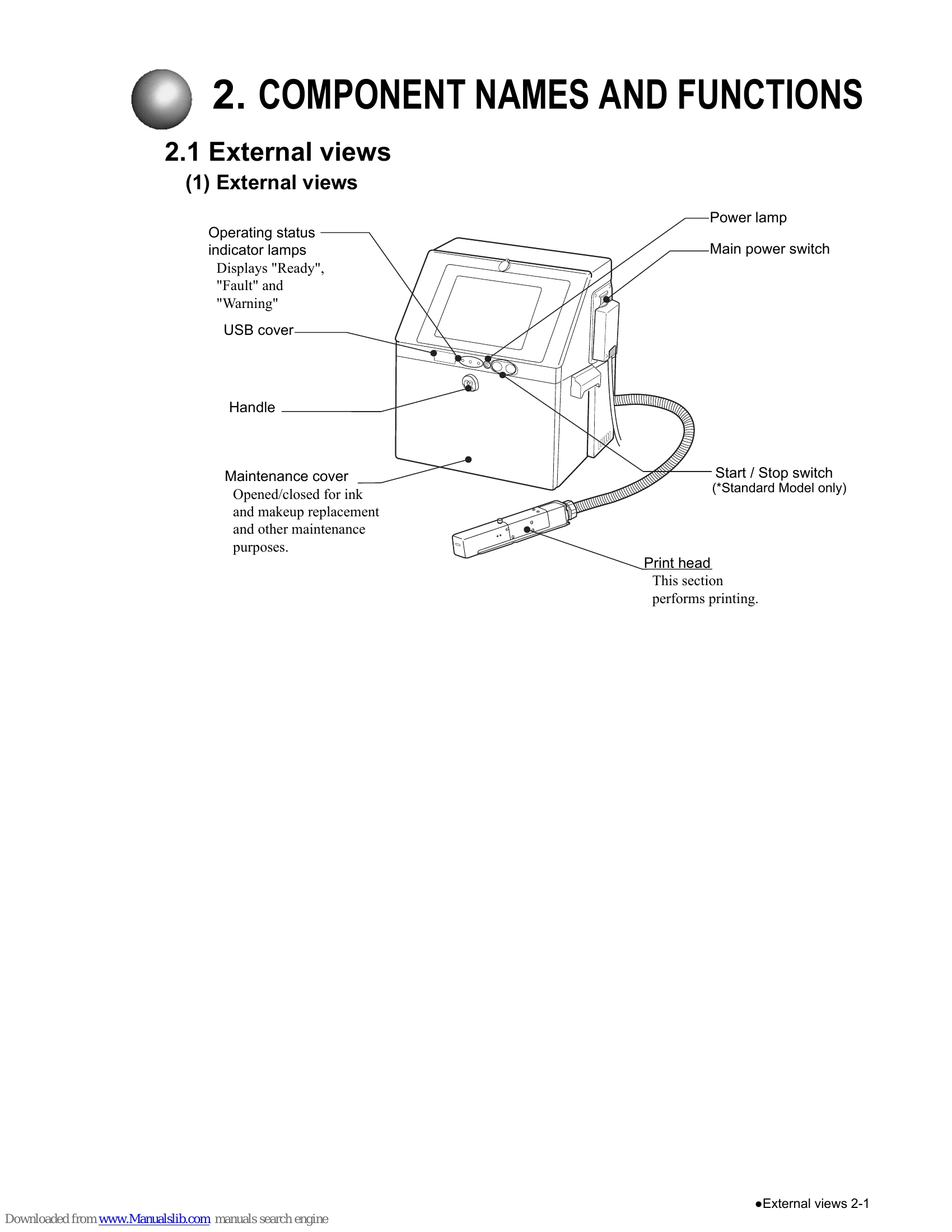
| The power does not turn ON at the press of the Start switch. | Check that the main power switch is turned ON. | Turn ON the main power switch. |
| Check that the power plug is properly connected to a power outlet. | Turn OFF the main power switch. Ensure that power is supplied to the power outlet, and then connect the power plug to the power outlet. | |
| Check that electrical power is supplied to the employed power outlet. | - | |
| Pressing a key does not invoke its predefined operation. Or the key is not accepted. | Check that Status indicator lamp is not on when Start switch is pressed. | Ensure that Status indicator lamp is off when pressing the Start switch. |
| Check that Start switch is pressed for about 2 seconds. | Ensure that Start switch is pressed for about 2 seconds. | |
| The calendar time is not correctly printed. | Check that "clock stop" is not selected from the date/time setup screen. See "6.2 Set the Date and Time". | Select the "same as current time" option. See "6.2 Set the Date and Time". |
| The printer does not become ready for printing when Start up is pressed. | Check for an ink stream ejection from the nozzle. | Stop the ink ejection sequence by pressing the Shutdown. |
| Check whether the ejected ink stream enters the gutter hole. | See the Technical Manual "6.4 How to correct ink stream bending and nozzle clogging", and correct the problem. | |
| "Print overlap fault" occurs frequently. | Check if the print head are dirty. | See "1.3 Print head cleaning", and perform the operation. |
| A fault message is displayed. | - | See "9. When Warning or Fault was generated". |
| Residual image of characters, etc. remains on the screen. | - | Because of the characteristics of the liquid crystal panel, when the same pattern is displayed for a long time, a residual image of the pattern may remain. However, the residual image will disappear with the passage of time. |