Brand: HITACHI
Category: TV
Document Type: Manual
Language: EN
Brand: HITACHI
Category: TV
Document Type: Manual
Language: EN
Uploaded: Nov. 21, 2025, 8:47 p.m.
The warranty covers manufacturing defects for 12 months, provided the product is used correctly and not tampered with.
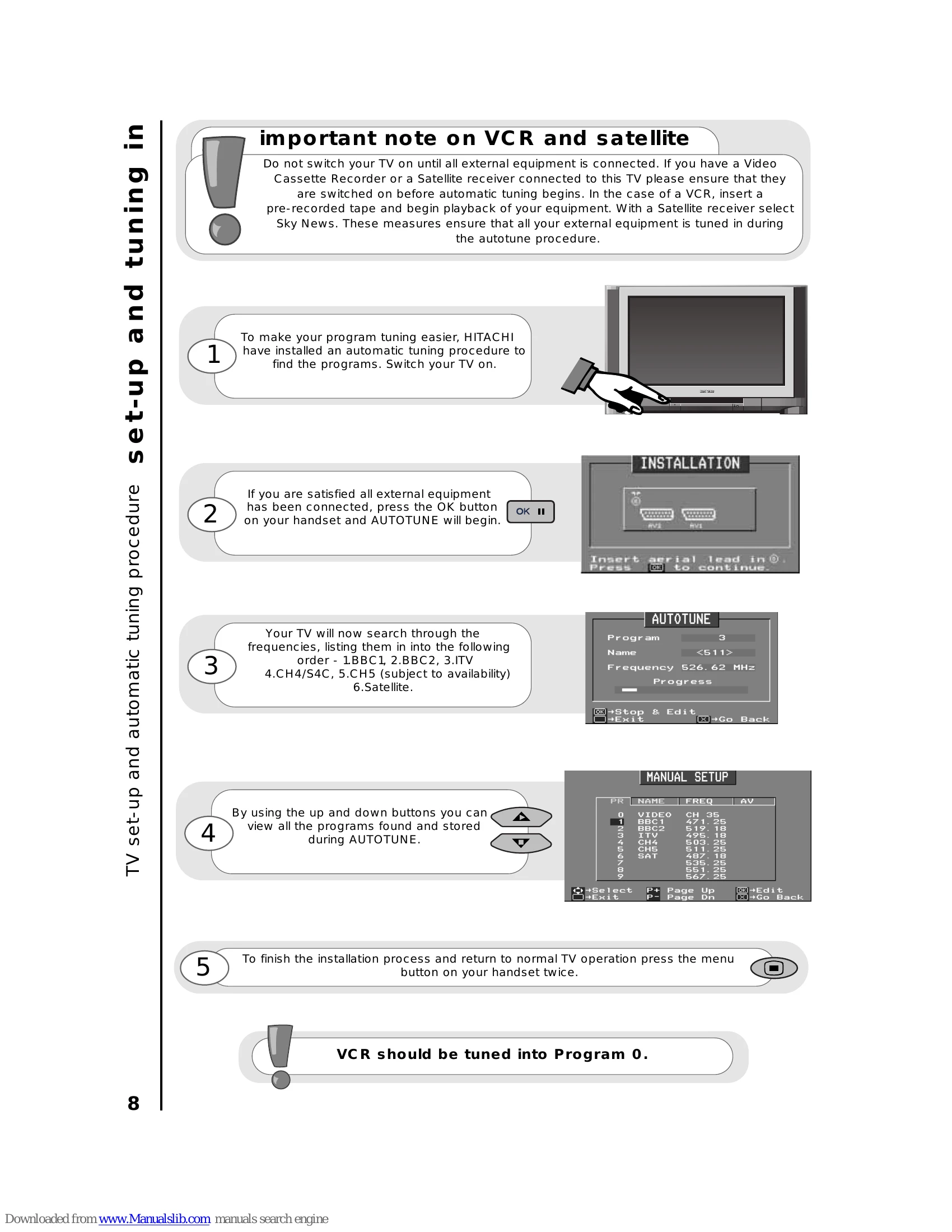
This manual covers the setup, operation, and features of the HITACHI C32WF727N television. Key operations include:
| Problem Identification | Possible Reason | Remedy |
|---|---|---|
| Snowy picture - poor sound | Connection of aerial lead to the TV is poor. Corroded or poor aerial connections. Aerial has moved position. Adverse weather conditions. |
Make new connection and/or change aerial plug. Make new connections or renew lead. Re-align aerial. None. |
| Multiple images - sound O.K | Transmitter problems. Aerial has moved position. TV not tuned correctly. |
Check with local Operator. Re-align aerial. Re-tune or fine tune TV. |
| Intermittent interference | Adverse weather conditions. Transmitter problems. |
None. Check with local Operator. |
| No picture or sound | AV Input not set correctly. Magnetic interference from electrical or mechanical motors, fluorescent lights, portable radios etc. TV may be in AV mode. Picture/sound controls set to minimum. TV in standby mode. |
Check what external equipment is connected and check its scart AV status (see page 33). Check devices for shielding and renew if necessary or move further from TV. Press television button or buttons on your handset to return to normal TV mode. Check picture/sound controls (go to MAIN MENU). press one of the buttons to 9 |