Manual for 3MP&2MP

Manual for 3MP&2MP

Brand: Honeywell

Category: Camera

Document Type: Manual

Language: EN
Uploaded: Nov. 21, 2025, 9:24 p.m.

Warranty Information

No warranty information available in the provided pages.

The user's guide explains how to operate this camera from a computer. User should read this manual completely and carefully before you operate the device. This camera is an inexpensive and fully scalable surveillance device. Because the Network Cameras can be plugged into your existing local area network (LAN), you will potentially save thousands of dollars from unnecessary cabling. The device is accessible via the LAN or Internet connection. Connect your device directly to a local area network or xDSL modem, and with web browser you get instant, on demand video streams. Within minutes you can set up the device to capture a video sequence to a PC. The live video can be uploaded to a website for the world to see. Features:
  • 3Mega-pixel Sony Exmor™ image sensor; 2Mega-pixel image sensor
  • 3M: 3/2 MEGA mode selectable; 2M: 2M/1080p+D1 mode selectable
  • 30fps real-time in all resolutions
  • ONVIF compliant
  • Camera tampering and audio detection
  • Gigabit 1000Base-T Ethernet
  • Weather-proof enclosure
  • 24pcs IR LED, over 20m IR distance
  • Day and night function with ICR
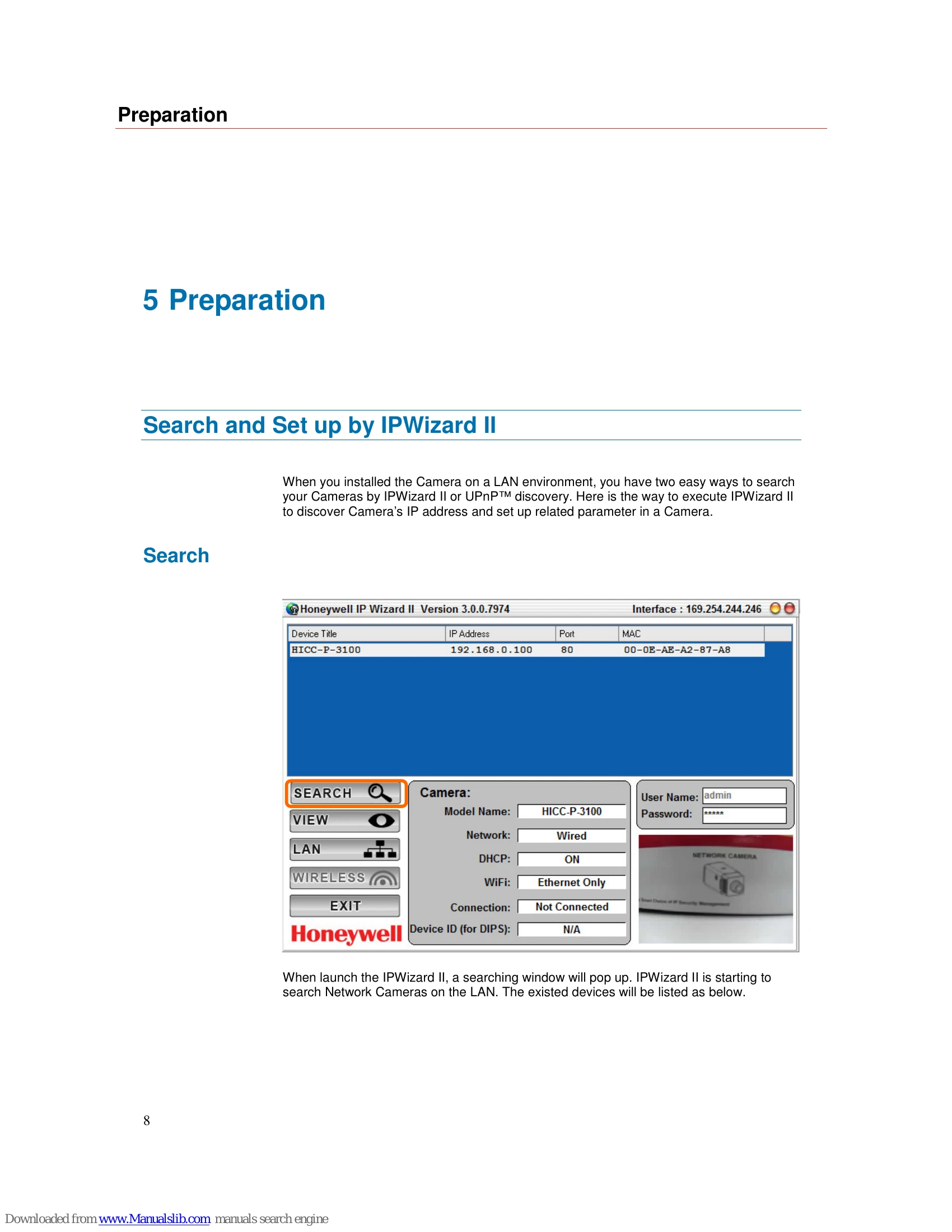
  • Easy installation with setup wizard (IP Wizard II)
  • UPnP device discovery and NAT router transversal for easy installation
  • Dynamic IP Service, DIPS®, to search your IP camera from Internet easily
  • H.264, MPEG4, MJPEG triple compression simultaneously
  • 8- or 12-profile encoder simultaneously by 3M or 2M mode
  • UDP/TCP / HTTP/HTTPS protocols selectable
  • Digital zoom
  • Event and Continuous recording to SAMBA server
  • External microphone input
  • Audio line out
  • Two-way audio
  • Composited video out
  • Intelligent motion detection up to 10 zones
  • Voice alerting while event triggered
  • Privacy masks
  • 3D noise reduction to improve picture quality at low lux.
  • Digital WDR to provide clear images even under back light circumstances
  • Image transmission using an FTP or e-mail for event
  • Digital sensor input and alarm output
  • RS485 interface for PT scanner control
  • DDNS and PPPoE
  • On-line firmware upgrade
  • IEEE 802.3af PoE support

Troubleshooting and error codes

Problem Solution
Noisy images occur. 60Hz format of your device.
• If the object is dark, the image will flicker. Make the condition around the Camera brighter.
The video images might be noisy if the device is located in a very low light environment. Make the condition around the camera brighter or turn the IR LED on.
Cannot play the recorded ASF file Have installed Microsoft®'s DirectX 9.0 or later and use the Windows Media Player 11.0 or later to play the AVI filed recorded by the Device.
In addition media player, VLC is another option to play AVI file.
Privacy Policy