Manual for HCC484TP

Manual for HCC484TP

Brand: Honeywell

Category: Camera

Document Type: Manual

Language: EN
Uploaded: Nov. 21, 2025, 7:36 p.m.

Manual Publish Date: 2006-04-06

Warranty Information

None

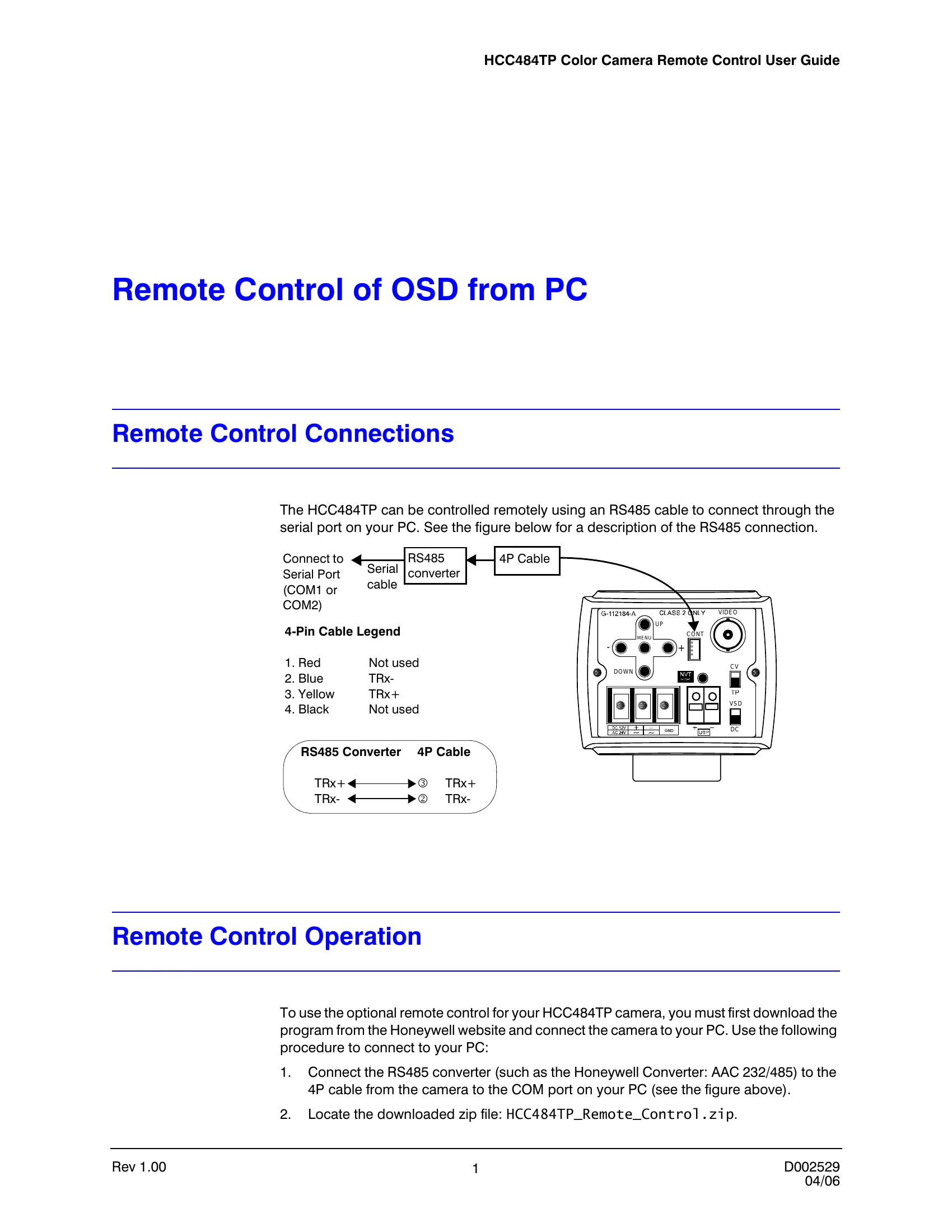
  • Connect the RS485 converter to the camera's 4P cable and the PC's COM port.
  • Download and unpack the remote control software.
  • Run the Setup.exe and select the correct COM port.
  • Click OK to initialize communication. If communication fails, check connections and retry.
  • Upon successful connection, the software allows remote control of the camera's OSD functions.

Troubleshooting and error codes

Communication is failed.
Please, Confirm these things.
1. Camera Power ON.
2. Communication Cable is connected.
Privacy Policy