Installation Guide for HSB37NB, HSB37NM, HSB37NS, HSS37NB, HSS37NM, HSS37NS
Brand:
Honeywell
Category: Camera
Document Type: Installation Guide
Language: EN
Uploaded: Nov. 21, 2025, 8:47 p.m.
Manual Publish Date: 2007-03-01
Camera Installation Overview
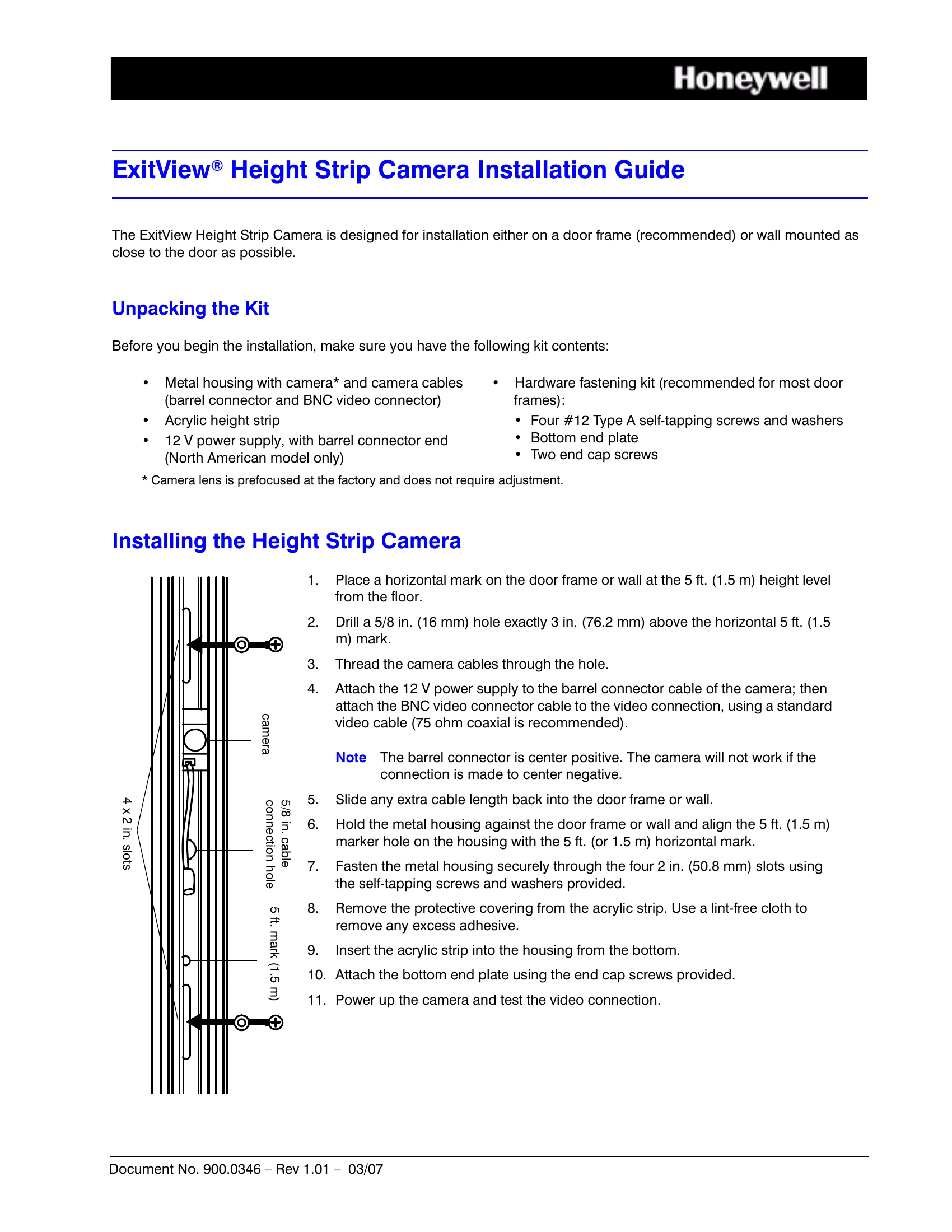
Mounting Location: Install the camera on a door frame (recommended) or wall near the door at a 5 ft. (1.5 m) height mark from the floor.
Hole Drilling: Drill a 5/8 in. (16 mm) hole 3 in. (76.2 mm) above the 5 ft. mark.
Cable Routing: Thread camera cables through the drilled hole.
Connections: Connect the 12V power supply to the camera's barrel connector and the BNC video connector to the video input using a 75 ohm coaxial cable. Ensure the barrel connector is center positive.
Housing Installation: Align the metal housing with the 5 ft. mark and secure it to the frame/wall using the provided self-tapping screws through the 2 in. slots.
Height Strip: Remove the protective covering from the acrylic height strip and attach it to the housing from the bottom. Secure with end cap screws.
Testing: Power up the camera and test the video connection.