Brand: Honeywell
Category: Camera
Document Type:
Language: EN
Brand: Honeywell
Category: Camera
Document Type:
Language: EN
Uploaded: Aug. 9, 2025, 11:47 p.m.
One year warranty against defects in material or workmanship.
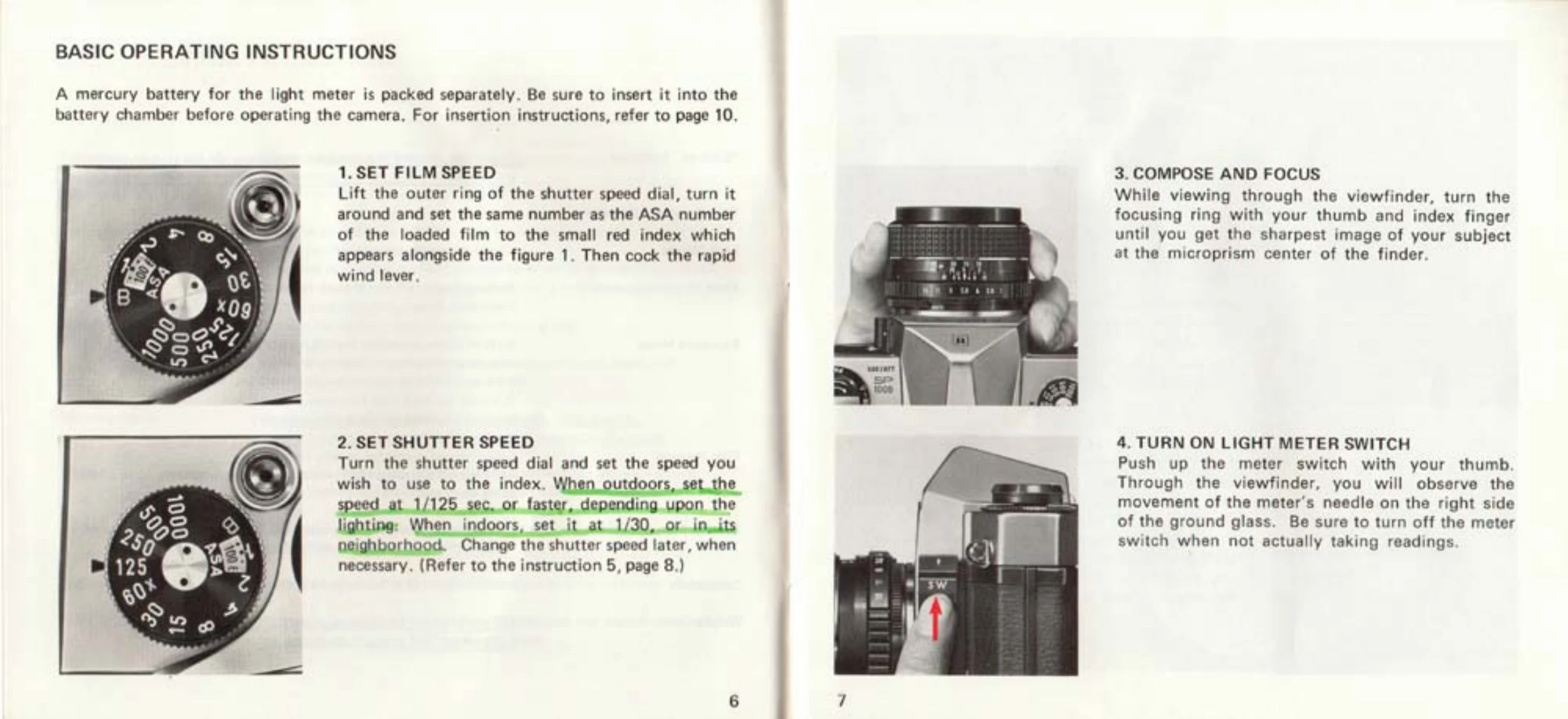
1. Set Film Speed: Lift the outer ring of the shutter speed dial and set the film's ASA number to the red index. Cock the rapid wind lever.
2. Set Shutter Speed: Turn the shutter speed dial to your desired speed. For outdoor shots, use 1/125 sec. or faster; for indoor shots, 1/30 sec. or nearby.
3. Compose and Focus: Look through the viewfinder and turn the focusing ring until the image is sharp. The microprism center will show a clear image when in focus.
4. Turn on Light Meter: Push the meter switch to "ON". Adjust the diaphragm ring until the meter's needle in the viewfinder is centered for correct exposure.
5. Release Shutter: Hold the camera firmly and trip the shutter. Cock the rapid wind lever for the next shot.
| Problem | Possible Cause | Solution |
|---|---|---|
| Blurry Photos | Camera Movement | Use a tripod or support the camera rigidly, especially at slow shutter speeds (slower than 1/30 sec.). Hold the camera firmly with both hands. |
| Meter Not Working | Battery Depleted or Incorrectly Inserted | Ensure the mercury battery is correctly inserted with the (+) side up. Test battery capacity. Replace if necessary. Keep meter switch OFF when not in use. |
| Exposure Incorrect | Incorrect film speed setting or lighting conditions outside meter range | Check that ASA film speed is set correctly on the shutter speed dial. If the shutter speed index turns red, adjust shutter speed to a faster or slower setting. |