Manual for Spotmatic

Manual for Spotmatic

Brand: Honeywell

Category: Camera

Document Type:

Language: EN
Uploaded: Aug. 9, 2025, 11:47 p.m.

Warranty Information

One year warranty against defects in material or workmanship.

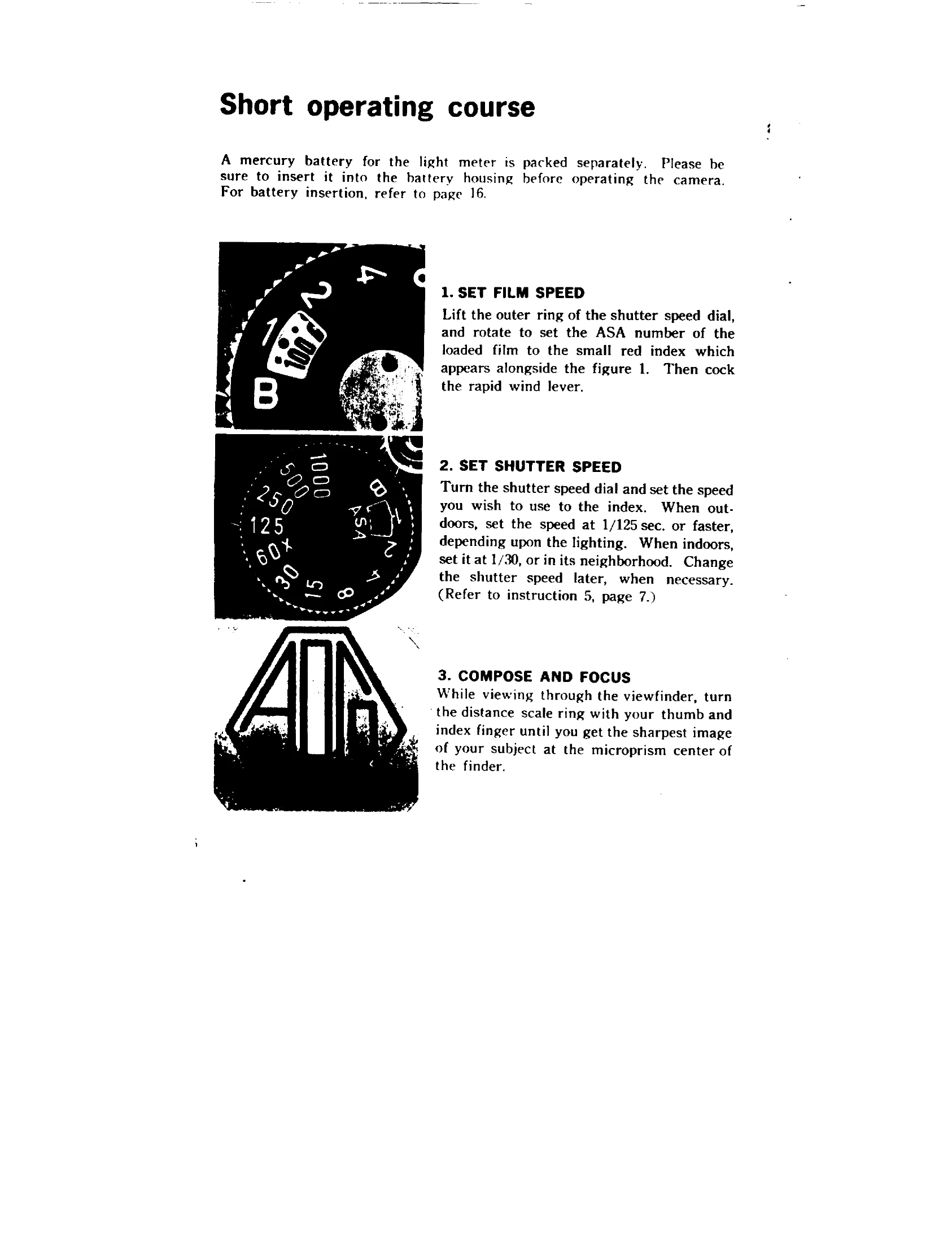
  1. Set Film Speed: Lift the outer ring of the shutter speed dial and rotate to set the ASA number of the loaded film to the small red index. Cock the rapid wind lever.
  2. Set Shutter Speed: Turn the shutter speed dial to the desired speed (e.g., 1/125 sec. for outdoors, 1/30 sec. for indoors).
  3. Compose and Focus: View through the viewfinder and turn the distance scale ring until the subject image is sharpest in the microprism center.
  4. Turn on Light Meter Switch: Push the switch button. The meter needle will move. Turn off when not reading.
  5. Adjust Aperture: Rotate the diaphragm ring until the needle rests at the center for correct exposure. Adjust shutter speed if the needle does not center.
  6. Release Shutter: Hold the camera firmly and trip the shutter. Cock the rapid wind lever for the next picture.
  7. Set Strobo-Eye for Flash: Pull up the rewind knob, set film ASA, turn outer dial to desired range, and set lens to indicated f/stop.

Troubleshooting and error codes

Problem Possible Cause Solution
Meter needle does not center. Incorrect shutter speed or aperture setting. Adjust shutter speed or aperture until the needle centers.
Over-exposure. Shutter speed too slow or aperture too wide. Change shutter speed to a faster setting.
Under-exposure. Shutter speed too fast or aperture too narrow. Change shutter speed to a slower setting.
Shutter speed index turns red. Settings are outside the meter's measurability range. Change shutter speed to a faster or slower setting.
Strobe-Eye not firing correctly. Incorrect ASA or f/stop setting. Re-check ASA and f/stop settings according to the manual.
Privacy Policy