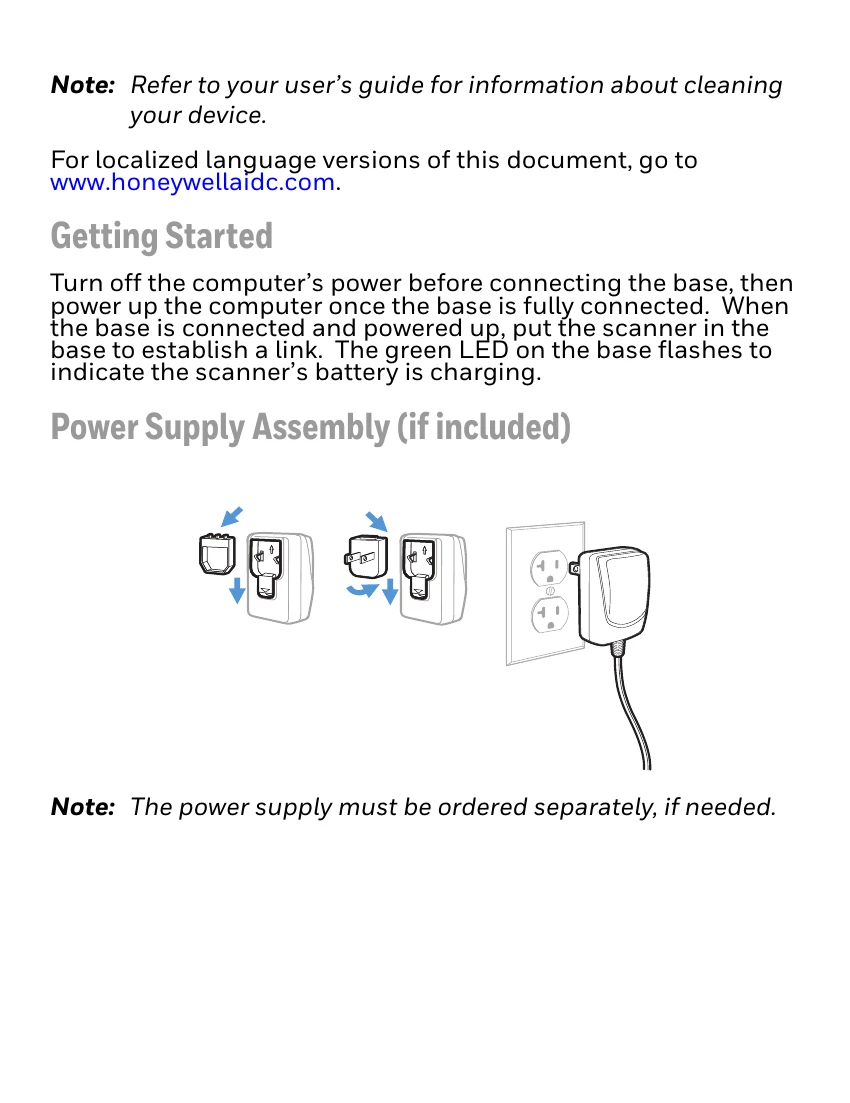
Getting Started:
Turn off the computer's power before connecting the base, then power up the computer once the base is fully connected. When the base is connected and powered up, put the scanner in the base to establish a link. The green LED on the base flashes to indicate the scanner's battery is charging.
Connection Types:
This guide illustrates USB Connection, Keyboard Wedge Connection, RS232 Serial Port Connection, and RS485 Connection.
Reading Techniques:
Use the viewfinder's aiming dot, centered over the barcode for a good read. The aiming dot size adjusts with distance. Tilt the scanner for highly reflective barcodes.
Standard Product Defaults:
Scan the provided barcode to reset the scanner to its standard product defaults.
Interface Settings:
Configure RS485 interface defaults and USB Serial emulation. For USB PC Keyboard, scan the corresponding barcode. Select Keyboard Country layout by scanning the appropriate country code.
Link Modes:
Understand Locked Link Mode, how to Override Locked Scanner, and how to Unlink the Scanner.
Trigger Modes:
Choose between Manual Trigger - Normal Mode and Presentation Mode.
Suffix Options:
Add or remove carriage return (CR) and tab suffixes.
Code ID Prefix & Function Codes:
Add Code ID Prefix to all Symbologies (temporary) or Enable/Disable Function Code Transmit.
Data Format Editor:
Follow steps to enter data format configurations using symbols and the programming chart.
EZConfig-Scanning:
Access additional features via the online configuration software tool.
Support & Documentation:
Information on seeking support, documentation, warranty, and patents is provided.