Installation Guide for LTE-X Series

Installation Guide for LTE-X Series

Brand: Honeywell

Category: Security System

Document Type: Installation Guide

Language: EN
Uploaded: Nov. 21, 2025, 8:08 p.m.

Manual Publish Date: 2017-10-01

Warranty Information

Refer to www.honeywell.com/security/hsc/resources/wa for the latest warranty information.

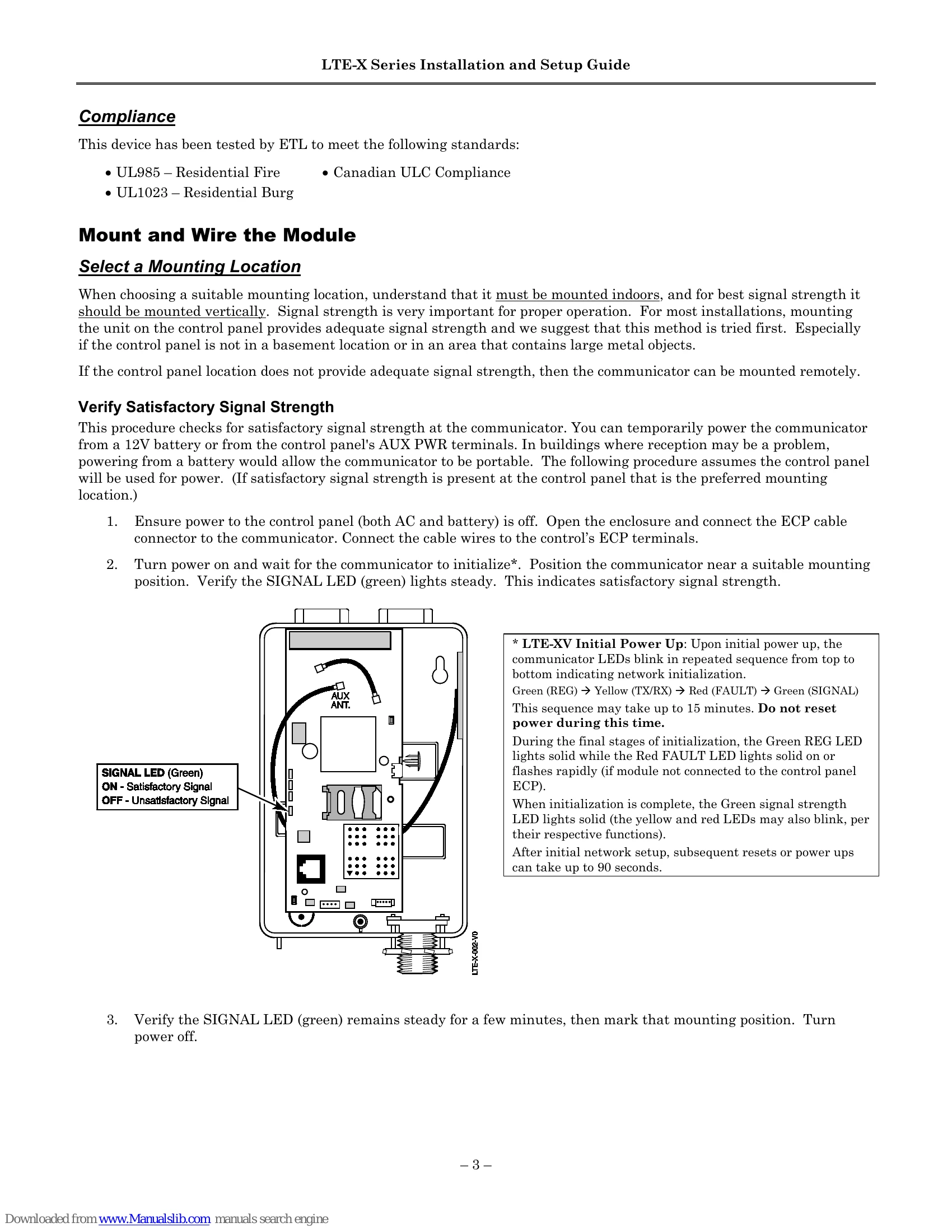
The LTE-X Series Communicator connects to a security system's control panel and sends alarms and messages to AlarmNet for transfer to a central monitoring station. It can be mounted directly on the control panel or remotely. The communicator reports fire, burg, and status messages, and uses 2-way ECP communication. It supports remote control of the alarm system and allows uploading/downloading of control panel data. For new installations, an AlarmNet 360 account is required. Programming can be done via the AlarmNet 360 website or the 7720P Programming Tool. The device uses LTE network for communication and attempts SMS if a data connection cannot be established. Supervision and fault detection features are included to monitor communication status. Registration with AlarmNet is necessary for the communicator to activate and send reports. Diagnostic commands and status displays are available for troubleshooting and monitoring.

Troubleshooting and error codes

Display Description What to do
Cannot Upload Communicator has not yet initialized. Wait for SIGNAL (green) LED to be lit. Press [Y].
Try Again? Y/N Network problem, or you answered "N" to "Cannot Upload Try Again?" prompt. Initiate the Force Server Update command by pressing the [0] key.
Failed to Update Root File!
Privacy Policy