Memory Reader Cards
Optional digital cards provide secure data storage and convenient data sharing. These cards are often used with digital media-equipped cameras and PDAs as well as with other computers.
Supported Card Formats:
- Secure Digital (SD) Memory Card
- MultiMediaCard (MMC)
- Secure Digital Input/Output (SD I/O)
- Memory Stick (MS)
- Memory Stick Pro (MSP)
- xD-Picture Card (XD)
- xD-Picture Card (XD) Type M
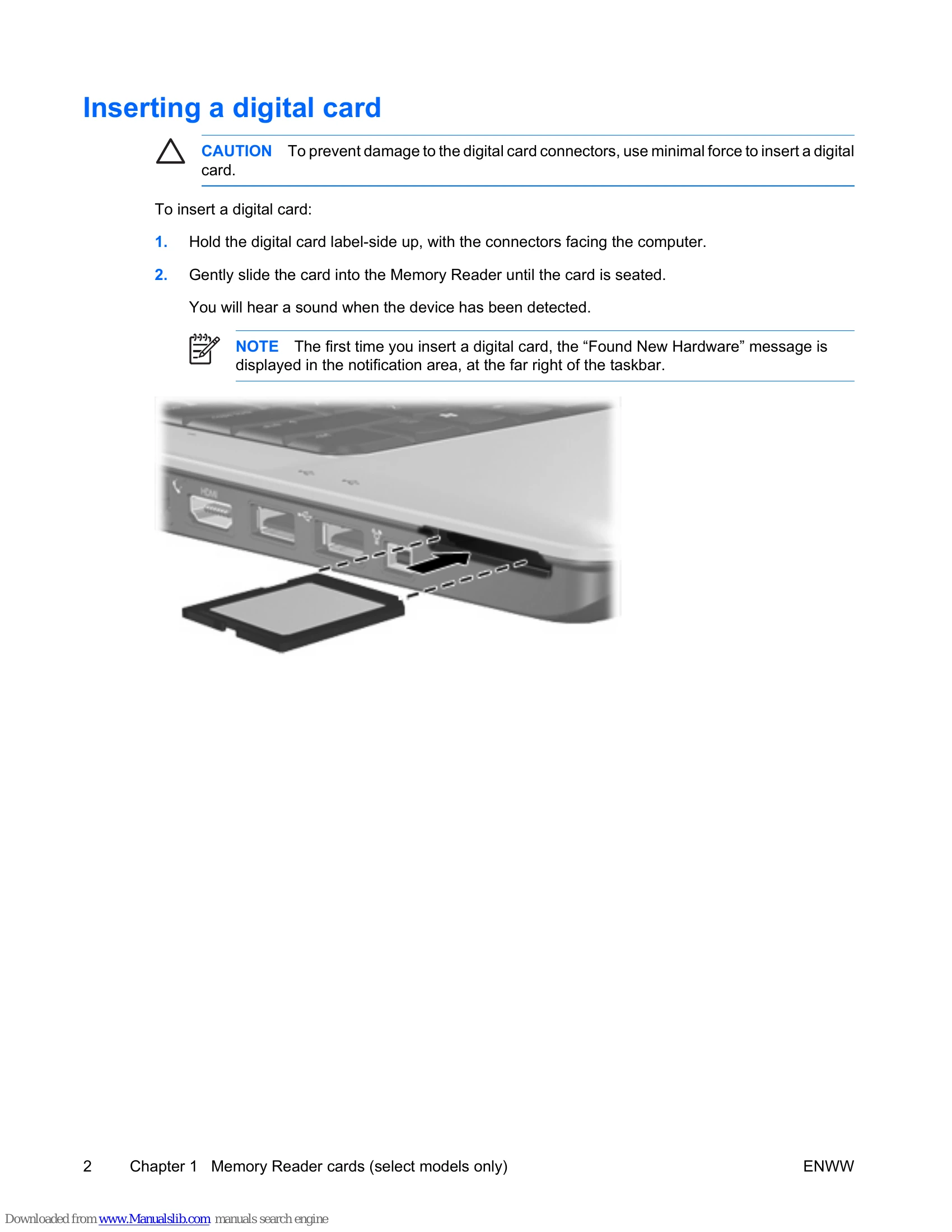
Inserting a Digital Card:
- Hold the digital card label-side up, with the connectors facing the computer.
- Gently slide the card into the Memory Reader until the card is seated. You will hear a sound when the device has been detected.
Stopping or Removing a Digital Card:
- Close all files and applications associated with the digital card.
- Stop the digital card using the "Safely Remove Hardware" icon in the notification area.
- Press in on the digital card and remove it from the slot.
ExpressCards
An ExpressCard is a next-generation, high-performance PC Card that must be inserted into the ExpressCard slot.
Configuring an ExpressCard: Install only the device drivers for your operating system. Do not install other software supplied by the ExpressCard manufacturer.
Inserting an ExpressCard:
- Remove any protective insert from the ExpressCard slot.
- Hold the card label-side up, with the connectors facing the computer.
- Gently slide the card into the ExpressCard slot until it is seated. You will hear a sound when the device has been detected.
Stopping or Removing an ExpressCard:
- Close all programs and activities associated with the ExpressCard.
- Stop the ExpressCard using the "Safely Remove Hardware" icon in the notification area.
- Gently press in on the ExpressCard to unlock it and pull it out of the slot.