Brand: HP
Category: Computer
Document Type: Manual
Language: EN
Brand: HP
Category: Computer
Document Type: Manual
Language: EN
Uploaded: Nov. 21, 2025, 6:24 p.m.
Manual Publish Date: 2019-02-01
Refer to the provided warranty statements for details on HP products and services.
1. Product Description: Provides an overview of the HP 17 Laptop PC, detailing its components and specifications, including processor, graphics, panel, memory, primary storage, optical drive, camera, audio, Ethernet, wireless networking, media card reader, internal card expansion, ports, keyboard/pointing devices, power requirements, and operating system.
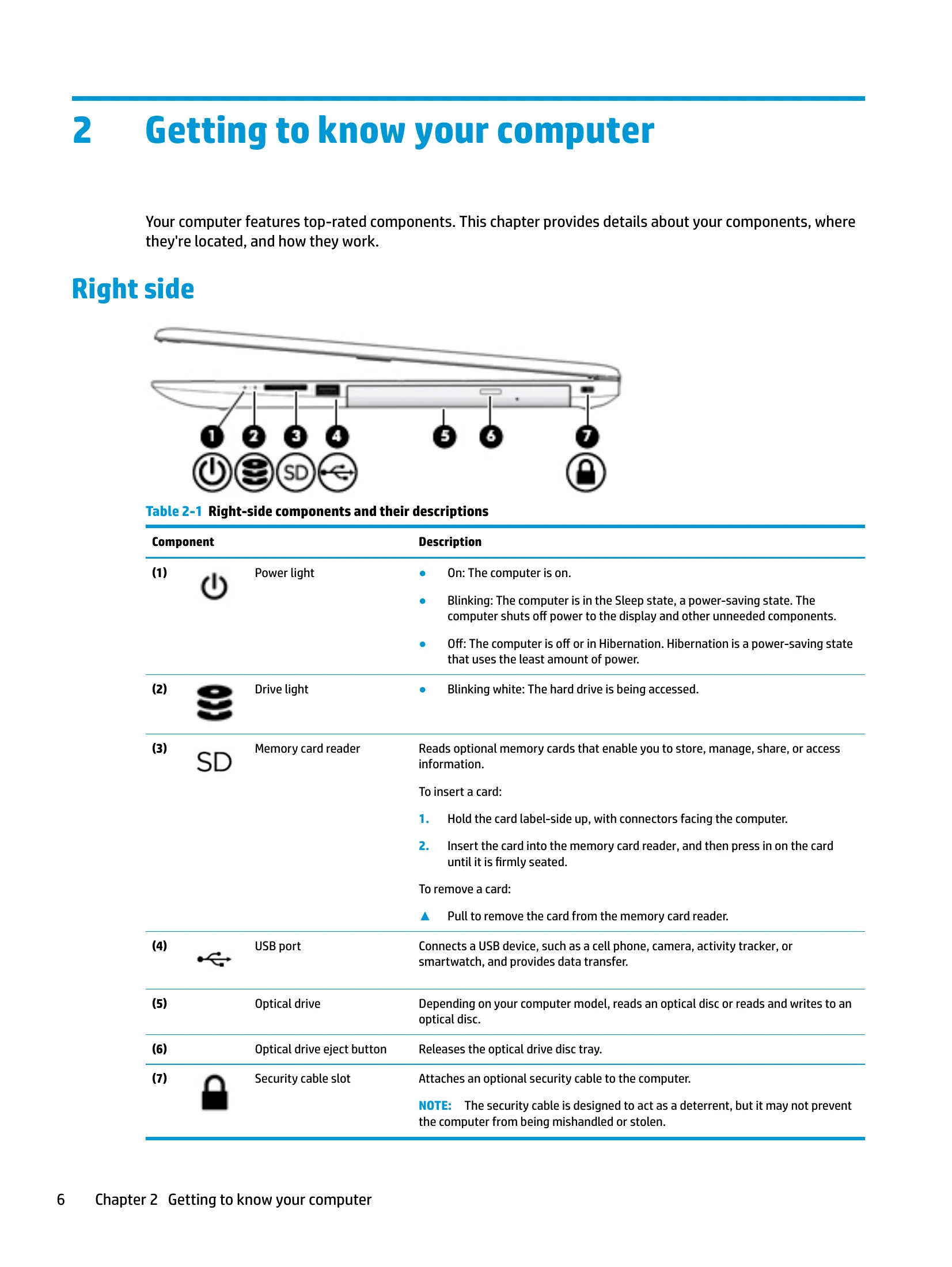
2. Getting to Know Your Computer: Identifies and describes the various components located on the right side, left side, display, keyboard area, lights, buttons, speakers, and special keys of the laptop.
3. Illustrated Parts Catalog: Lists and illustrates the various parts of the computer, categorized for easy identification.
4. Removal and Replacement Procedures: Outlines preliminary requirements for disassembling and reassembling the computer, including tools, service considerations, and electrostatic discharge precautions.
5. & 6. Removal and Replacement Procedures for Customer Self-Repair and Authorized Service Provider Parts: Provides detailed step-by-step instructions for removing and replacing specific internal components.
7. Using Setup Utility (BIOS): Guides the user on how to access, update, and configure the BIOS settings.
8. Using HP PC Hardware Diagnostics: Explains how to use HP's diagnostic tools to check the hardware health of the computer.
9. Backing Up, Restoring, and Recovering: Details methods for backing up personal information, creating restore points, creating recovery media, and restoring the system using Windows tools or HP Recovery media.
10. Specifications: Provides detailed technical specifications for the computer, including dimensions, input power, temperature, humidity, display, M.2 SATA and PCIe solid-state drives, and hard drives.
11. Power Cord Set Requirements: Specifies the requirements for power cord sets applicable to various countries and regions.
12. Recycling: Offers guidance on the proper recycling of batteries and electronic hardware.
| Problem | Possible Cause | Solution |
|---|---|---|
| The computer does not start. | The AC adapter is not connected or is faulty. | Connect the AC adapter or replace it. |
| The display is blank. | The display brightness is set too low. | Increase the display brightness. |
| The computer is running slowly. | Too many programs are running simultaneously. | Close unnecessary programs. |
| The wireless network is not connecting. | The wireless adapter is disabled. | Enable the wireless adapter. |
| The sound is not working. | The volume is muted or set too low. | Adjust the volume or unmute. |