Brand: HP
Category: Digital Camera
Document Type: Manual
Language: EN
Brand: HP
Category: Digital Camera
Document Type: Manual
Language: EN
Uploaded: Nov. 21, 2025, 9:20 p.m.
None
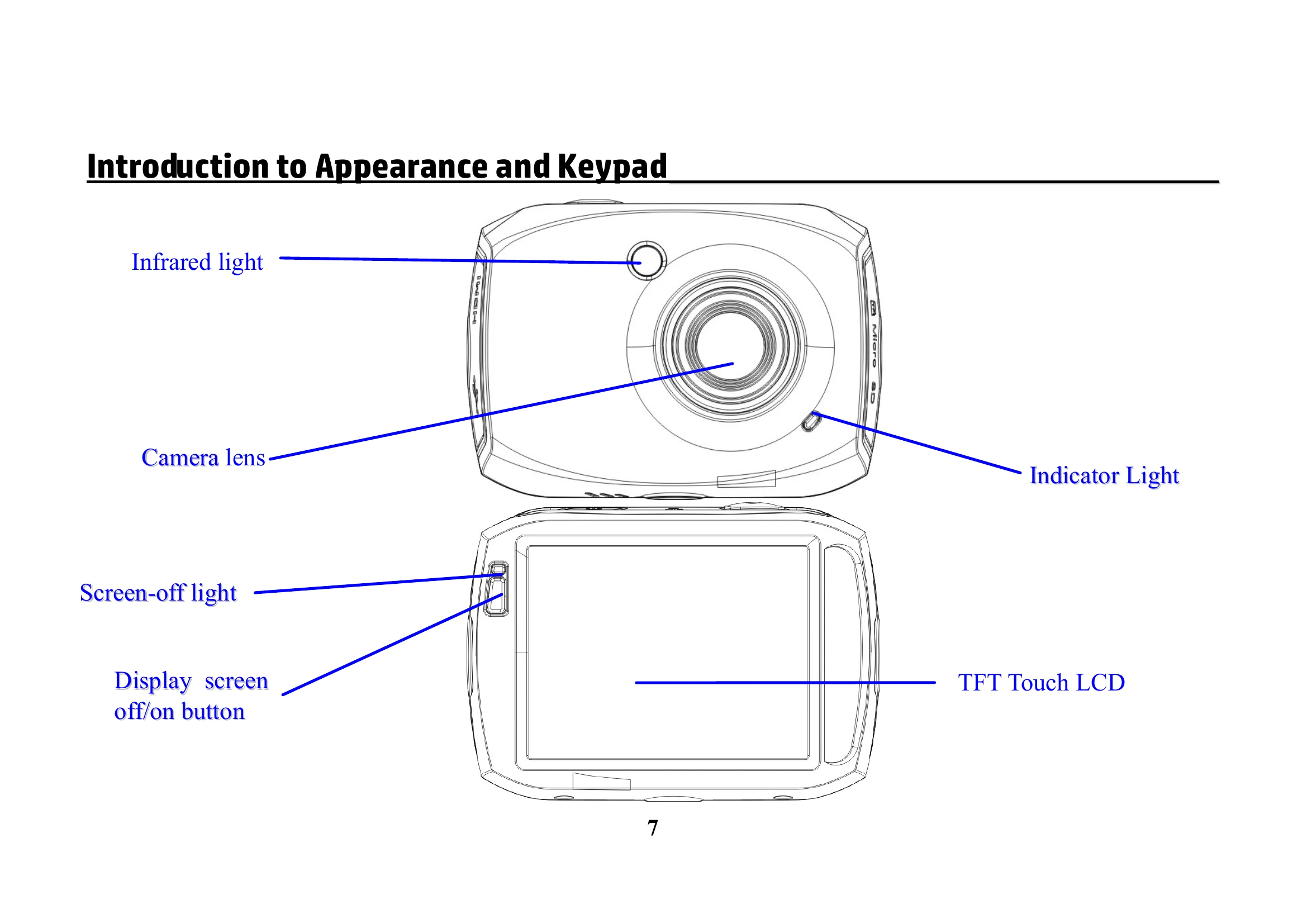
Charging the Battery: Connect the Action Cam to a computer or USB AC adapter using the provided USB cable. The red indicator light will be on during charging and turn off when fully charged. Charging takes approximately 2-4 hours.
Using the Memory Card: Insert a micro-SD card (Class 6 or faster recommended) into the slot until it clicks. To remove, press the end of the card inward until it clicks, then release and remove. Do not remove the card during recording or while the camera is powered on.
Startup/Shutdown: Press and hold the POWER button for 2 seconds to turn on. Press and hold the POWER button to turn off. The screen auto-off feature conserves battery power.
Function Modes: Switch between Video recording, Vehicle recording, Photo, and Playback modes by touching the icon on the LCD.
Recording Video: In video mode, press the shutter button to start/stop recording. The camera stops recording when the memory card is full or the battery is low.
Taking Photos: In photo mode, press the shutter button to take a picture.
Playback: Access playback mode to view recorded videos and photos. Files can be deleted by selecting the delete icon.
Connecting to TV: Use an HDMI cable to connect to a high-definition TV for playback.
PC Connection: Connect to a PC/laptop via USB for file transfer. The camera will be recognized as a removable disk.