Brand: HP
Category: Digital Camera
Document Type: Manual
Language: EN
Brand: HP
Category: Digital Camera
Document Type: Manual
Language: EN
Uploaded: Nov. 21, 2025, 8:39 p.m.
Warranty details are not explicitly summarized in a single sentence.
Introduction: This camcorder is designed for real-time video and audio recording during leisure activities.
System Requirements: Ensure your PC or mobile device meets the specified requirements for connection and operation.
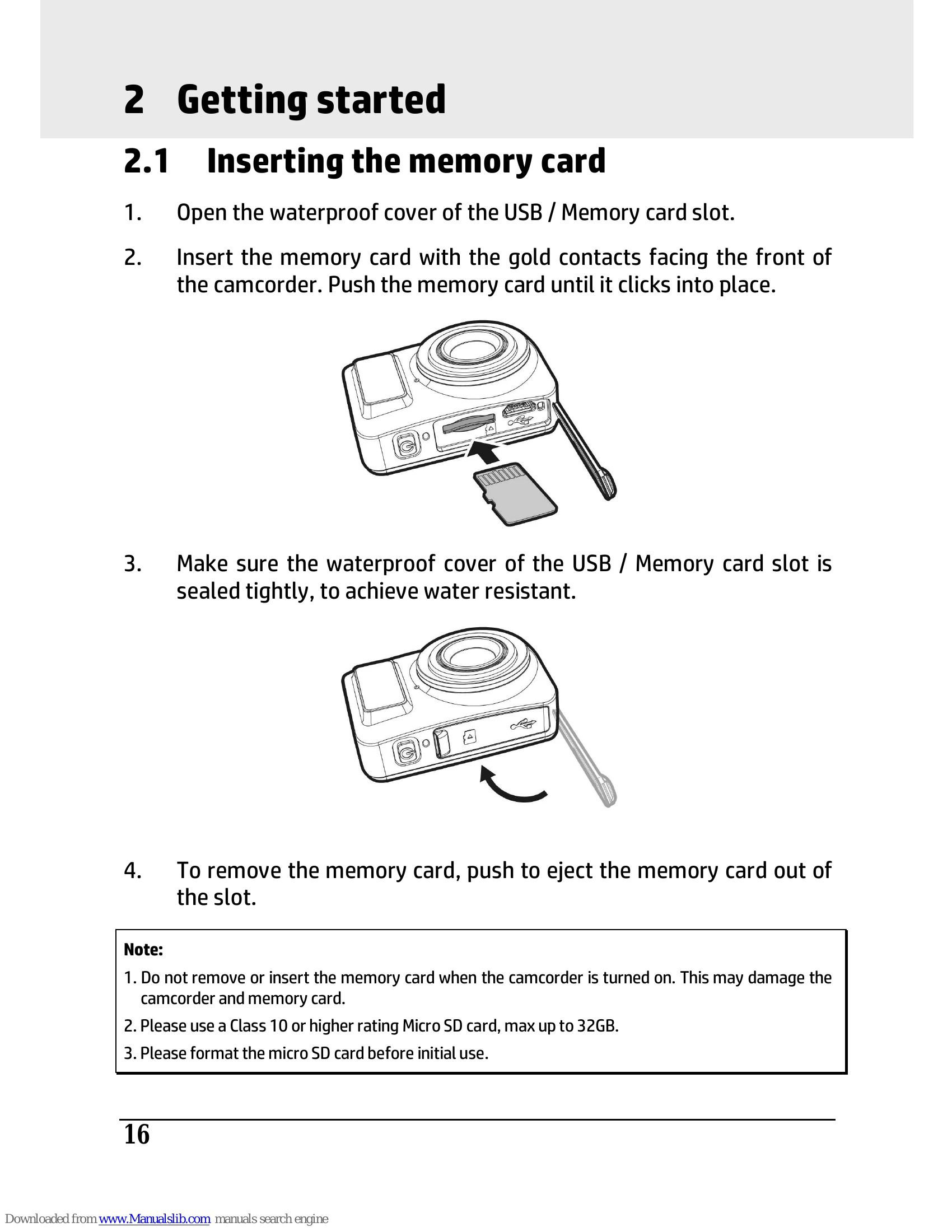
Getting Started: Insert a memory card, charge the camcorder, and understand indicator lights and LCM screen information.
Using the Camcorder: Learn to record videos, shoot photos, create timelapse videos, and playback media using the Pixi Cam application.
Settings and Connection: Customize settings via the OSD menu and connect to computers or other devices.
Software: Install the provided software for editing your recordings.