Manual for R930

Manual for R930

Brand: HP

Category: Digital Camera

Document Type:

Language: EN
Uploaded: Aug. 9, 2025, 11:54 p.m.

Warranty Information

Refer to the express warranty statements accompanying the product for HP's warranties.

Getting Started

This Quick Start Guide helps you get your camera up and running. It covers basic operations and software installation.

  • Install Battery: Open the battery door, insert the battery, and close the door.
  • Charge Battery: Use the USB cable and power adapter. The charging light indicates status.
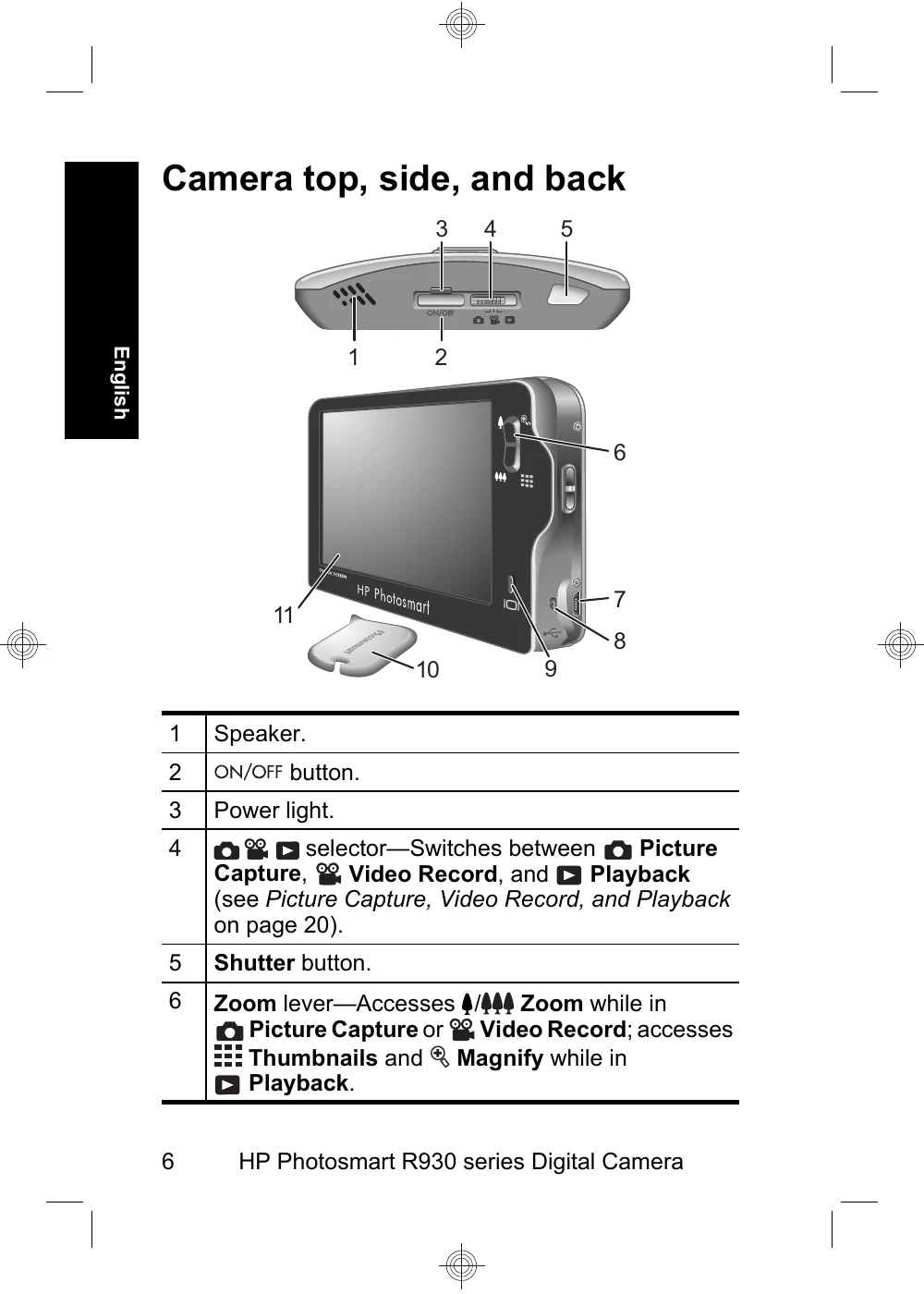
  • Turn on Camera: Press the ON/OFF button.
  • Language & Region: Select your preferred language and region.
  • Date & Time: Set the date and time accurately.
  • Memory Card: Insert and format an optional memory card.
  • Install Software: Use the included CD for Windows and Macintosh.
  • Touch Screen: Familiarize yourself with the touch interface for camera operations.

Taking Pictures and Recording Video Clips

  • Take a Picture: Slide the switch to Picture Capture, frame your subject, press the shutter button halfway to focus, and fully to capture.
  • Record Video: Slide the switch to Video Record, frame your subject, press the shutter halfway to focus, and press fully to start recording. Press again to stop.

Reviewing and Deleting

  • Review: Slide the switch to Playback, then use the navigation buttons to scroll through images and videos.
  • Delete: In Playback mode, select an image/video, access the Delete menu, and confirm deletion.

Transferring and Printing

  • Transfer: Turn off the camera, connect to your computer via USB, turn on the camera, and follow on-screen instructions.
  • Print: Connect to a PictBridge-certified printer, select an image, and touch Print.
Privacy Policy