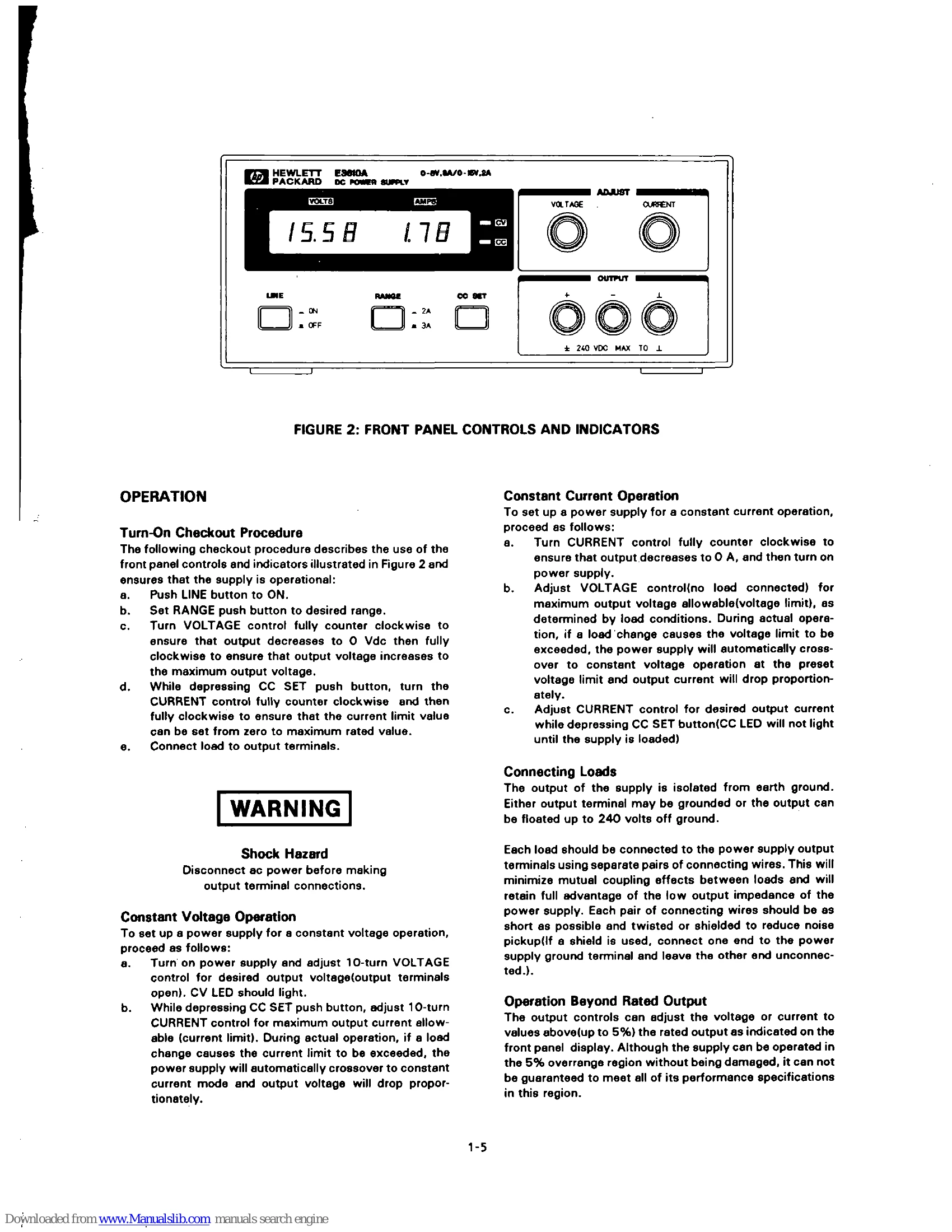
Operation
Turn-On Checkout Procedure
1. Push LINE button to ON.
2. Set RANGE to desired range.
3. Turn VOLTAGE control fully counter clockwise, then fully clockwise to verify output range.
4. While depressing CC SET, turn CURRENT control fully counter clockwise and then fully clockwise to set current limit.
5. Connect load to output terminals.
Constant Voltage Operation
1. Turn on power supply, adjust VOLTAGE control for desired output voltage (open terminals).
2. While depressing CC SET, adjust CURRENT control for maximum output current allowable.
Constant Current Operation
1. Turn CURRENT control fully counter clockwise, then turn on power supply.
2. Adjust VOLTAGE control (no load) for maximum output voltage allowable.
3. Adjust CURRENT control for desired output current while depressing CC SET.
Connecting Loads
Use separate pairs of wires for each load. Keep wires short and twisted or shielded.
Operation Beyond Rated Output
Controls can adjust voltage/current up to 5% over rated output. Performance may not be guaranteed in this region.
Pulse Loading Considerations
High peak currents in pulse loading may exceed the preset limit, causing crossover. Set limit for peak requirement if this is not desired.
Capacitive Loads
Internal capacitor helps supply short, high-current pulses. External capacitance improves pulse capability but reduces safety.
Reverse Current Loading
Active loads may deliver reverse current. Preload with a dummy resistor to avoid loss of regulation and damage. The power supply should deliver current through the entire operating cycle.