Manual for vp6300

Manual for vp6300

Brand: HP

Category: Projector

Document Type: Manual

Language: EN
Uploaded: Nov. 21, 2025, 6:46 p.m.

Manual Publish Date: 2005-01-01

Warranty Information

Refer to the warranty statements accompanying the product for details on HP product warranties.

Setting Up

  • Safety Precautions: Read and follow all safety instructions to avoid injury and equipment damage. Do not look directly into the lens, expose to moisture, or place combustible materials near vents. Use only approved power cords and route cables to prevent tripping hazards.
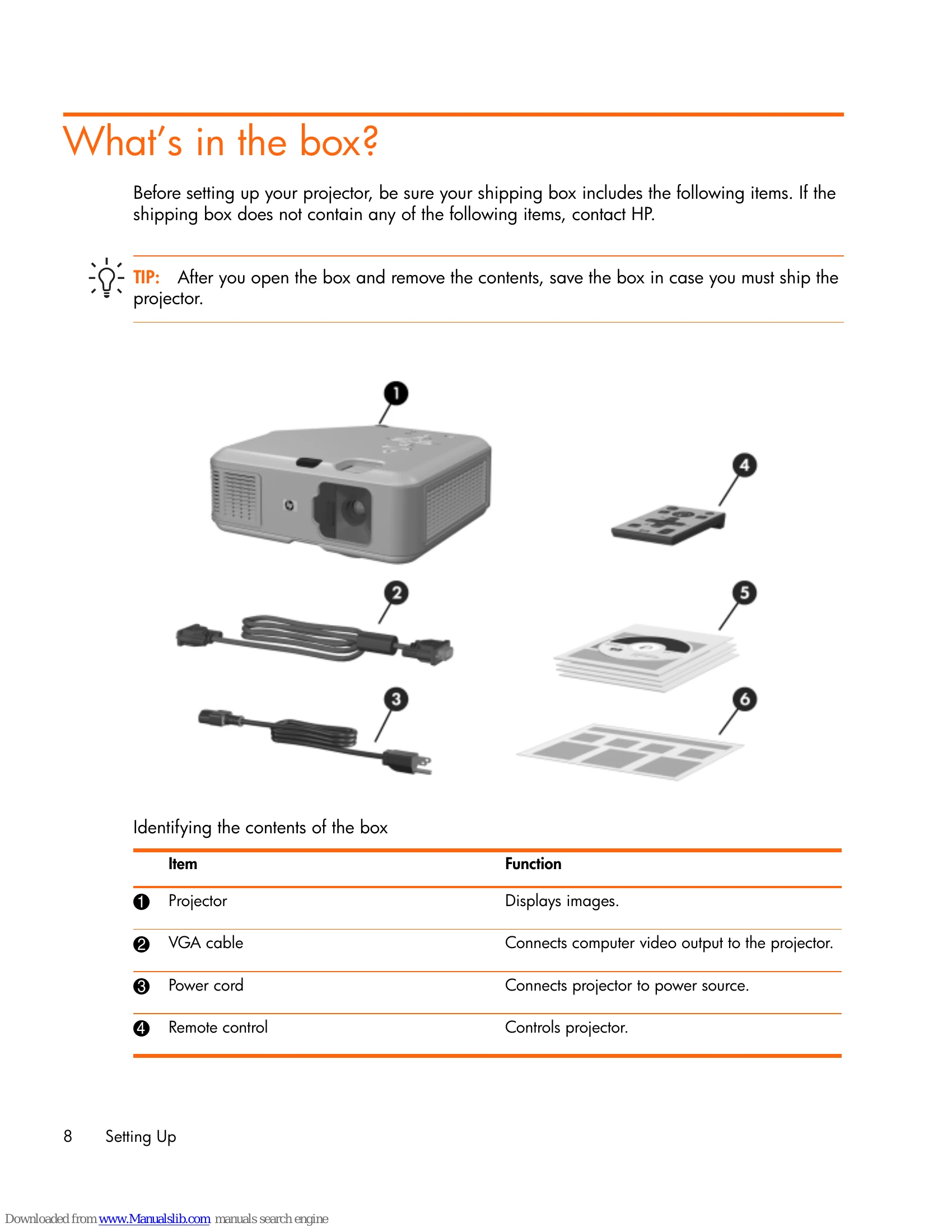
  • What's in the Box: Ensure all items are present: Projector, VGA cable, power cord, remote control, literature, and quick setup guide.
  • Identifying Components: Familiarize yourself with projector buttons, lights, back panel ports, and remote control functions.
  • Connecting Power: Place the projector on a stable platform, connect the power cord to the projector and outlet, and turn on the main disconnect switch.
  • Connecting Devices: Connect computers, handheld organizers, or video sources using appropriate cables (VGA, USB, DVI, S-video, composite).
  • Basic Operation: Turn the projector on/off, aim it, adjust focus and zoom, and use the remote control.
  • On-Screen Menu: Navigate through input, picture, sound, setup, and help menus to configure settings.

Maintaining the Projector

  • Routine Maintenance: Clean the lens and projector case regularly.
  • Component Replacement: Replace the lamp module and remote control battery as needed.
  • Firmware Updates: Keep the projector's firmware up-to-date.

Installing Permanently

  • Choose appropriate installation methods: table, ceiling, or rear projection.
  • Secure the projector using a lockable cable if necessary.
  • Connect to room controllers for advanced integration.

Fixing Problems

  • Troubleshooting: Refer to the guide for common issues like sound problems, interruptions, or remote control malfunctions.
  • Diagnostics: Use the on-screen diagnostic tests to identify and resolve issues.

Reference

  • Specifications: View detailed technical specifications of the projector.
  • Safety Information: Review LED and mercury safety guidelines.
  • Regulatory Information: Understand compliance with regulations in different regions.

Troubleshooting and error codes

Problem Troubleshooting Suggestion
Sound problems
  • Ensure audio cable is securely connected.
  • Check Mute is OFF and Volume is correct in Sound menu.
  • Ensure Internal speakers are turned ON.
  • Run the sound test in Help > Diagnostics.
  • Verify mute and volume settings on the source device.
Interruption problems
  • Turn off projector, unplug power, wait 15 seconds, then reconnect.
  • Lamp shuts off: Wait a few minutes and power on. Check warning lights.
  • Lamp burns out/popping sound: Lamp module needs replacement. Contact HP if lamp breaks.
Remote control problems
  • Ensure no obstruction to the remote receiver. Move closer (within 9m/30ft).
  • Aim remote at the screen or projector.
  • Reposition remote more directly in front/behind projector.
  • Run remote control test in Help > Diagnostics.
  • Replace battery in remote control.
Warning light problems Refer to page 59 for meanings and troubleshooting.
Start-up problems Refer to page 60 for troubleshooting.
Picture problems Refer to page 60 for troubleshooting.
Privacy Policy