Brand: HTC
Category: Smartphone
Document Type:
Language: EN
Brand: HTC
Category: Smartphone
Document Type:
Language: EN
Uploaded: Aug. 10, 2025, 12:04 a.m.
Manual Publish Date: 2010-01-01
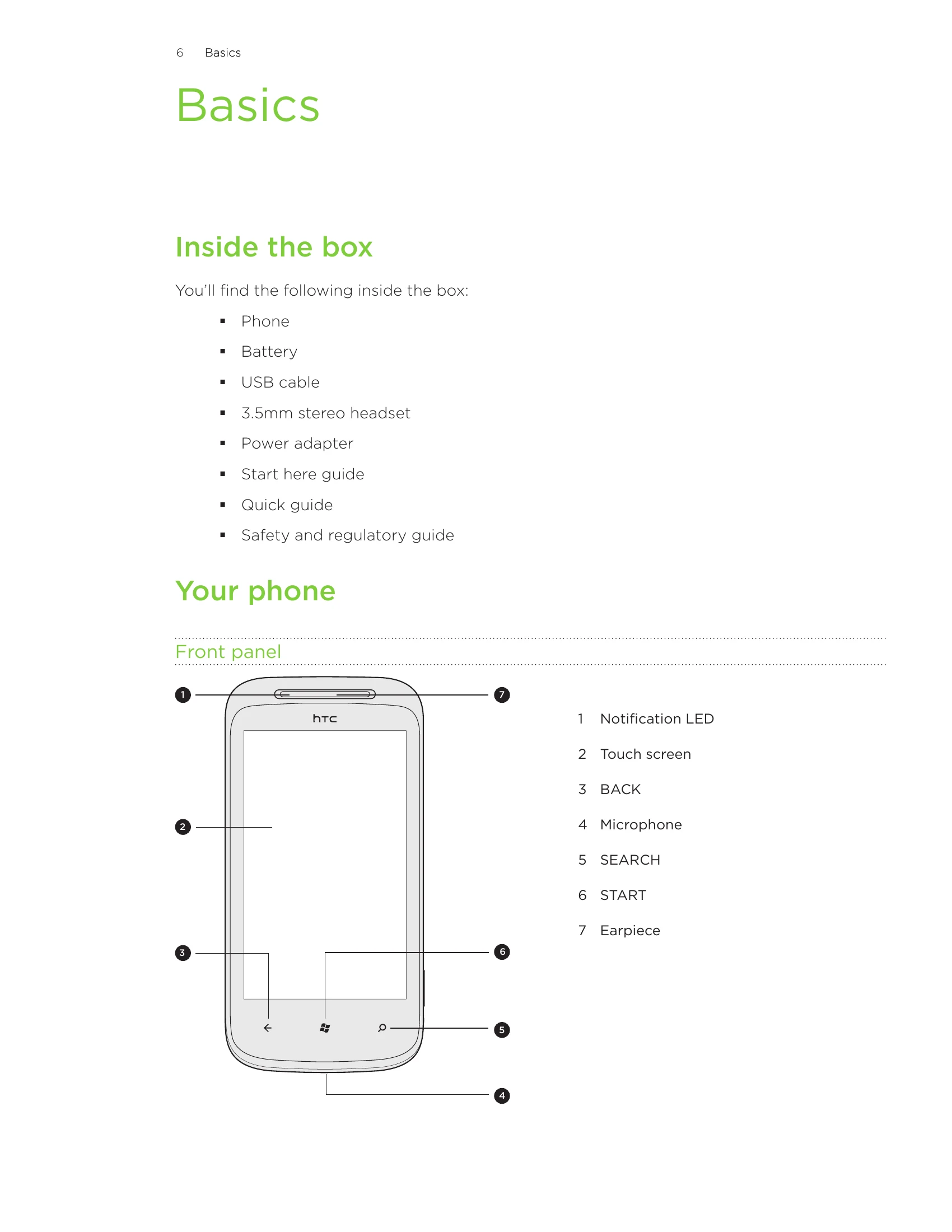
Basics: Familiarize yourself with the phone's components, including the front, top, left, right, and back panels. Learn how to remove and replace the bottom cover and access the battery and SIM card.
SIM Card & Battery: Understand how to insert and remove the SIM card and battery. Learn how to charge your phone using the provided adapter and USB cable.
Powering On/Off & PIN: Discover how to switch your phone on and off, and how to enter your PIN. Learn about finger gestures for navigation.
Start Screen & Apps: Navigate the Start screen, rearrange tiles, and pin items. Access apps and settings by tapping or sliding.
Hubs: Utilize hubs to simplify tasks by bringing related experiences together.
Sleep Mode: Save battery power by putting your phone into a low power state.
Unlocking & Wallpaper: Learn how to unlock your phone and change the lock screen wallpaper.
Status Icons & Volume: Understand the status bar icons and how to adjust the volume.
Searching & Voice: Search the web and within apps. Use voice commands with "Tell Me" for calls, apps, and searches.
Accounts & Customization: Set up accounts (Windows Live, Outlook, Facebook) for syncing. Change ringtones and themes.
| Problem | Solution |
|---|---|
| Phone unresponsive or sluggish | Restart your phone. If the issue persists, perform a factory reset. |
| SIM card locked | Contact your mobile operator for the PUK (PIN Unblocking Key). |
| Cannot connect to Wi-Fi | Ensure Wi-Fi is turned on and you are within range of a network. Check network settings. |
| Cannot send or receive messages | Check your network connection and ensure your messaging settings are correct. |
| Battery drains quickly | Manage battery usage by closing unused apps, reducing screen brightness, and disabling features like Bluetooth when not in use. |