Manual for HD7

Manual for HD7

Brand: HTC

Category: Smartphone

Document Type:

Language: EN
Uploaded: Aug. 10, 2025, 12:04 a.m.

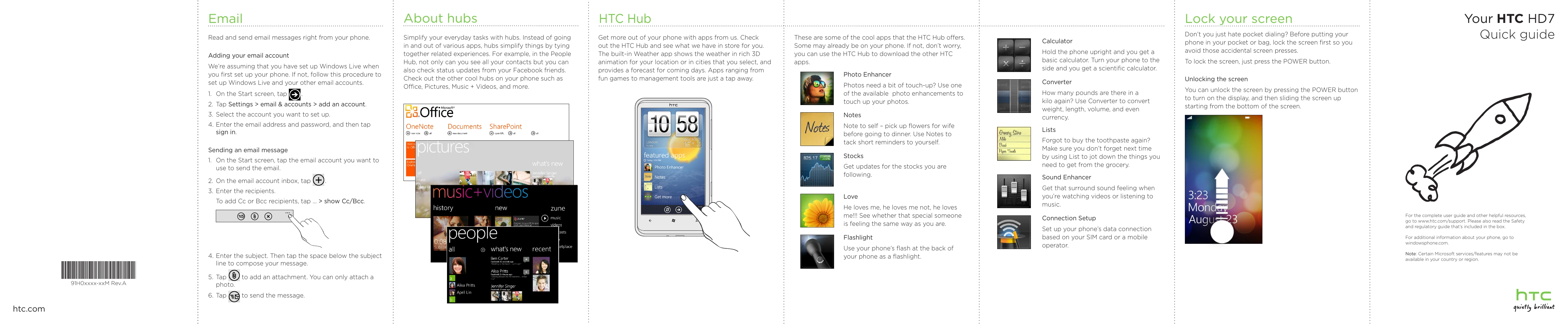
  • Email: Read and send emails.
  • About hubs: Simplify tasks by combining related experiences (e.g., People Hub for contacts and social updates).
  • HTC Hub: Download apps, check weather with 3D animation, and access various tools and games.
  • Lock your screen: Press the POWER button to lock; slide up from the bottom to unlock.
  • Get to know your phone: Identify buttons like POWER, VOLUME, and CAMERA. Learn about the touchscreen and audio jack.
  • Before you turn on your phone: Charge the battery, insert the SIM card, and replace the back cover.
  • Set up your phone: Follow onscreen instructions for time zone, Windows Live ID, and importing contacts.
  • Keep in contact: Import contacts from your SIM card and add new contacts. Sync with Facebook to see friend updates.
  • Make your first call: Tap the Phone tile, dial a number, and tap call.
  • Connect to the Internet: Use data connection or Wi-Fi. Connect to Wi-Fi networks and browse the web using Internet Explorer.
  • Send a txt msg: Tap the Messaging tile, tap +, enter recipient, type message, and send.

Troubleshooting and error codes

Column 1 Header Column 2 Header Column 3 Header Column 4 Header
Row 1 Data 1 Row 1 Data 2 Row 1 Data 3 Row 1 Data 4
Row 2 Data 1 Row 2 Data 2 Row 2 Data 3 Row 2 Data 4
Row 3 Data 1 Row 3 Data 2 Row 3 Data 3 Row 3 Data 4
Privacy Policy