Brand: HTC
Category: Smartphone
Document Type:
Language: EN
Brand: HTC
Category: Smartphone
Document Type:
Language: EN
Uploaded: Aug. 10, 2025, 12:04 a.m.
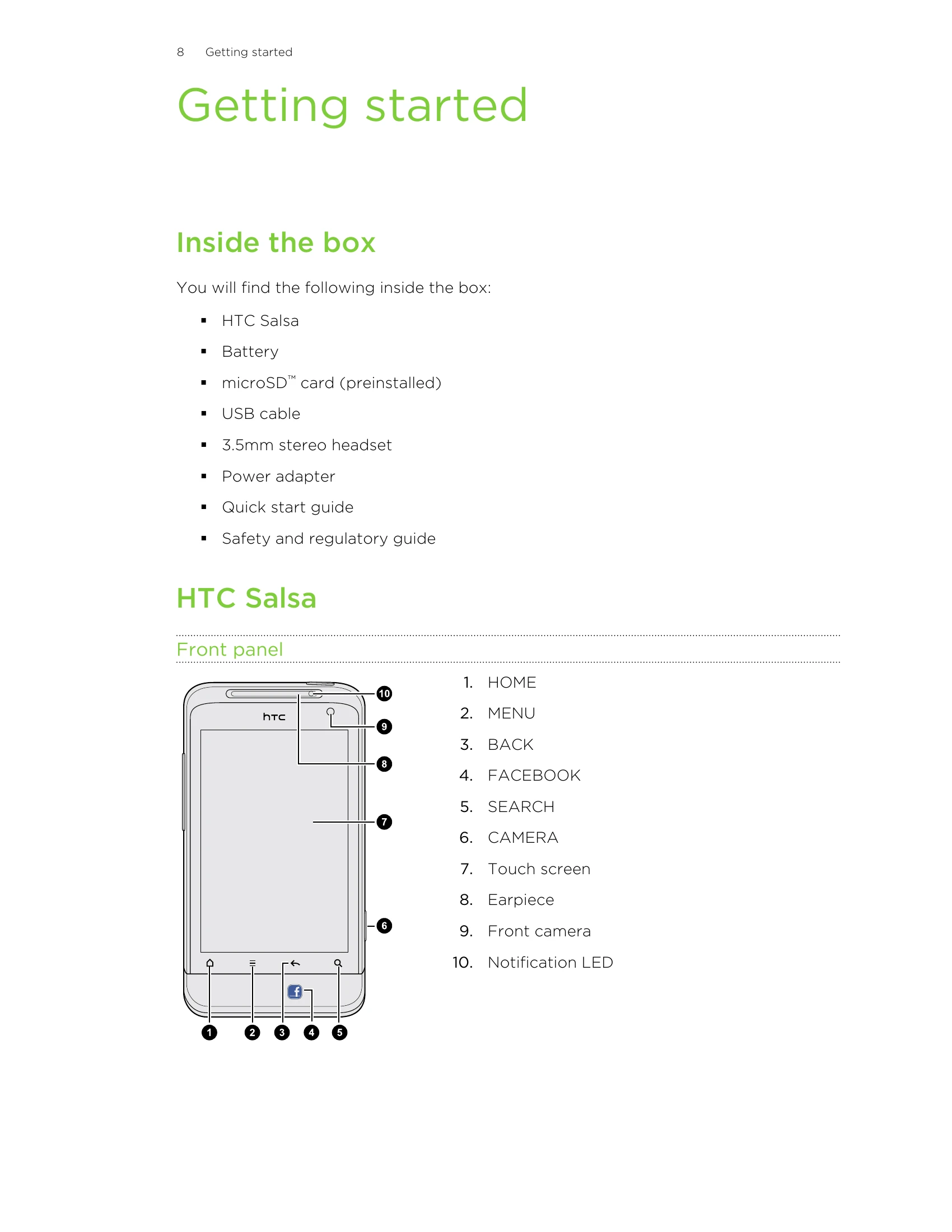
This section covers initial setup, including unpacking your HTC Salsa, inserting the SIM card and battery, charging the device, and understanding basic operations like powering on/off and using finger gestures.
Learn how to adjust volume, manage sleep mode, understand status and notifications, connect to a computer, and copy files.
Customize your HTC Salsa with scenes, wallpapers, skins, widgets, icons, and folders to make it truly yours.
Instructions on making and receiving calls, including emergency calls, conference calls, and using speed dial.
Explore features for easy Facebook integration, such as sharing status updates, music, photos, and videos.
Learn how to search for information on your phone and the web, and manage browser settings.
Manage your online accounts, synchronize with Google, and add social network accounts.
Manage your contacts, from importing from old phones and SIM cards to adding new contacts and organizing them.
Basic camera functions, including taking photos and recording videos.
Access your gallery and music player.
Discover how to find and install apps, use utilities like the Clock, Weather, and YouTube.
Sections dedicated to managing your communications and schedule.
Guides for syncing your phone with your computer, using online services, keyboard functions, internet connectivity, Bluetooth pairing, and security settings.
Detailed information on customizing your phone's display, sound, language, battery, and memory.
Instructions for software updates, restarting, and performing factory resets.