Brand: Huawei
Category: Audio
Document Type: Quick Start Guide
Language: EN
Brand: Huawei
Category: Audio
Document Type: Quick Start Guide
Language: EN
Uploaded: Nov. 21, 2025, 6:57 p.m.
Warranty information is not explicitly detailed in this quick start guide.
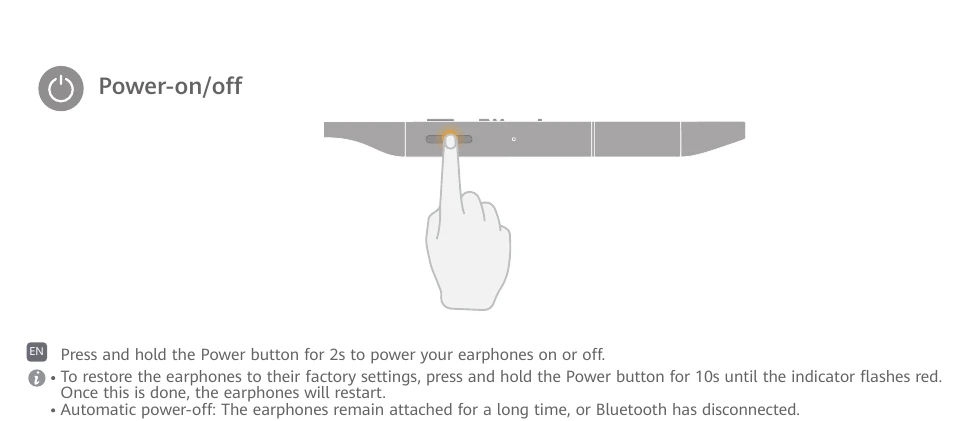
Powering On/Off: Press and hold the Power button for 2s.
Factory Reset: Press and hold the Power button for 10s until the indicator flashes red. The earphones will restart.
Pairing: Press and hold the Power button for 4s until the indicator flashes white. Search and pair with HUAWEI FreeLace Pro on your phone.
Switching Devices: Press the Power button twice to switch to the previous device.
Connecting/Disconnecting: Attach earphones to disconnect. Separate to reconnect.
HUAWEI HiPair: Insert USB-C plug into phone (EMUI 10.0/Magic UI 3.0+) and follow on-screen instructions.
Button Controls: Answer/End call (Function button once), Reject call (hold 2s), Pause/Play (Function button once), Next song (twice), Previous song (three times), Wake voice assistant (hold 2s).
Noise Reduction: Touch and hold the control area on the left earphone.
Changing Ear Tips: Choose size for noise cancellation and comfort.
Charging: Use adapter cable to charge or via phone's USB-C port (with OTG reverse charging).