Downloading and Installing the App
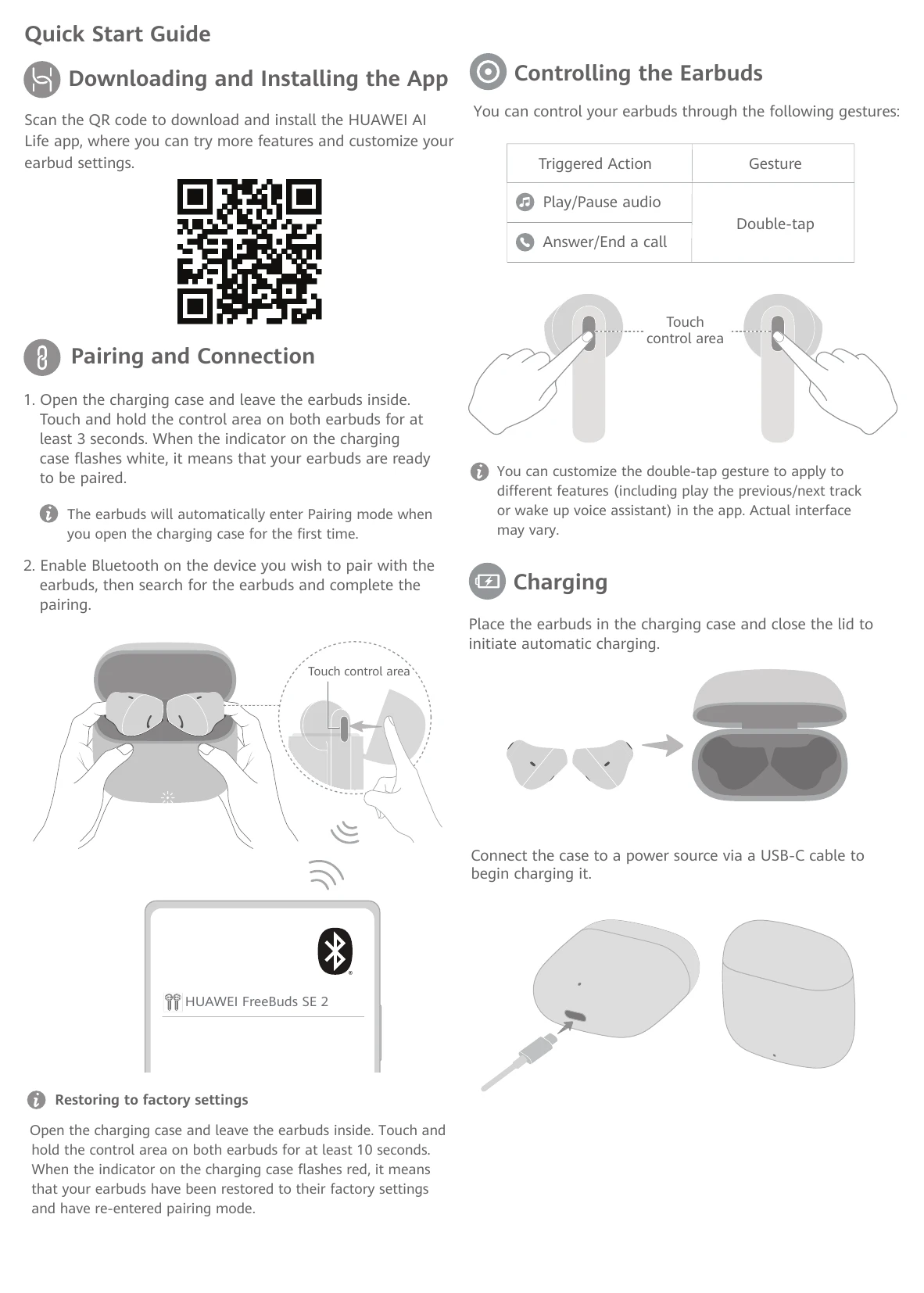
Scan the QR code to download and install the HUAWEI AI Life app for more features and settings.
Pairing and Connection
1. Open the charging case, touch and hold the control area on both earbuds for 3 seconds until the indicator flashes white. (Earbuds automatically enter Pairing mode on first open.)
2. Enable Bluetooth on your device, search for earbuds, and complete pairing.
Controlling the Earbuds
- Play/Pause audio, Answer/End call: Double-tap
Customize double-tap gestures in the app.
Charging
Place earbuds in the charging case and close the lid for automatic charging.
Connect the case to a power source via USB-C cable to charge the case.
Restoring to factory settings
Open the charging case, touch and hold the control area on both earbuds for 10 seconds until the indicator flashes red. Earbuds reset and re-enter pairing mode.