Manual for MateBook E

Manual for MateBook E

Brand: HUAWEI

Category: Laptop

Document Type: Manual

Language: EN
Uploaded: Nov. 21, 2025, 7:50 p.m.

Manual Publish Date: 2017

Warranty Information

Information on warranty, accessories, and software is provided.

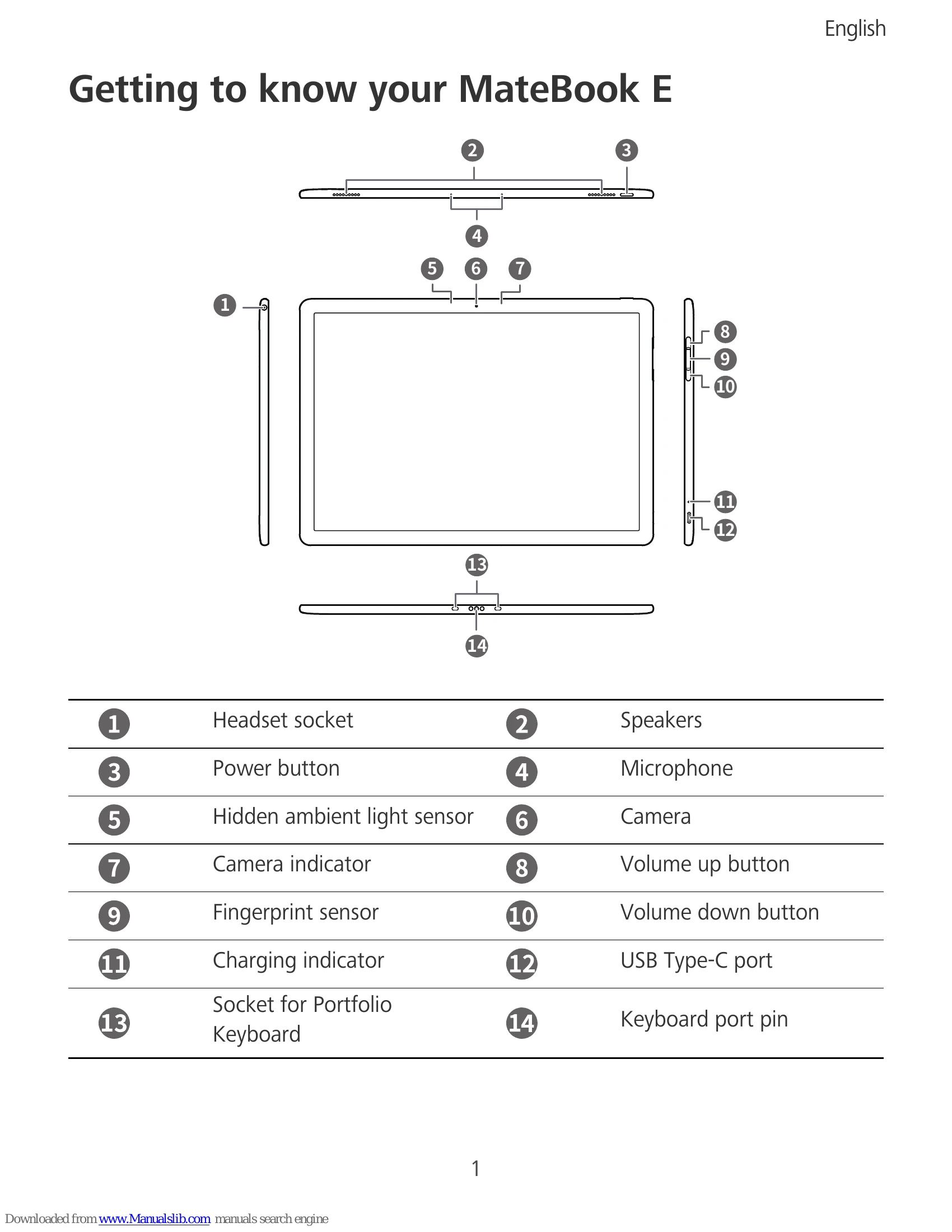
Getting to know your MateBook E

  • Familiarize yourself with the device layout, including ports, buttons, and indicators.
  • Charge the device before first use.
  • Follow onscreen instructions for initial setup, including connecting to Wi-Fi, logging into a Microsoft account, and setting a PIN.
  • Learn how to use the Start menu and Action Center for device settings and quick access to features.
  • Understand how to charge the device and restore it to factory settings.
  • Instructions are provided for attaching the HUAWEI Folio Keyboard and using accessories like the HUAWEI MateDock 2.
Privacy Policy