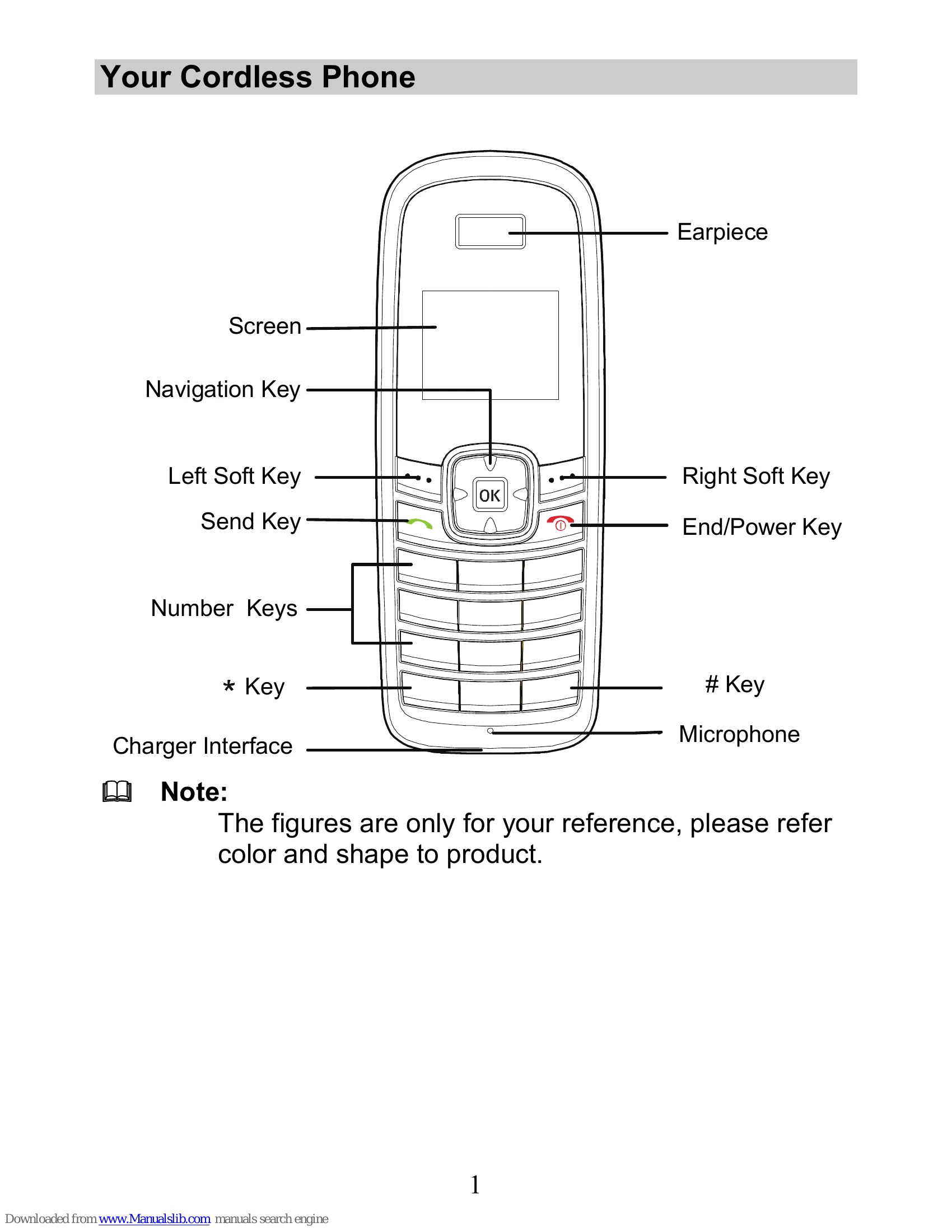
Making a Call: In standby mode, enter a phone number and press the Send Key to dial. Press the End/Power Key to end the call.
Answering a Call: When there is an incoming call, press the Send Key to answer or the End/Power Key to reject.
Using the Function Menu: In standby mode, press the Left Soft Key to display the Menu interface. Use the Navigation Keys to scroll and select options.
Silent Mode: In standby mode, press and hold the * Key to activate/deactivate silent mode, or navigate through Menu > Profiles > Silent.
Phone Lock: The phone lock protects your phone from unauthorized use. The default code is 000000. To lock/unlock the keypad, press and hold the # Key.
Text Input: Change input modes by pressing the # Key in editing mode. Use eZiEn, ABC, Abc, or abc modes for text entry. Access symbols by pressing the * Key.
Recorder (Optional): Use the recorder to automatically answer and record calls. Recorded clips can be played back via Menu > Recorder > Guest Announcements.